Long-session map and menu readers
If you spend extended sessions scanning political maps, tooltips and management panels, consider how much interface space you want and whether you can position the screen comfortably at your desk.


Start by considering a 27-inch QHD IPS monitor with an adjustable stand if screen positioning and space for maps and menus matter most during long sessions. If you also play faster games, compare higher-refresh models against your PC's output and cable; if you play from a laptop, check USB-C video and charging compatibility before choosing a display for its single-cable setup.
If you spend extended sessions scanning political maps, tooltips and management panels, consider how much interface space you want and whether you can position the screen comfortably at your desk.
If faster games are also part of your routine, a higher-refresh QHD monitor may be worth considering. Check that your graphics output and connection can support the resolution and refresh rate you intend to use.
If you connect a laptop for long sessions, USB-C video, charging and peripheral ports may simplify your desk setup—but only when the laptop and monitor support the functions you need.
For political simulations, decide whether your main priority is screen position, room for a dense interface, refresh rate for other games or a simpler laptop connection. Then compare the relevant model specifications rather than treating one headline figure as the whole decision.
| Concern | What to check | Who this matters to |
|---|---|---|
| Screen positioning | Check the supplied stand's height and tilt adjustment, plus swivel, pivot or VESA mounting if you need them. | I want to place the screen for my seated position rather than work around a fixed stand during a long session; around 36% of consumers put positioning first. |
| Maps and menus | Compare screen size and native resolution, then check whether the game interface remains comfortable at your viewing distance and chosen scaling. | Dense maps, lists and tooltips need enough usable space without making their text uncomfortable to read; roughly 29% of consumers prioritise interface clarity and workspace. |
| Mixed-game refresh | Compare native and overclocked refresh rates, and check the graphics output and cable required for your intended connection. | If I also play faster games, I care about the refresh rate I can actually use, not just the number on the box; around 21% of consumers make mixed-game smoothness their main concern. |
| Laptop connection | Check USB-C DisplayPort Alt Mode support on the laptop and compare any monitor Power Delivery rating with its charging requirements. | A laptop connected to the desk is easier for me to manage when one compatible connection handles the display and charging; about 14% of consumers put that connection first. |
LG specifies 180Hz native operation for the 27GS75QN-B, while its 200Hz overclocked mode requires both DisplayPort 1.4 graphics support and a DisplayPort 1.4 cable.
Check the exact model's native and overclocked modes against your graphics output, chosen port and cable before relying on the maximum figure.
Using a conditional mode may require a different cable or compatible graphics output.
A monitor's appearance does not tell you whether its supplied stand will place the screen where you need it. The Health and Safety Executive's workplace guidance identifies fatigue and discomfort among risks associated with overuse or improper display-screen use; that guidance is not a claim that a particular monitor prevents them.
Check the stand adjustments and any mounting pattern against your desk and preferred screen position.
A separate arm or stand may be needed if the supplied stand cannot reach that position.
BenQ lists DisplayPort Alt Mode and 65 W Power Delivery for the GW2790QT, but those monitor capabilities do not establish compatibility with every laptop.
Check the laptop's USB-C video support and charging requirement, as well as the connection you plan to use.
A separate charger or different connection may still be necessary.
A voluntary change-of-mind policy is separate from remedies for goods that are faulty or not as described. GOV.UK's consumer guidance addresses those statutory remedies for UK purchases.
Keep the order record and model details, and check the seller's returns process without treating its voluntary policy as the limit of your statutory rights.
The GW2790QT is a reference point for a 27-inch QHD IPS desk setup where stand adjustment and a compatible USB-C laptop connection matter more than high-refresh gaming.
The S2725DSM illustrates a QHD IPS option for consumers who want an adjustable stand alongside a higher refresh rate for a mixed game library.
The 27GS75QN-B illustrates a QHD IPS gaming route for consumers who specifically want higher refresh capability alongside political simulations.
These monitors cover adjustable QHD screens, higher-refresh gaming models and wider displays for maps and menus. Compare each screen's physical fit and connection requirements with your desk and PC; the ultrawide OLED option also calls for particular care with extended static images.
 No image available
Consider this if you want a QHD screen for political-simulation interfaces and also prioritise high-refresh gaming.
The product name specifies a 27-inch QHD OLED display and 240Hz refresh rate. Check whether your graphics output and chosen connection can deliver the mode you want, and whether the stand reaches your preferred position.
 No image available
Consider this wider OLED option if you want space for maps and other on-screen information as well as high-refresh gaming.
The product name specifies a 34-inch OLED WQHD display and 240Hz refresh rate. Check desk and game-interface fit, plus the refresh rate available from your connection. The listing warns that extended static images can cause OLED burn-in and advises using its screen-protection features.
 No image available
Consider this 34-inch option if you prefer a wider view for maps and menus and can accommodate a curved screen at your desk.
The product name specifies 3440 × 1440 resolution, height, swivel and tilt adjustment, 175Hz via DisplayPort and 100Hz via HDMI. Check the intended port, cable and graphics output; the curved format may also affect your preferred interface layout.
 No image available
Consider this QHD IPS option when screen positioning for long simulation sessions matters more to you than choosing the highest refresh-rate tier.
The product name specifies QHD IPS and 100Hz. Check the stand adjustment against your desk and confirm that your device can output the desired resolution and refresh rate. If USB-C matters, confirm the ports and capabilities of the exact unit.
 No image available
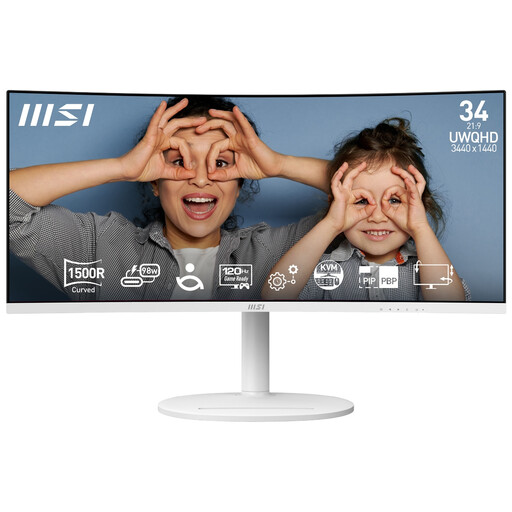
Consider this wider screen if you want room for maps and menus and its curved format suits your desk and preferred interface layout.
The product name specifies 3440 × 1440 UWQHD resolution, 120Hz and a 1500R curve. Check the fit and scaling before buying. If a laptop connection is important, confirm the exact unit's USB-C video and charging capabilities against your device.
The Health and Safety Executive describes the Display Screen Equipment Regulations as workplace duties concerning workers who use display-screen equipment daily for continuous periods of an hour or more as a significant part of normal work. A personal leisure monitor purchase does not itself trigger a product-certification requirement under those rules, though the workstation guidance can inform how you arrange your desk.
No: an eye-comfort or flicker-free feature is not a promise that a monitor will prevent discomfort. The Health and Safety Executive's workplace guidance addresses workstation setup and breaks or changes of activity; consider the monitor's adjustments and your routine alongside any labelled features.
No. LG specifies 180Hz native operation for the 27GS75QN-B and says its 200Hz overclocked mode requires a DisplayPort 1.4-capable graphics card and a DisplayPort 1.4 cable.
For a UK purchase, keep the listing and order record, document the problem and contact the seller. GOV.UK distinguishes remedies for faulty or misdescribed goods from a retailer's voluntary change-of-mind policy; the appropriate remedy depends on the circumstances of the purchase and the problem.