What to check before buying
Start with the desk and viewing position, then decide how much room your notes need on screen. Check laptop connections and audio features against how you actually review recordings.
| Concern | What to check | Who this matters to |
|---|
| Space for notes |
Compare screen size and native resolution; do not assume every 27-inch monitor is QHD. |
If I keep notes beside a recording player, I want both windows readable without constantly rearranging them. Around 29% of consumers would put document workspace first. |
| Screen position |
Measure desk depth and check stand adjustment or compatible mounting options. |
At a shallow desk, I need to place the screen at a workable distance and height before choosing its size. For around 36% of consumers, positioning would be the primary concern. |
| Laptop connection |
Confirm USB-C video compatibility, the laptop's charging requirement and the monitor's stated power delivery. |
I want one cable for my laptop, but only if it can carry video and provide enough charging power. That would be the first priority for around 21% of consumers. |
| Recording playback |
Check for speakers, a headphone output and an audio-carrying connection from the laptop. |
For short pronunciation checks, I would rather use built-in playback than add a desktop speaker. Around 14% of consumers would make convenient audio their main deciding factor. |
Joybuy monitors for note review
These monitors cover compact desks and larger screens for viewing notes with other study material. Compare each model's stated features with your desk, laptop and listening setup rather than assuming that a larger screen or extra connection is necessary.
 No image available
ASUS ProArt PA278CV IPS WQHD monitor
Consider this model if you want a WQHD screen for arranging pronunciation notes beside other material.
Its listed display type is IPS. If you plan to connect and charge a laptop through USB-C, check the port's video compatibility and power-delivery rating against the laptop before buying.
View on Joybuy
 No image available
AOC Q32V4 31.5-inch IPS monitor with speakers
The 31.5-inch screen is worth considering if you have room for a larger display while reviewing notes and recordings.
The product title lists an IPS panel and built-in speakers. Measure the desk and viewing distance, and check the supplied stand's adjustment before choosing this size.
View on Joybuy
 No image available
Dell P2425H 24-inch monitor
This 24-inch model is an option when a compact desk limits the space available for note review.
Check its stated resolution, refresh rate and connections on the exact listing before buying. In particular, do not assume that its USB-C capabilities match those of the different Dell P2425HE model.
View on Joybuy
 No image available
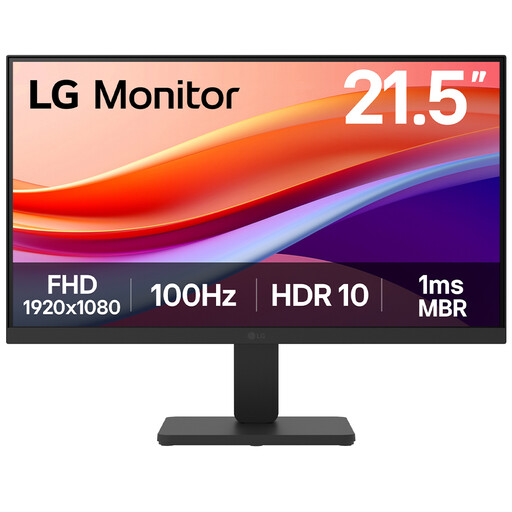
LG 22U401A-B 22-inch VA Full HD monitor
The 22-inch format is a smaller-screen choice for a desk where a larger monitor would be awkward to place.
The product title lists a VA panel, Full HD resolution, 100Hz refresh rate and HDMI. Check whether the stand can place the screen at a comfortable height; the smaller display also leaves less room for notes beside playback controls than a larger QHD option.
View on Joybuy
 No image available
HKC G27H2DPro 27-inch QHD Fast IPS monitor
This 27-inch QHD option gives you a larger format to consider for notes alongside another study window.
The product title lists a 2560 × 1440 Fast IPS display and 220Hz refresh rate. Check how its screen finish works with the room's lighting, and confirm the stand or mounting arrangement if screen position is a priority.
View on Joybuy
Questions about monitor choice
Where should I position a monitor for reviewing notes?
Arrange the whole workstation so the screen is directly in front of you, with its top around eye level and the display about an arm's length away, following Health and Safety Executive guidance. If the supplied stand cannot achieve that position, check the stability and compatibility of a riser or monitor arm.
Will a USB-C monitor charge my laptop?
Only if the monitor's stated power delivery meets the laptop's charging needs and the connection is compatible. For example, LG lists up to 15W for the 27U631A-B, BenQ lists 65W for the GW2790QT, and Dell lists up to 90W for the P2425HE; also confirm that the laptop can send video through the chosen USB-C connection.
Are monitor speakers useful for checking pronunciation recordings?
Built-in speakers can make short playback convenient, but their presence does not establish whether they suit detailed listening or a shared room. Check for a headphone output if privacy matters; BenQ lists one for the GW2790QT, while Dell lists built-in speakers for the S2725DS.
Do UK workplace screen rules specify a monitor for a student room?
The Health and Safety Executive's display screen equipment guidance does not specify a monitor model for a personally purchased home-study setup. Its workstation advice can still help you assess screen position; the employer assessment duties it describes concern qualifying work use, not a specification every student must buy.


