What matters when choosing?
Check where you can place the screen before choosing a resolution or connection: even an adjustable display can face troublesome reflections if the window is directly in its line of sight.
| Concern |
What to check |
Who this matters to |
| Daylight glare |
Check the exact model’s matte or anti-glare finish and how readily you can adjust brightness and contrast. An ambient-light sensor is optional, not a substitute for positioning. |
If reflections interrupt my reading as daylight changes, keeping the notes legible takes priority over extra features. Roughly 36% of consumers put glare control first. |
| Dense notes and references |
Compare 27-inch 4K and QHD resolutions, then check whether your preferred text scaling leaves enough room for the documents you use together. |
When I need IPA symbols, a transcript and reference material open together, I want detail without making the text too small to read. For roughly 29% of consumers, note density is the primary concern. |
| Positioning and laptop use |
Check the supplied stand’s movements, USB-C video compatibility and Power Delivery wattage against your laptop. |
If I regularly reposition the display and connect a laptop, stand movement and a workable single-cable setup matter most. Around 21% of consumers prioritise this desk setup. |
| Simple note reading |
Check whether Full HD gives you enough room for your usual notes, alongside the screen finish and stand adjustment you need. |
If I mainly read one set of notes at a time, I may not need a 4K workspace or laptop docking features. Roughly 14% of consumers put straightforward reading first. |
Joybuy monitor choices
These monitors offer different resolutions and desk setups for reviewing notes. Match the exact model’s screen finish, adjustment and connections to your window-side position before choosing.
 No image available
ASUS ProArt PA278CV IPS WQHD monitor
Consider this WQHD IPS model if that resolution suits the notes and references you keep open together.
Check the screen finish and stand movement for your window-side position. If you want laptop charging through the monitor, confirm its USB-C capabilities and Power Delivery rating against your laptop.
View on Joybuy
 No image available
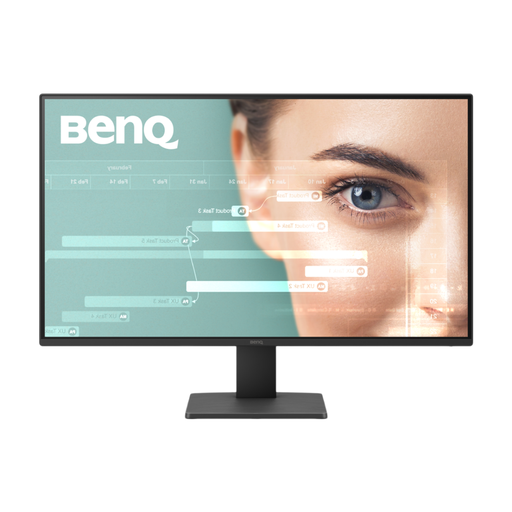
BenQ GW2791 27-inch Full HD IPS monitor
This 27-inch Full HD IPS model is worth considering if you usually read a simpler note layout rather than several dense documents at once.
Check whether Full HD renders small phonetic symbols comfortably for you, and confirm the screen finish and stand movement needed at your desk.
View on Joybuy
 No image available
iiyama ProLite XUB2792UHSU-B6 27-inch 4K UHD monitor
Its 27-inch 4K UHD format is an option when you want more pixels for dense notes and side-by-side references.
Confirm the screen treatment for bright-window use. If a laptop cable is central to your setup, check USB-C video and charging compatibility for this exact model.
View on Joybuy
 No image available
MSI MD272UPSW 27-inch 4K UHD smart monitor with Google TV
For dense notes on a laptop desk, this 27-inch 4K UHD model is a resolution option with USB-C 65 W stated in its name.
Check whether 65 W meets your laptop’s charging needs and whether its USB-C video connection is compatible. Confirm the screen finish before choosing it for a position beside a bright window.
View on Joybuy
 No image available
LG 27UP650K 27-inch 4K IPS monitor
This 27-inch 4K IPS model is an option when fitting detailed notes and references on screen matters more than a simpler Full HD layout.
Its product name lists HDMI and DisplayPort. Check the screen treatment and your planned placement: DisplayHDR 400 does not establish how the screen will handle window reflections.
View on Joybuy
Common questions
Is a brighter monitor or an anti-glare screen more important beside a window?
Do not rely on brightness alone: look for a suitable low-reflection screen finish and a position that avoids direct reflections, then adjust brightness to the room. Which? advises matching screen brightness to room brightness, and the Health and Safety Executive recommends adjusting screens and lighting to avoid glare.
Do pronunciation notes require a 27-inch 4K monitor?
Not necessarily. A 27-inch 4K screen offers more pixels when you keep small symbols and several references visible, while QHD may suit a simpler reading and annotation layout. Check how much text remains comfortably readable at your preferred display scaling; ASUS specifies 4K for the PA279CRV, while BenQ specifies QHD for the GW2790QT.
Will any USB-C monitor charge my laptop?
No. The monitor needs a compatible USB-C video connection and enough Power Delivery for your laptop. The manufacturers specify different charging limits for the BenQ GW2790QT, LG 27UP850K-W and ASUS PA279CRV—65 W, up to 90 W and up to 96 W respectively—so check the exact model and laptop together.
What should I check for a home-working screen near a window?
Check whether you can adjust the screen and lighting to avoid reflections, and whether the stand lets you position the display comfortably. The UK Health and Safety Executive gives this advice for display screen equipment; the movements and controls available still need checking on the exact monitor you choose.


