Bright-window revision planners
If daylight falls across your desk while you write or review quizzes, screen position and control of reflections matter alongside the monitor’s surface finish.


Start with the desk layout: the Health and Safety Executive recommends repositioning a screen or using blinds to avoid glare, so a brightness figure alone should not decide this purchase. Then look for a non-glare or anti-glare surface and a stand you can position comfortably. A 27-inch 4K monitor gives you more pixels than a 27-inch QHD model for quiz text and reference material, while USB-C charging is useful only if its power delivery meets your laptop’s needs.
If daylight falls across your desk while you write or review quizzes, screen position and control of reflections matter alongside the monitor’s surface finish.
If you move a laptop between study spaces, a compatible USB-C display connection may reduce the cables you reconnect at your desk. Check charging capability separately.
If you keep a quiz editor, source material and notes open together, a 27-inch 4K display is worth considering for its pixel workspace. Check that text remains comfortable at your preferred scaling.
Set up the screen to avoid window reflections before comparing resolution or laptop connections. The Health and Safety Executive identifies screen repositioning and blinds as ways to manage glare.
| Concern | What to check | Who this matters to |
|---|---|---|
| Glare and positioning | Look for a stated non-glare or anti-glare finish and stand adjustments that work with your desk angle. Check whether you can move the screen or use blinds. | When daylight reflects across my quiz, I need to change the light path or screen angle rather than rely on a brighter setting. Around 50% of consumers put glare control and positioning first. |
| Text and workspace | Compare screen size and native resolution, then try your preferred text scaling. At 27 inches, the cited 4K models have more pixels than Dell’s QHD U2724D. | With questions, answers and references open together, I want enough room to read and arrange them without making the text uncomfortably small. For around 30% of consumers, that workspace is the primary concern. |
| Laptop connection | Confirm compatible USB-C video output and compare the monitor’s stated power delivery with your laptop’s charging requirement. | If I regularly unplug my laptop, reconnecting the display and charger separately is the inconvenience I most want to avoid. Roughly 20% of consumers prioritise a suitable one-cable connection. |
A stated brightness level does not tell you whether the window will appear as a reflection on the screen. The Health and Safety Executive recommends repositioning the screen or using blinds to avoid glare.
Check the desk angle first, then look at surface finish and whether the stand lets you place the display comfortably.
Manufacturer-stated power delivery varies: BenQ specifies 65W for the GW2790QT, LG up to 90W for the 27UP850K-W and ASUS 96W for the PA279CRV.
Check that your laptop supports the required USB-C video connection and that the monitor’s charging wattage meets its needs.
HDR capability describes supported image content, not what happens when daylight reflects directly off a screen. Window position still matters.
Prioritise a workable screen position, suitable surface finish and stand adjustment for this desk before treating HDR as an additional feature.
Similar model names can refer to different configurations, and a listing does not establish that a particular variant is available when you order.
Confirm the model suffix, current availability, included cables and applicable warranty terms on the product page before buying.
The ProArt PA279CRV is a 27-inch 4K option for quiz work that may also involve colour-sensitive creative tasks.
The UltraSharp U2724D is a 27-inch QHD option when changing room light and physical screen adjustment matter more to you than a 4K pixel count.
The 27-inch QHD GW2790QT is worth examining for a laptop-led study desk where a USB-C connection and stand flexibility take priority over 4K.
The 27UP850K-W combines a 27-inch 4K display with USB-C connectivity for a laptop-led revision desk.
These Joybuy listings cover different resolutions and connections for quiz work. For a desk beside a bright window, check each model’s screen finish and positioning options as well as its fit with your computer.
 No image available
Consider this WQHD model if you are arranging quiz questions and notes on a study desk. For a bright-window position, confirm the surface finish and stand adjustments on the listing; if you intend to charge a laptop through the monitor, check its power-delivery wattage against the laptop’s requirement.
 No image available
The 27-inch 4K resolution is relevant if you want quiz text and reference material on screen together. Check the surface finish for your window position, and confirm USB-C video and charging capabilities before planning a single-cable laptop setup.
 No image available
This OLED 4K model is a route to consider if the desk also serves creative work, not just quiz editing. Check its screen finish and laptop-charging capability for your setup, and review the model’s guidance on prolonged static images at high brightness before using an unchanged quiz layout for long sessions.
 No image available
Consider this model if 4K quiz workspace and a laptop connection are both priorities. Its stated USB-C power delivery is 65W, so compare that with your laptop’s requirement; also confirm the screen finish before choosing it for a position beside a bright window.
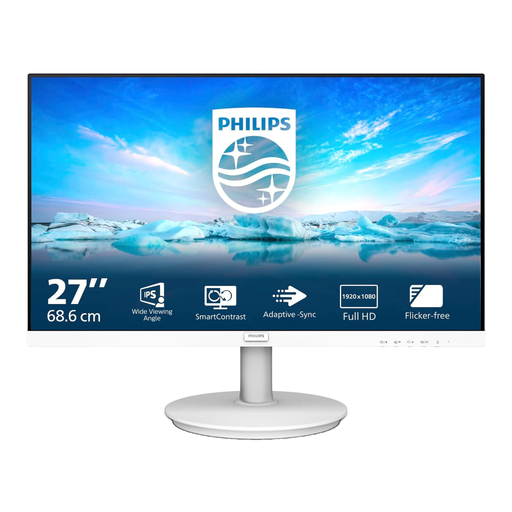 No image available
This FHD model may suit a quiz desk where you do not require a 4K pixel workspace. Confirm the listed resolution for the exact 271V8AW variant, along with its screen finish, stand adjustment and connections, before deciding whether it fits the window position and your computer.
No: brightness alone does not remove a reflection caused by the window and screen positions. The Health and Safety Executive recommends repositioning the screen or using blinds to avoid glare; a suitable surface finish and adjustable stand can support that approach.
Choose a 27-inch 4K model if the extra pixels are useful for your quiz editor, notes and reference material; a 27-inch QHD model may be enough if its workspace suits you and other features matter more. Check the text size you find comfortable at your preferred scaling before deciding.
Yes, if your laptop supports the monitor’s USB-C video connection and the monitor provides enough power for that laptop. BenQ specifies 65W for the GW2790QT, LG up to 90W for the 27UP850K-W and ASUS 96W for the PA279CRV; compare the wattage of the exact model you choose with your laptop’s charging requirement.