What matters when choosing?
Decide how many records you need to see at once, then check the computer connection and the space available on your desk.
| Concern |
What to check |
Who this matters to |
| Entering one record clearly |
Check text readability, stand adjustment and an input matching the computer. |
If I work mainly in one spreadsheet at a fixed desk, I want to read and enter figures comfortably without adding connections I will not use. Around 36% of consumers put straightforward single-record entry first. |
| Connecting a laptop |
Check USB-C video support, the charging requirement and the cable needed for the intended setup. |
When I bring a laptop to the desk, I want the display and charging arrangement to work with that laptop. For around 29% of consumers, laptop connectivity is the primary need. |
| Reviewing several sources |
Check the resolution and whether you need to connect or switch between two host devices. |
If I compare ticket information with a return and payment records, I need enough room to keep the relevant documents in view. Around 21% of consumers primarily need space for multi-source review. |
| Using a temporary or hybrid desk |
Check the available desk space and whether a webcam, microphone or speakers would actually be used. |
For occasional event administration, I need a setup that fits the working space and supports any calls I make there. Temporary or hybrid use comes first for around 14% of consumers. |
Monitors for record-keeping desks
These Joybuy monitors cover fixed-desk record entry and viewing documents alongside a raffle return. Choose by the workspace and connections your computer needs rather than assuming that a monitor can manage the records itself.
 No image available
Dell P2425 24-inch monitor
Consider this for viewing a principal record at a fixed desk. Check the computer’s video output against the exact monitor connection and confirm any USB-C functions you need before ordering.
Joybuy
 No image available
ASUS ProArt PA278CV IPS WQHD monitor
Consider the WQHD display if you regularly review a return alongside supporting documents. Check that the screen fits your desk and that your computer supports the connection you plan to use.
Joybuy
 No image available
iiyama ProLite XB2492HSU 24-inch Full HD monitor
The Full HD screen is an option for entering one main spreadsheet or return at a desk. Its listed format is 16:9; check the available video connection against your computer.
Joybuy
 No image available
Dell P2425H Full HD monitor
This is an office-display option for entering raffle figures at a fixed desk. Dell specifies a 23.8-inch Full HD IPS panel and HDMI, DisplayPort and VGA inputs for the P2425H. If USB-C is important to your setup, confirm its functions for this exact unit before buying.
Joybuy
 No image available
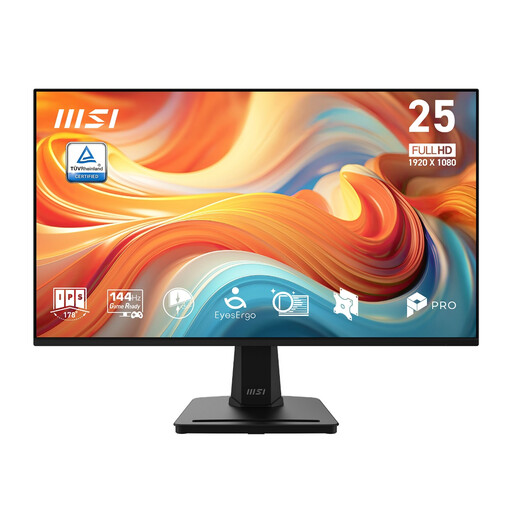
MSI PRO MP251 E14L 24.5-inch Full HD monitor
Consider this IPS display for viewing a principal record at a fixed desk. The product title specifies 1920 × 1080 resolution and a 144Hz refresh rate; check the computer connection and whether the stand adjustment suits your workstation.
Joybuy
Frequently asked questions
Can a monitor record raffle proceeds by itself?
No. A monitor displays records held or entered through a connected computer and suitable software; it does not itself store an accounting record, reconcile payments or submit a return. Confirm what your raffle needs to record before choosing the wider setup.
What information might a licensed lottery operator need to record?
For lotteries covered by the relevant operating licence, Gambling Commission guidance calls for accounting records showing total proceeds, prizes, expenses, the amount applied to the relevant purpose, and sold and unsold ticket numbers. Check the requirements that apply to your particular activity rather than treating a spreadsheet layout as a complete compliance process.
Does a registered small society lottery need to report its proceeds?
Yes. The Gambling Commission says a society registered with a local authority to run small society lotteries must submit a statement that includes the lottery’s total proceeds. Check the applicable statement requirements with the registering authority when setting up your records.
Do all raffles follow the same registration rules?
No. The applicable rules depend on the type of raffle or lottery and how it is run. The Gambling Commission says an online or telephone lottery requires a registration or licence, so identify your activity before relying on any particular recording or reporting workflow.
When does a USB-C monitor make sense for raffle records?
It is worth considering when a laptop is your main record-keeping device and you want the monitor to handle supported display and charging connections at the desk. Dell specifies power delivery of up to 90W for the P2425HE, while LG specifies up to 90W and RJ45 for the 24BA850; check the laptop and cable against the functions you need.


