Single-screen coding learners
If you usually work through one tutorial or short exercise at a time, focus on legible text, a manageable desk footprint and a screen you can position comfortably. Specialist coding modes need not drive the decision.


A 27-inch QHD monitor is a practical starting point for learning regular expressions when you want to read code beside documentation on a conventional desk. Consider 4K or a taller 3:2 display if you regularly keep more windows open, but check your preferred text scaling and available desk space; choose USB-C charging only after checking your laptop’s video and power requirements. An adjustable stand or suitable mount matters whichever resolution you choose.
If you usually work through one tutorial or short exercise at a time, focus on legible text, a manageable desk footprint and a screen you can position comfortably. Specialist coding modes need not drive the decision.
If an editor, regex tester, documentation and notes often stay open together, compare resolution and usable screen space before choosing a display.
If you connect a laptop for regular study, a compatible USB-C setup may carry video, data and charging through one cable. Check the functions supported by both the laptop and the exact monitor.
Start with the text and windows you need to see together, then check how the screen will sit on your desk and connect to your computer.
| Concern | What to check | Who this matters to |
|---|---|---|
| Readable text and workspace | Compare screen size with native resolution, then try your preferred operating-system text scaling. | If code, regex punctuation and reference pages need to remain readable side by side, switching between windows can interrupt practice. Around 45% of consumers place readable text and workspace first. |
| Screen positioning | Check stand adjustment or compatible mounting, along with the space available on your desk. | For longer sessions, I need to place the screen without leaning towards it or looking awkwardly up or down. Comfortable positioning comes first for around 33% of consumers. |
| Laptop connection | Confirm USB-C video support, suitable charging power and the cable needed for your laptop. | If I unplug my laptop after studying, a straightforward connection matters more than extra screen features. Roughly 22% of consumers put laptop connectivity first. |
Two 27-inch monitors can offer different amounts of workspace: LG lists the 27BA850-B as Full HD, Dell lists the U2724D as QHD, and LG lists the 27U730A-B as 4K.
Compare size and native resolution together, then consider how text looks at your normal viewing distance and preferred scaling.
The Health and Safety Executive’s display-screen guidance addresses screen placement and workstation use as well as the display itself. A monitor feature does not replace a suitable viewing position or breaks from screen work.
Check whether the stand or a compatible mount lets you position the screen appropriately for your desk.
LG specifies simultaneous display, data transfer and charging up to 90 W for the 27U730A-B, but that description should not be applied to other monitors or laptops.
Check your laptop’s USB-C video capability, charging requirements and the monitor’s specified connection before relying on one cable.
Depending on the devices and connection, you may need to keep using a separate charger or obtain a suitable cable or dock.
Dell’s UltraSharp range includes conventional 27-inch displays worth comparing if you want QHD or 4K for code and documentation.
The RD280U is relevant if a taller programming-oriented screen fits your desk and the way you arrange code and documentation.
LG has 27-inch models with different resolutions and office connections, so the model matters more than the brand name alone.
These choices include larger 4K monitors for desk-based, multi-window study and a 27-inch option for simpler single-screen practice. Compare their screen placement and laptop connections against your own setup.
 Image unavailable
Consider this larger display for a fixed desk where you want room for code and reference material.
The product name specifies an adjustable-height stand. Its Nano Glossy finish is worth considering if reflections affect your desk; check the functions you need with a non-Mac computer and confirm USB-C video and charging compatibility with your laptop.
 Image unavailable
This is an option to consider when you want a larger screen for an editor and documentation at the same desk.
Check your computer’s preferred display scaling. If laptop charging matters, confirm the monitor’s USB-C power delivery against your laptop’s requirements before planning a one-cable setup.
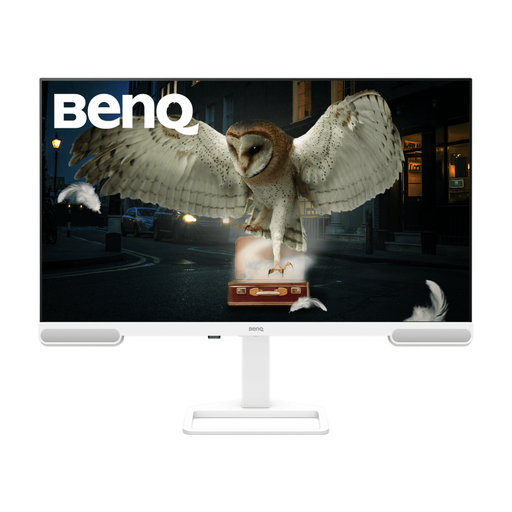 Image unavailable
Consider this 4K option if you need space for several study windows and can accommodate a large monitor.
Confirm the exact screen size before purchase: the product title says 31.2 inches, while its technical details say 31.5 inches. Check the stand or mounting arrangement and verify USB-C video and charging compatibility if you intend to connect a laptop that way.
 Image unavailable
This gaming-oriented model is also a large-screen option to assess for desk-based code and documentation work; its gaming features are not a requirement for regex study.
Its title says 32 inches, while the technical details say 31.5 inches, so confirm the size that will fit your desk. Check USB-C video and laptop-charging compatibility before relying on that connection.
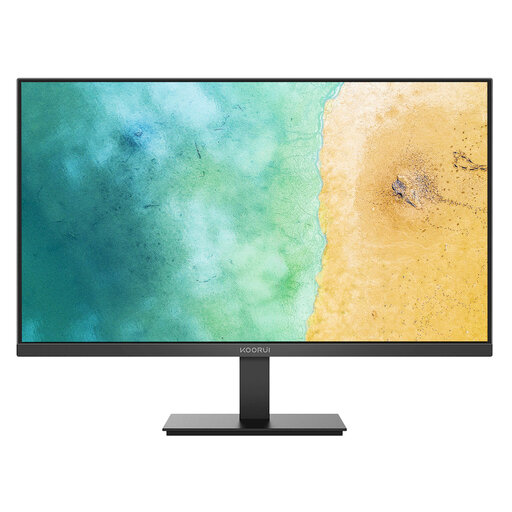 Image unavailable
Consider this for practice centred on one main window rather than a larger multi-window workspace.
Compare its Full HD workspace with QHD if you want an editor and documentation visible together. Check whether the supplied stand or a compatible mount will place the screen at a suitable height for your desk.
No. A conventional monitor can suit regex practice if its text, workspace and positioning work for your desk. Consider a programming-oriented model such as BenQ’s RD280U when its taller 3:2 format or connections meet a specific need, rather than assuming its coding modes will improve learning.
A 27-inch QHD monitor is a practical choice when you want more workspace than Full HD without specifically needing several panes visible at once. Consider 4K or 4K+ for a busier desktop, but check how code looks at your preferred operating-system scaling before deciding.
No. The laptop must support the intended USB-C video connection, and its charging requirements must suit the monitor’s power delivery. For example, LG specifies charging up to 90 W on the 27U730A-B; that figure does not establish compatibility with every laptop.
Choose a stand or mount that lets you position the display appropriately rather than adjusting your posture around a fixed screen. The UK Health and Safety Executive’s display-screen guidance advises placing the top of the screen around eye level and the screen about an arm’s length away; take breaks or change activity during extended screen use.