Regex learners comparing several windows
If you keep a pattern, reference material, terminal output and examples open together, readable text and usable screen space are central to the choice.


Start with text you can read comfortably while keeping a regex pattern, its documentation and test output in view. A 27-inch 4K display or a taller programming-oriented screen may suit that work, but text scaling and desk fit matter as much as the specification. At a shared desk, check adjustment and reflections first, then confirm any USB-C video and charging requirements against your laptop; the monitor cannot make up for poor screen placement or an unsuitable workstation.
If you keep a pattern, reference material, terminal output and examples open together, readable text and usable screen space are central to the choice.
If you change desks or share a workstation, consider how quickly you can reconnect your laptop and reposition the screen. Check USB-C video and charging compatibility rather than assuming one cable will handle both.
If lighting or the person using the desk changes, assess screen placement and adjustment alongside the rest of the workstation. The Health and Safety Executive advises considering equipment, furniture and working conditions together.
For regex study at a shared desk, settle on comfortable text size and workspace before deciding whether simpler laptop connections, easier repositioning or reflection control should drive the choice.
| Concern | What to check | Who this matters to |
|---|---|---|
| Readable code and reference material | Compare screen size and aspect ratio, then try an operating-system scaling setting that keeps regex syntax legible. | If I compare a pattern with documentation and test output, I need room for all three without making the text too small; around 31% of consumers put readable workspace first. |
| Quick laptop connection | Confirm that the laptop supports video over the intended USB-C port and compare its charging requirement with the monitor’s power delivery. | At a desk I use with others, I want to reconnect my laptop without repeatedly rearranging cables. Roughly 25% of consumers make connection convenience their primary concern. |
| Adjustment between users | Check height and movement options, desk depth and, for a clamp mount, whether the desk edge can accommodate it. | When someone else uses the desk after me, the screen needs to move to a position that works for them too; around 25% of consumers prioritise shared-desk adjustment. |
| Reflections and visual comfort | Assess the screen’s position relative to windows and lights, then consider its surface treatment. | If bright reflections make compact regex characters hard to follow, I need a better screen position, not just a display setting. For roughly 19% of consumers, managing glare comes first. |
A monitor’s USB-C power-delivery figure does not establish whether your laptop can send video through its port or charge at the power it needs. Dell specifies 90W for the P2725QE, while LG specifies up to 60W for the 32UN880K-B.
Check the laptop’s USB-C video capability and charging requirement before choosing a hub monitor.
A separate charger, compatible cable or dock may still be needed for your setup.
Reflections from windows and bright lights can remain distracting regardless of a screen coating or comfort mode.
Arrange the desk and screen to avoid bright reflections first, as the Health and Safety Executive advises; treat reflection-reducing features as an additional consideration.
A shared desk needs enough depth and clearance for the screen and its mounting method. LG’s 32UN880K-B, for example, uses a C-clamp stand that must suit the desk edge.
Measure the usable desk space and inspect the mounting area before ordering. Include chair position, lighting and cable routing in the setup check.
An unsuitable desk edge or layout may call for a different mounting arrangement.
Screen features do not address every issue with furniture, lighting or working conditions. The Health and Safety Executive’s display-screen-equipment guidance considers the whole workstation.
If your work involves daily display-screen use in continuous periods of an hour or more, ask your employer about the appropriate workstation assessment and raise any discomfort rather than relying on a monitor setting alone.
BenQ’s RD programming-monitor range is relevant if a taller code workspace and programming-oriented controls matter more to you than a conventional office-monitor layout.
Dell’s Pro and UltraSharp hub-monitor lines are relevant to laptop-led desks where USB-C connectivity and stand adjustment are priorities.
LG’s Ergo monitors are relevant when people sharing a desk need to reposition the screen and a clamp-mounted stand suits the furniture.
These monitors offer different screen sizes and resolutions for keeping regex work and reference material visible. Compare each model’s desk fit, adjustment and laptop connections before deciding which suits a shared setup.
 Image unavailable
Consider this WQHD display if you want space for code and reference material at a shared desk. Check how its stand fits the desk and whether its connections meet your laptop’s video and charging needs.
 Image unavailable
Consider this WQHD model if you want a larger study screen for code and explanations. Check the viewing distance and desk space, then confirm which connection will work with your laptop.
 Image unavailable
The 27-inch 4K UHD, 16:9 display is an option if you want detailed text while comparing a regex pattern with supporting material. Set comfortable text scaling and check the screen surface and any USB-C charging requirements before choosing it for a hot-desk.
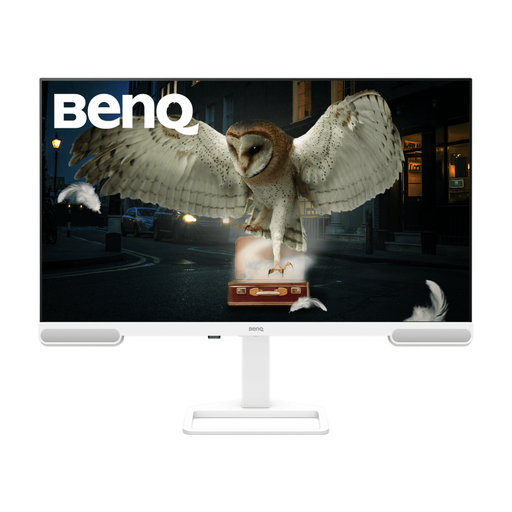 Image unavailable
Consider this 4K display if a larger area for code and documentation is your priority. Check its physical fit and viewing distance at the shared desk, along with the stand adjustment and your laptop’s connection requirements.
 Image unavailable
This 4K model may suit a Mac-led study desk where screen space and a height-adjustable stand matter. Its Nano Glossy finish makes lighting and reflections worth checking; confirm the USB-C connection and any Mac-specific features against your computer.
Yes: check the screen position and the rest of the workstation when you move desks, rather than assuming another person’s setup will suit you. The Health and Safety Executive advises a basic risk assessment for people who change desks regularly; for employees using display-screen equipment daily in continuous periods of an hour or more, its guidance calls for an employer workstation assessment.
Only if the laptop supports video through the intended USB-C connection and the monitor’s power delivery meets its charging needs. Dell specifies 90W for the P2725QE and LG specifies up to 60W for the 32UN880K-B; check your laptop’s own specifications before relying on either setup.
Reposition the desk or screen to avoid bright reflections before relying on a panel coating. The Health and Safety Executive advises arranging the screen away from glare; an anti-glare surface can be an additional consideration once you know where the display will sit.
Check the energy label for a monitor that falls within the applicable UK labelling rules. UK government energy-information guidance dated 8 April 2026 says products within scope must display an energy label at the point of sale.