What matters when choosing?
Decide how much document space you use at once, then consider how often the screen and connected laptop need to change hands. A connection or stand feature is useful only if it addresses that routine.
| Concern |
What to check |
Who this matters to |
| Document workspace |
Compare 2560 × 1440 QHD with 1920 × 1080 Full HD at the intended screen size. |
I often need a cost sheet and several quotations in view together, so fitting more detail on screen is my priority; around 31% of consumers put document workspace first. |
| Shared-desk positioning |
Check height and tilt adjustment; for an arm, confirm VESA mounting, weight and desk clearance. |
When someone else takes over the desk, I want to reset the screen position without rearranging everything. Around 25% of consumers prioritise that flexibility. |
| Laptop connections |
Confirm video over USB-C on the laptop, the monitor’s power-delivery wattage and whether two computers need a KVM switch. |
We swap laptops or share a keyboard and mouse, and reconnecting equipment each time is inconvenient; around 25% of consumers make simpler connections their primary concern. |
| Unnecessary extras |
Choose the resolution and connections you will use regularly before adding specialist display or switching features. |
I only plan at this desk occasionally and would accept less screen workspace rather than add features I rarely use; around 19% of consumers put a simpler monitor choice first. |
Joybuy monitor choices
These monitors are options for document workspace and shared-desk use, from QHD screens to a larger 4K model. Compare their stand arrangements and laptop connections against your desk and devices; a display aimed at gaming may have features you do not need for budgeting.
 No image available
ASUS PROART PA278CV IPS WQHD
Consider this WQHD monitor if you regularly keep renovation figures and quotations on screen together and need to reposition the display between users. Check its USB-C power-delivery output against your laptop before relying on it for charging.
View on Joybuy
 No image available
MAG 274QP QD-OLED X24 27-inch WQHD 240Hz
Its QD-OLED WQHD format may interest someone who uses the shared desk for more than budgeting. For prolonged work with fixed spreadsheets or documents, take account of the product warning about leaving static images on screen; check whether its stated 15W USB-C output meets your laptop’s charging needs.
View on Joybuy
 No image available
ASUS PROART PA278CFRV IPS QHD 100Hz
This QHD model is worth considering when detailed documents and repeatable screen positioning both matter at a shared desk. If a single-cable laptop setup is important, confirm USB-C support and charging output for this exact variant before choosing it.
View on Joybuy
 No image available
Dahua 32-inch 4K 165Hz Curved OLED, Type-C 65W
Consider this larger 4K screen if you also work with detailed plans or images. Its curved format needs more consideration of desk space than the 27-inch options; confirm that your laptop supports video over USB-C and that 65W meets its charging requirement.
View on Joybuy
 No image available
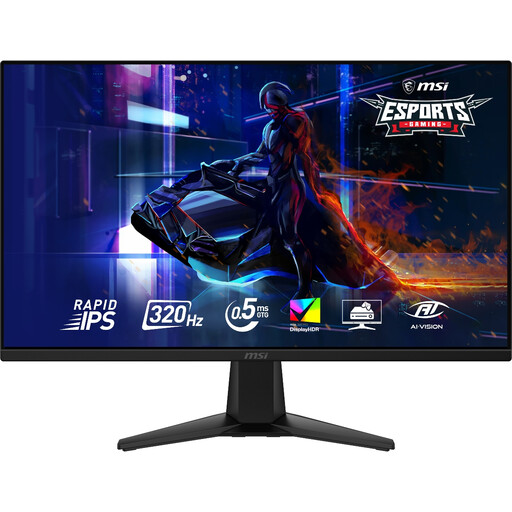
MAG 275QF X32 27-inch WQHD 320Hz Rapid IPS
The WQHD screen is relevant if renovation documents and figures are your main workspace need. For a desk shared by people of different heights, check the stand’s adjustment range or mounting options; confirm connections separately if you want to use a laptop with one cable.
View on Joybuy
Common questions
Is 27-inch QHD worth considering over Full HD for renovation budgets?
Yes, particularly if you regularly compare spreadsheets, quotation PDFs and supplier pages side by side. LG UK and Dell UK list 2560 × 1440 QHD models, while BenQ UK’s 27-inch GW2790 is 1920 × 1080 Full HD; Full HD remains an option if you do not often need the extra pixel workspace.
Will a USB-C monitor charge my laptop?
Not necessarily: charging output differs between models, and the laptop must support the required connection. LG UK lists 15W for the 27U631A-B, while BenQ UK and Dell UK list up to 65W for the GW2790QT and S2722DC; compare the exact monitor’s output with your laptop’s charging requirement and confirm video-over-USB-C support.
Which monitor features help when two people share a desk?
Look for screen positioning that both people can reset comfortably, then check how each computer will connect. Dell UK lists height, swivel and tilt adjustment on the S2722DC; if two computers need to share one keyboard and mouse, Samsung Business UK lists a built-in KVM switch on the ViewFinity S60UD.
What should I do with an old monitor?
Arrange an electrical-waste collection or recycling route rather than putting it in ordinary rubbish. Check the retailer’s take-back arrangements and your local authority’s options; GOV.UK notes that an applicable in-store take-back service is free, while home collection may involve transport costs.


