Bright-room poster editors
You work on layouts, figures and small text beside a window, and need a viewing position that keeps reflections from interrupting close editing.


Start with a matte or low-reflection screen and a stand you can adjust to keep the window out of the display surface. A 27-inch 4K monitor suits a tighter desk, while a 32-inch 4K monitor offers a physically larger working view if you have the space. For colour-critical print work, check the required colour space and calibration options; no screen finish removes the need to manage daylight.
You work on layouts, figures and small text beside a window, and need a viewing position that keeps reflections from interrupting close editing.
Your poster includes branded graphics, photographs or print-bound artwork, so the required colour workflow and calibration options matter alongside screen size.
You keep the poster open alongside papers, data or communication tools, making screen area, desk fit and computer connections central to the choice.
Check the desk and window position before comparing displays. Then decide whether your poster needs a managed print-colour workflow or primarily a clear, workable layout space.
| Concern | What to check | Who this matters to |
|---|---|---|
| Reflections and daylight | Check the exact model’s screen finish and stand adjustment, and whether the desk lets you angle the screen away from the window. | If daylight crosses the screen while I edit fine text, I need a position where I can see the layout without bright reflections. Around 36% of consumers would put reflection control first. |
| Colour reliability | Confirm the poster’s output colour space, then check the model’s stated coverage and any relevant calibration documentation or hardware-calibration support. | When my poster must match a specified print or approval workflow, I need more than colours that simply look vivid on screen. Colour reliability would be the primary concern for around 36% of consumers. |
| Layout space and connections | Compare 27-inch and 32-inch 4K sizes against desk depth; check computer video output and USB-C charging capability separately. | I need room to inspect charts and text while keeping source documents accessible, but the display still has to fit my desk and computer. Around 28% of consumers would prioritise workspace and connectivity. |
A low-reflection surface can still show a bright window in the screen. The Health and Safety Executive advises arranging the desk and display to avoid glare and bright reflections.
Try a position that does not face the window directly, and adjust blinds, screen height and tilt before relying on display features.
A VESA DisplayHDR designation concerns defined HDR display attributes; it does not describe the whole window-side viewing setup.
Check the exact model’s screen finish, stand adjustment and stated brightness alongside the light and reflections at your desk.
Adobe RGB or P3 coverage is most relevant when the applications and final poster workflow use the corresponding colour space.
Ask the print provider, institution or project owner which colour space or print profile the finished poster requires before choosing specialist colour features.
A USB-C connector alone does not establish that your computer can send video to the monitor or receive sufficient charging power.
Compare the computer’s video-output and charging requirements with the exact monitor’s USB-C capabilities, and check the intended cable.
BenQ’s PhotoVue SW series is relevant when a poster has print-oriented colour requirements as well as a bright-room viewing constraint.
Dell UltraSharp includes productivity-oriented displays for working across a poster and supporting documents.
LG UltraFine and Ergo models are relevant where 4K layout space, desk positioning and connectivity drive the decision.
ViewSonic ColorPro is relevant to creators comparing colour-oriented specifications with low-reflection viewing features.
These monitors offer different sizes and display types for detailed poster layouts. Compare their stated features against your desk position, colour workflow and computer rather than treating a 4K label alone as a measure of window-side suitability.
 No image available
Consider this 32-inch display if you have room for a larger poster-editing workspace and need to assess a specialist colour setup.
The product name specifies a 4K IPS Mini LED display, 120 Hz, DCI-P3, hardware calibration and Thunderbolt 3. Check the exact brightness specification and your computer’s charging requirements before relying on either for this desk.
 No image available
This 27-inch model is a candidate when desk space is tighter but detailed 4K poster editing remains the priority.
The product name identifies an OLED 4K UHD display. Check how its screen handles reflections at your desk, and confirm USB-C video and charging requirements with your computer before purchase.
 No image available
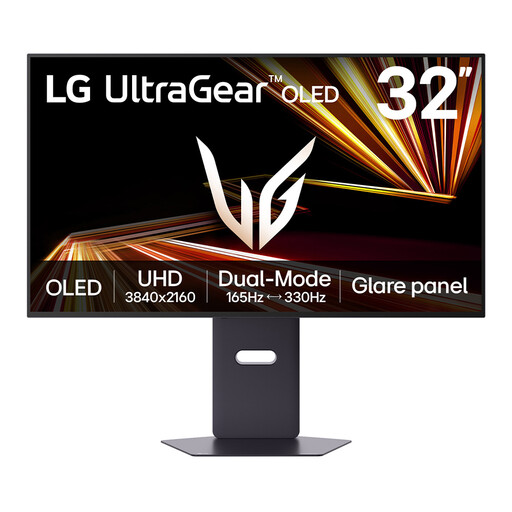
Consider the larger screen if your desk and viewing distance accommodate a physically wider poster layout.
The product name specifies a 32-inch OLED 4K UHD display with Dual Mode. The listing warns about image retention during prolonged static-image display, which matters if poster layouts remain on screen for long sessions; also check any required calibration and computer connections.
 No image available
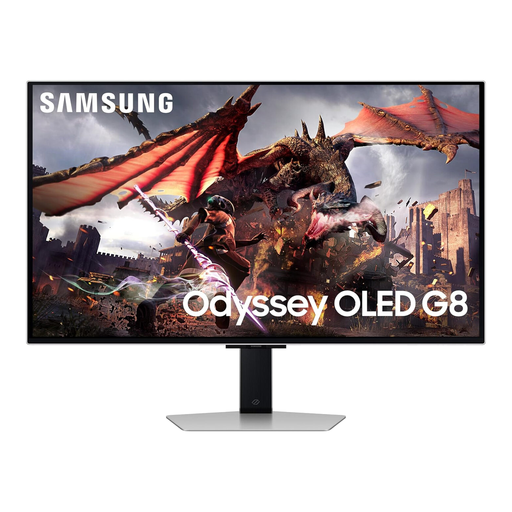
This larger display may suit a poster workspace where physical screen area is important, provided it fits the desk.
The product name identifies a 32-inch Ultra HD OLED model. For a bright-window position, check its exact screen treatment and stand adjustment; confirm colour-workflow and connection requirements separately.
 No image available
The 27-inch format is worth considering when a detailed poster workspace must fit a more compact desk.
The product name specifies 4K UHD and a 16:9 format. Its Matte Black wording describes the finish, not a confirmed low-reflection screen surface; check the panel treatment and any USB-C charging needs for your setup.
No: brightness is not a substitute for keeping a bright window out of the screen’s reflection path. The Health and Safety Executive advises arranging the desk and display to avoid glare or bright reflections; adjust the screen position and window covering as well as considering its finish.
Not necessarily. For a poster prepared in a standard sRGB workflow, start by checking that workflow’s requirements; wider Adobe RGB or Display P3 coverage and calibration support become more relevant when a printer or project specifies a managed colour process. Confirm the recipient’s requirements before choosing by gamut alone.
Choose between them chiefly by desk fit and viewing distance: 27-inch 4K takes less physical space, while 32-inch 4K makes the same-resolution layout physically larger. Check that you can position either screen comfortably without bringing the window’s reflection into view.
Check video output, charging power and the cable separately. Your computer needs compatible video-over-USB-C capability, and the monitor’s power delivery must meet its charging needs; for comparison, BenQ UK lists 90 W for the SW272U, while LG UK lists 60 W for the 32UN880K-B.
A faulty or misdescribed monitor may give rise to a remedy under UK consumer law; this is distinct from cancelling an eligible distance purchase because you have changed your mind. GOV.UK provides separate guidance on faulty goods and cancellation for online, mail and telephone orders. Keep the listing and proof of purchase, and check the applicable remedy or cancellation conditions for your transaction.