Window-side revision-card makers
If daylight reflects off your screen, surface finish and the ability to reposition the monitor matter before gaming or media features.


For revision cards beside a bright window, start with a matte or anti-glare screen and a stand that lets you move the display away from reflections. Choose QHD if you regularly keep cards and notes open together, or consider 4K if additional text detail matters and your computer supports your preferred display scaling. Full HD remains an option for simpler, single-window study, but screen coating, brightness and adjustment depend on the exact model.
If daylight reflects off your screen, surface finish and the ability to reposition the monitor matter before gaming or media features.
If you create cards while consulting notes and browser material, consider how much readable desktop space the screen provides.
If the monitor will sit beside a laptop, check its stand adjustments and whether your laptop supports the display and charging functions you want from USB-C.
Check the screen surface and where you can position it relative to the window first. Then choose the resolution for your usual mix of cards and reference windows, and check connections against your computer.
| Concern | What to check | Who this matters to |
|---|---|---|
| Reflections and changing light | Look for explicit matte or anti-glare wording, typical brightness and a way to reposition the screen. | If daylight falls across my desk, I need to move the display out of reflections and read cards as the room light changes. Around 42% of consumers put reflection control first. |
| Text detail and workspace | Compare Full HD, QHD and 4K resolution at the screen size you want; check your computer's output and preferred scaling. | When I draft cards beside notes and sources, I want enough readable space without constantly switching windows. Roughly 33% of consumers make text detail and workspace their primary concern. |
| Screen position and laptop setup | Check stand movement or mounting options, then match USB-C video support and charging power to your laptop. | For longer sessions at a laptop desk, I need a comfortable screen position and connections that work with my computer. About 25% of consumers prioritise this setup need. |
Flicker-free and low-blue-light features do not establish how a screen surface handles light from your window. BenQ UK and Dell UK list screen finishes and adjustments for specific models; those details need checking separately from eye-care wording.
Check the exact model's coating, typical brightness and stand movement, and plan where the screen can sit relative to the window.
ASUS United Kingdom lists the VA279HG as Full HD, while BenQ UK lists the GW2790QT as QHD and Dell UK lists the U2725QE as 4K. Those resolutions provide different pixel counts for text and open windows.
Think about whether you usually review one card window or draft cards alongside notes and references; also check how your computer handles the resolution and scaling you choose.
Monitor charging capability and laptop port functions must match. BenQ UK specifies up to 65 W Power Delivery for the GW2790QT, while LG UK specifies up to 90 W for the 27UP850K-W; neither figure establishes compatibility with every laptop.
Compare your laptop's USB-C video capability and charging requirement with the exact monitor specification before choosing a one-cable setup.
The GW2790QT is a reference point for a window-side QHD study setup, rather than a specification shared by every BenQ monitor.
The U2725QE illustrates a 27-inch 4K route with window-side positioning and ambient-light features.
The 27UP850K-W provides a model-specific reference for a 27-inch 4K laptop setup.
The VA279HG is a Full HD example for someone who mainly uses one revision-card window.
These monitors offer different screen sizes and resolutions for making revision cards and keeping reference material nearby. Match each one's surface, positioning options and connections to your window-side desk before choosing.
 No image available
Consider this WQHD option if you draft cards while keeping notes open.
Check the screen coating, typical brightness and stand movement against the position of your window. For a laptop connection, confirm video output and charging compatibility with your laptop.
 No image available
Consider this WQHD display if you want room for card-making and reference material and have space on your desk for the screen.
Check its dimensions and viewing distance, as well as the coating and stand adjustment needed to avoid your window reflection. Confirm laptop connections separately if a one-cable setup matters.
 No image available
This 34-inch display may suit a desk where cards and other material need to remain visible together.
The product name specifies OLED and a 240 Hz refresh rate. If cards or notes stay on screen for long periods, account for OLED burn-in risk and follow the model's screen-care guidance. Check typical brightness rather than relying on a peak figure for window-side use.
 No image available
A 27-inch QHD screen is an option when you make cards with supporting material open nearby.
The product name also specifies OLED and 240 Hz. Check the typical brightness and screen position for your window light; a refresh-rate figure does not answer that visibility question.
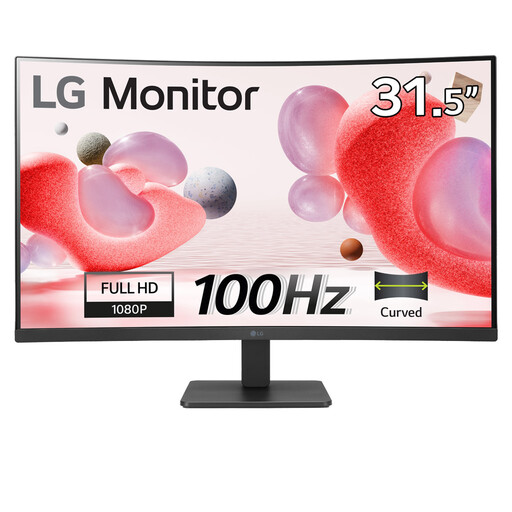 No image available
Consider this screen for a simpler revision-card layout if its size fits your desk and Full HD provides enough text detail for you.
The product name specifies a VA panel, anti-glare finish and HDMI connection. Check the stand adjustment before relying on it to move the screen away from window reflections.
Check the screen finish and whether you can position the monitor away from reflections. Look for explicit matte or anti-glare wording, then check stand adjustment and typical brightness; an ambient-light feature does not replace a workable screen position.
It can suit reviewing cards in one main window, but QHD or 4K gives you more pixels if you routinely keep cards, notes and sources visible together. Check your computer's output and the display scaling you find comfortable before choosing a higher resolution.
Only if the laptop supports the required USB-C video connection and the monitor's Power Delivery output meets its charging needs. BenQ UK specifies up to 65 W for the GW2790QT and LG UK specifies up to 90 W for the 27UP850K-W; compare the exact monitor and laptop specifications rather than relying on the connector alone.