The Health and Safety Executive advises arranging the desk and screen to avoid glare or bright reflections, so deal with light from the window before relying on a monitor specification. For dense server logs, compare screen format, a documented matte or anti-glare finish and how easily you can position the display; USB-C charging matters only if it meets your laptop’s video and power requirements.
Who is this for?
Daylight-exposed log readers
If you inspect terminals, dashboards or incident logs beside a bright window, screen placement and control of reflected light come before finer display specifications. The Health and Safety Executive advises arranging the desk and screen to avoid glare or bright reflections.
Dense-text multitaskers
If a terminal, log viewer, browser and monitoring tools need to stay visible together, compare how much readable workspace a conventional 4K display or a taller 3:2 format gives you at your preferred text size.
Laptop-based administrators
If your laptop is the main work machine, USB-C display, data and charging may simplify the desk connection. Check the laptop and monitor specifications together before planning to use one cable.
What matters when choosing?
For a desk beside a bright window, establish where the screen can sit and how you can shade it; then compare text workspace, laptop connections and adjustment for the way you work.
| Concern |
What to check |
Who this matters to |
| Window glare |
Check whether you can position the screen away from direct reflections and use blinds or curtains; then check the exact model’s stated screen finish. |
If daylight reflects across small log text, I need to manage the light before choosing a panel finish. Around 31% of consumers would put reflection control first. |
| Readable text workspace |
Compare resolution and aspect ratio at your preferred text scaling; a 3:2 format offers more vertical pixels than 16:9 at the same horizontal resolution. |
When I compare a terminal with dashboards and tickets, I want readable text without losing room for other panes. Roughly 25% of consumers would make text workspace their primary need. |
| Laptop connection |
Confirm USB-C or Thunderbolt video support and whether the monitor’s charging rating meets the laptop’s requirements. |
At a laptop-led desk, I want the monitor connection to handle the video and charging my machine needs. About 25% of consumers would put laptop connectivity first. |
| Viewing position |
Check stand adjustment and desk space, or confirm mounting compatibility if you plan to use an arm. |
For lengthy monitoring sessions, I need to position the screen rather than adapt my posture to a fixed stand. Around 19% of consumers would put viewing position first. |
Buying pitfalls
-
Expecting brightness or HDR to remove window reflections
A brightness figure or HDR label does not establish that direct reflections will disappear. The Health and Safety Executive advises arranging the desk and screen to avoid glare or bright reflections.
Check where the monitor will face and whether blinds or curtains can control intrusive daylight. Compare matte or anti-glare finishes only for the exact models you are considering.
-
Assuming USB-C guarantees a one-cable laptop setup
A monitor’s USB-C charging rating alone does not establish that your laptop can send video through its port or receive enough power from the monitor.
Check the laptop’s video-output and charging requirements alongside the monitor’s port functions and the cable you intend to use.
-
Choosing pixel count without checking text size and shape
A high-resolution screen can show more detail, but text may need scaling to remain comfortable at your viewing distance. BenQ’s RD280UA has a taller 3:2 format; a conventional 16:9 layout leaves a different shape of workspace.
Compare your usual terminal font and operating-system scaling on a similar-sized screen where possible, and allow enough desk space to position the display away from reflections.
Brands to consider for this setup
Dell
Dell’s UltraSharp U2725QE is a 27-inch 4K Thunderbolt hub monitor to consider when a conventional text workspace and laptop connections need to share a desk.
- Dell specifies an anti-glare, anti-reflective screen surface and height and pivot adjustment for the U2725QE.
- Those features do not replace positioning the screen to avoid direct window reflections, as advised by the Health and Safety Executive.
BenQ
BenQ’s RD280UA is a 28.2-inch programming monitor with a 3840 × 2560, 3:2 display for people who prioritise vertical space for logs and code.
- BenQ specifies a Nano Matte coating and USB-C power delivery of 90W for this model.
- Check whether its taller format and arm or stand arrangement suit your other work and the available desk space; manage light from the window separately.
LG
LG’s 27UP850K-W is a 27-inch 4K IPS option for a conventional workspace with USB-C laptop connectivity.
- LG specifies an adjustable stand and USB-C display, data and charging of up to 90W for the 27UP850K-W.
- If reflections are the deciding factor, check the exact model’s screen finish rather than treating its HDR capability as glare control.
Joybuy monitor choices
These monitors offer 4K options for a desk where you can manage light from the window. Compare each model’s screen finish and positioning options for your setup rather than assuming that resolution or HDR will control reflections.
 Image unavailable
ASUS ProArt PA27DCE-K OLED 4K UHD
Consider this for log inspection after you have arranged the desk to limit window reflections.
The named variant is an OLED 4K UHD display. Check its screen positioning and your laptop’s video and charging requirements before planning a one-cable setup.
View on Joybuy
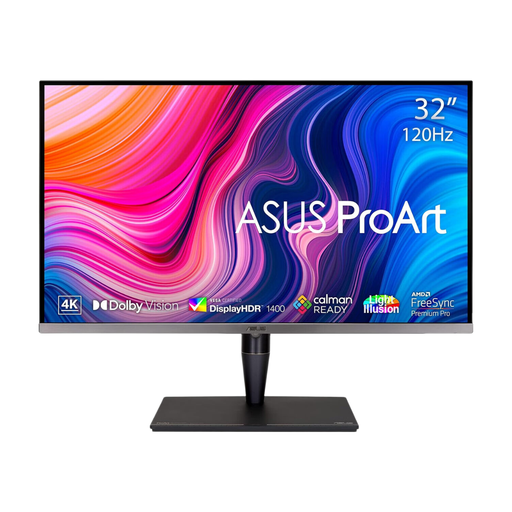 Image unavailable
ASUS ProArt Display PA32UCG-K 32-inch 4K IPS Mini LED
Consider the larger display if you have room to position it comfortably while keeping it out of direct window reflections.
This 32-inch 4K variant lists Thunderbolt 3 and a 120 Hz refresh rate. Check the screen’s position at your viewing distance; do not use its HDR designation as a measure of reflection control.
View on Joybuy
 Image unavailable
iiyama ProLite XUB2792UHSU-B6 27-inch 4K UHD
Consider this 27-inch 4K option when readable logs and several work panes are the priority.
Check the exact screen-surface treatment before choosing it for a bright-window position. The colour description “Matte Black” does not establish that the screen itself has a matte coating.
View on Joybuy
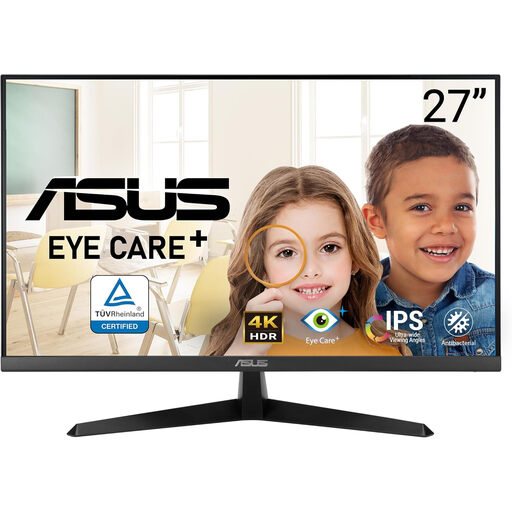 Image unavailable
ASUS Eye Care VY27UQ 4K UHD 60 Hz
Consider this for a 4K log-viewing desk if you can place the screen away from intrusive daylight.
The named variant has a 60 Hz refresh rate. Check its screen finish and whether its positioning range suits your desk before buying for a bright-window setup.
View on Joybuy
 Image unavailable
LG 27UP650K 27-inch 4K IPS, White
Consider this conventional 4K format when arranging logs and other windows on a desk where daylight can be controlled.
This 60 Hz variant names HDMI and DisplayPort connections. Check its screen finish for the bright-window position; its DisplayHDR 400 designation does not establish how it handles reflections.
View on Joybuy
Common questions
Will a brighter monitor solve glare from a nearby window?
Not on its own. The Health and Safety Executive advises arranging the desk and screen to avoid glare or bright reflections; check screen placement and use blinds or curtains where needed before weighing brightness or HDR features.
Is a matte or anti-glare screen enough beside a bright window?
A documented screen finish is worth comparing, but it does not replace controlling the light source. Dell specifies an anti-glare, anti-reflective finish for the U2725QE, while BenQ specifies Nano Matte for the RD280UA; you still need to position the screen to avoid direct reflections.
Do I need USB-C charging to inspect server logs?
Only if it suits your laptop-led desk setup. LG specifies USB-C display, data and charging of up to 90W for the 27UP850K-W, and BenQ specifies 90W USB-C power delivery for the RD280UA; confirm your laptop’s video-output and charging requirements before relying on one cable.
Does a new monitor settle the workstation setup for regular screen work?
No: the monitor is only part of the setup. The Health and Safety Executive advises arranging the desk and screen to avoid glare or bright reflections, so review the screen’s position and window shading when changing the display; employers should also check the UK display-screen-equipment guidance applicable to their workers.


