Spreadsheet-heavy account reviewers
If you compare budgets, statements and several document windows, the space available for columns and side-by-side viewing may matter more than screen size alone.


Start with a monitor that each person can position comfortably, then choose the screen resolution that suits the account documents you review. QHD offers more pixels for arranging dense spreadsheets and windows, while Full HD or 16:10 WUXGA may meet routine needs; check laptop connections separately and manage the visibility of personal information across the whole workspace.
If you compare budgets, statements and several document windows, the space available for columns and side-by-side viewing may matter more than screen size alone.
Different users may need to reposition the screen or connect different computers and peripherals. The Health and Safety Executive advises assessing the whole workstation, not just the monitor.
When account details are visible to colleagues or visitors, consider the screen's position alongside working practices and access controls. The Information Commissioner's Office calls for security measures appropriate to the risk when personal data is processed.
Decide how much document space you need, then check whether the stand and connections work for everyone using the desk. Treat privacy as a workspace decision as well as a screen decision.
| Concern | What to check | Who this matters to |
|---|---|---|
| Document space | Check native resolution and whether your computer can output it. Dell UK lists the P2425DE at 2560 × 1440 and the 16:10 P2425E at 1920 × 1200. | If I compare long spreadsheets with statements and browser windows, I want enough space to keep the relevant figures visible. Around 36% of consumers put readable documents first. |
| Shared-desk adjustment | Look for height and tilt adjustment; check swivel, pivot or mounting compatibility if your setup needs them. | When someone else uses my desk, I need to reposition the display rather than leave it at one fixed height. About 29% of consumers prioritise shared-workstation adjustment. |
| Connections | Compare each computer's video outputs with the monitor's inputs. For one-cable laptop use, check USB-C video support and the laptop's charging requirement. | If the desk alternates between computers, repeated cable changes make account review less straightforward. Roughly 21% of consumers make connection simplicity their primary concern. |
| Screen privacy | Consider sightlines, screen locking and access practices; if using a filter, check its fit for the exact screen. | Where passers-by could see personal account details, I need to limit unnecessary viewing without making legitimate work difficult. Around 14% of consumers put privacy controls first. |
Two monitors of similar physical size can provide different amounts of pixel space. Dell UK lists its P2425DE at 2560 × 1440 and its P2425HE at 1920 × 1080.
Decide how many spreadsheet columns and documents you need visible before settling on a resolution.
Height and tilt adjustments help users position a screen, but the Health and Safety Executive's workstation guidance also considers furniture, working conditions and individual requirements.
Check the complete setup for each regular user and revisit it when the desk arrangement changes.
A USB-C port on a monitor does not establish that a particular laptop can send video through it or receive adequate charging power.
Check the laptop's display and charging capabilities against the exact monitor specification.
If the required functions do not work together, you may still need a separate charger, dock or adapter.
A filter addresses viewing from some angles, not device access or working practices. For work involving personal data, the Information Commissioner's Office calls for measures appropriate to the risk.
Assess who can see the screen and consider desk positioning, screen locking and access controls alongside any filter.
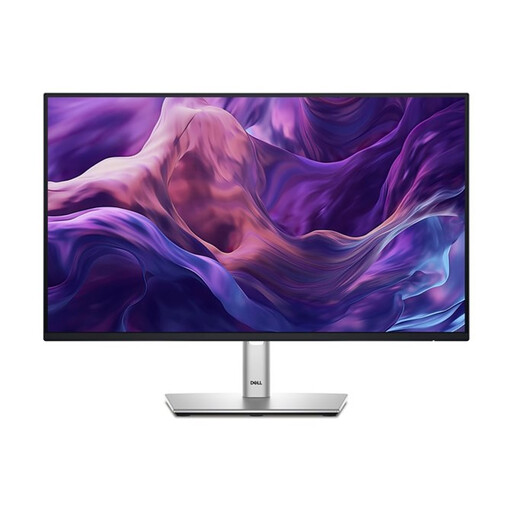
Dell's P2425HE, P2425E and P2425DE provide different resolution and connection options for an office desk.
The ThinkVision T24i-30 is relevant to shared desks using a mix of conventional computer connections.
The E24t G5 is a touch-enabled 23.8-inch office display to consider if touch is useful at the desk.
These monitors offer QHD, Full HD or other office-display options for reviewing accounts at a shared desk. Check each model's exact connections and adjustment options against the computers and people who will use it.
 No image available
Consider this QHD option if keeping several account documents in view matters to you. Its name specifies an IPS display; check the exact regional model's USB hub functions and your laptop's USB-C display and charging compatibility before planning a one-cable desk.
 No image available
Consider this 24-inch model for routine account and document work. Confirm its native resolution, refresh rate and exact ports for this variant before relying on a particular workspace layout or USB-C connection.
 No image available
This model is worth considering when a 1920 × 1080 workspace fits the documents you normally review. Its product name lists DisplayPort, HDMI, VGA and USB-C; check what the USB-C port does on this exact variant before relying on it for laptop video, charging or a hub.
 No image available
Consider this IPS USB-C model if flexible placement is important to your shared workspace. Check which mounting accessories come with the exact variant, whether its adjustment range suits each user and whether its USB-C functions meet your laptop's needs.
An employer must carry out a workstation assessment when workers use display screen equipment daily as part of normal work for continuous periods of an hour or more, according to the Health and Safety Executive. The assessment covers the whole workstation and individual requirements; an adjustable monitor is only one part of the setup.
A privacy filter is not a universal requirement in the Information Commissioner's Office guidance. Where the work processes personal data, choose technical and organisational measures appropriate to the risk, considering sightlines, screen locking and access practices before deciding whether a filter is useful.
Reposition the monitor for each regular user rather than leaving it fixed for everyone. The Health and Safety Executive's general guidance suggests placing the screen directly in front of the user, with its top around eye level and the screen about an arm's length away; adjust the rest of the workstation as needed.
No: the laptop must support the necessary USB-C video function, and the monitor's power delivery must meet its charging requirement. Dell UK lists up to 90 W power delivery for the P2425HE and P2425E, but check the specifications of both your chosen monitor and laptop before depending on one cable.