Joybuy monitor choices
These monitors cover compact FHD and larger mixed-use options for a student-room setup. Compare each model’s stated mode with your PC and desk before choosing; the listed refresh rates do not all apply at the same resolution.
 No image available
LG UltraGear 27G810A-B 27-inch 4K Dual Mode
Consider this dual-mode IPS screen if both detailed work and a high-refresh gaming option matter to you.
Stated features: 27-inch 4K UHD display; Dual Mode with a stated maximum of 360Hz. Check which resolution, input and PC settings enable the mode you want.
View on Joybuy
 No image available
Samsung Odyssey G6 S27DG612 27-inch QHD OLED 240Hz
This is a QHD OLED option to consider when shooter practice shares the screen with other games and coursework.
Stated features: 27-inch QHD OLED, 240Hz and a quoted 0.03ms response time. Check the input mode, OLED care guidance and warranty for this model.
View on Joybuy
 No image available
HKC G27H2DPro 27-inch QHD Fast IPS 220Hz
Consider this QHD option if you want one screen for shooter play and more detailed everyday use.
Stated features: 27-inch, 2560 × 1440 Fast IPS display and 220Hz. Check its input-specific refresh modes and whether the screen finish suits your room lighting.
View on Joybuy
 No image available
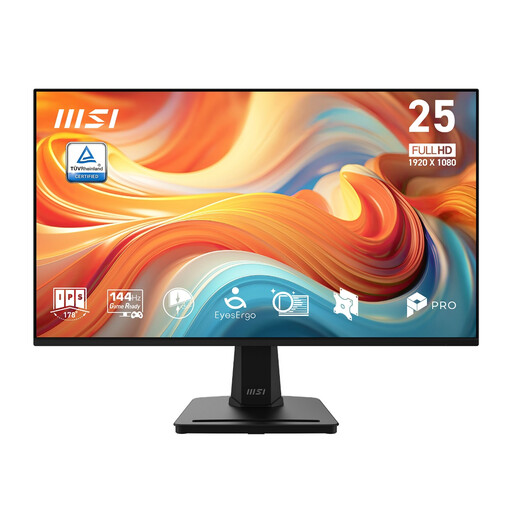
MSI PRO MP251 E14L 24.5-inch FHD IPS 144Hz
This compact FHD option may suit a student desk when you do not need the 360Hz-or-higher route discussed above.
Stated features: 24.5-inch 1920 × 1080 IPS display, 144Hz and Adaptive-Sync. Check whether its positioning options suit your setup.
View on Joybuy
 No image available
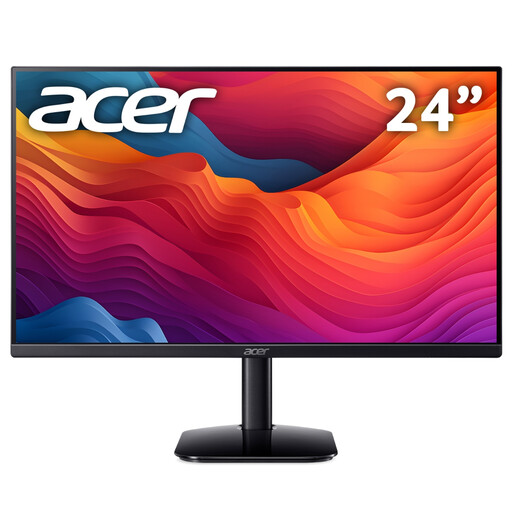
Acer KB2 KB242YP0 23.8-inch FHD 144Hz
This smaller FHD screen is worth considering if desk space matters more than pursuing a higher-refresh esports format.
Stated features: 23.8-inch 1920 × 1080 display, 144Hz and FreeSync. Check which input supports the refresh mode you intend to use.
View on Joybuy
Common questions
Should I choose 360Hz or a higher refresh rate for aim practice?
Choose a higher mode only if your PC, game, port and cable can use it at the resolution you want. Dell UK lists FHD operation up to 480Hz for the Alienware AW2524HF, while ZOWIE lists 360Hz for the XL2566K; neither figure guarantees better personal results.
Can a 27-inch QHD monitor work in a student room?
Yes, if the desk has room for the stand, keyboard and mouse and you also value QHD for coursework or other games. Measure the available space rather than deciding from screen size alone; ASUS ROG lists the 27-inch QHD PG27AQN as one high-refresh example.
Is OLED necessary for competitive shooters?
No. QHD OLED can suit mixed gaming, but it is not a prerequisite for aim drills. If you choose OLED, compare the exact model’s care instructions and warranty; ASUS ROG describes its PG27AQDP care features as reducing, not eliminating, burn-in risk.
How can I check whether my PC will use a monitor’s top refresh mode?
Find the exact resolution-and-refresh combination for the monitor input you plan to use, then compare it with your PC or laptop output and cable. Dell UK lists different FHD modes for the AW2524HF, including 255Hz via HDMI and a separate 480Hz mode.
What should I do with an old monitor in the UK?
Take it to an appropriate electrical recycling collection point rather than putting it in household rubbish. GOV.UK guidance says electrical products marked with the crossed-out wheelie-bin symbol should not go in household rubbish; you can also check whether a retailer offers a suitable take-back route.


