Small-desk newsletter writers
If your work is mainly drafting and editing text, the monitor needs to leave usable space for a keyboard, notes and printed copy.


For a local newsletter written mostly as text, start with a 23.8–24-inch Full HD monitor that fits alongside your keyboard and papers. A 24-inch QHD screen offers more pixels for layouts and side-by-side windows without moving to a 27-inch panel; choose the larger screen only if its dimensions suit your desk. Check screen-height adjustment and laptop connections separately from size and resolution.
If your work is mainly drafting and editing text, the monitor needs to leave usable space for a keyboard, notes and printed copy.
If you compare drafts, images, publishing tools and page previews, resolution and visible workspace may matter more than choosing the smallest screen.
If your laptop moves between the desk and other locations, screen positioning and fewer cables may matter. A one-cable setup depends on the laptop supporting video through its USB-C port.
Measure the space available for the monitor and its stand, decide how many newsletter windows you need visible, then check screen positioning and laptop connections.
| Concern | What to check | Who this matters to |
|---|---|---|
| Desk fit | Compare usable desk width and depth with the monitor’s dimensions including its stand. If using an arm, check the mounting pattern and arm compatibility. | I need room beside the screen for notes and a keyboard, not just enough space for the panel itself. Around 40% of consumers making this choice put desk fit first. |
| Writing and layout space | Compare native resolution as well as screen size; check that your computer can output the resolution through the connection you intend to use. | When I edit copy beside a page preview or reference material, I want more of those windows visible together. Roughly 30% of consumers prioritise that workspace. |
| Position and connections | Check stand adjustment or mounting options, USB-C video compatibility and whether the monitor’s stated charging output meets your laptop’s needs. | My laptop setup needs a screen I can position comfortably without leaving cables across the writing space. About 30% of consumers place positioning and connections first. |
A 27-inch panel may give you more physical screen area while leaving too little desk space for writing materials. The stand also takes up space that the diagonal measurement does not describe.
Measure the desk, then compare each model’s dimensions with its stand attached. If you plan to use an arm, check both the monitor’s mounting pattern and the arm’s compatibility.
A separate arm may be needed if the supplied stand is too deep or cannot place the screen at the required height.
A USB-C connection does not, by itself, establish that your laptop can send video to the monitor or receive enough power from it.
Check the laptop’s USB-C video capability and charging requirement against the exact monitor model’s connection and power-delivery specifications.
You may still need the laptop charger, another cable or a separate dock.
Reader modes and low-blue-light features do not replace a workable viewing position. The Health and Safety Executive advises placing the top of the screen around eye level and the screen about an arm’s length away.
Check whether the stand or a compatible mount lets you achieve that position, and consider reflections at your desk before adjusting display settings.
Dell’s UK configuration details for the UltraSharp U2724D identify no USB hub or power delivery, while a retailer listing for a U2724D describes USB-C charging. Do not assume that the listing’s connection details apply to the model you intend to buy.
Match the full model number to the manufacturer’s documentation before relying on USB-C charging or particular ports, and check the supplied cables.
These model lines illustrate different ways to balance compact size, resolution, connections and screen adjustment; the features of one model do not apply to every monitor from its brand.
The 23.8-inch GW2490C is a compact Full HD writing-screen option.
The 23.8-inch VA24ECPSN combines a Full HD IPS display with laptop-workstation connections.
Two 24-inch models address different priorities: the QHD ViewFinity S60UD and the Full HD S43GC.
The 27-inch UltraSharp U2724D is a larger QHD option for a desk with room for its panel and stand.
These monitors offer different approaches to a compact newsletter workstation, including Full HD writing screens and a 24-inch QHD option. Check the dimensions and connections of the individual model against your desk and computer.
 No image available
Consider this QHD model if newsletter layouts and reference windows are a priority but desk space still favours a compact screen.
Its product name identifies a QHD IPS display. Before relying on USB-C for your laptop setup, confirm video compatibility, charging requirements, the included cables and the monitor’s dimensions with its stand.
 No image available
Consider this model if flexible placement matters at a crowded writing desk.
The product name identifies an IPS display and USB-C connection. Check which mounting arrangement suits your desk and whether your laptop supports USB-C video; confirm its charging needs before planning a one-cable setup.
 No image available
This 24-inch Full HD option suits primarily text-based newsletter work if its stand fits your available desk space.
Compare its dimensions with the area you can spare for the stand, and check that its available video connection suits your computer.
 No image available
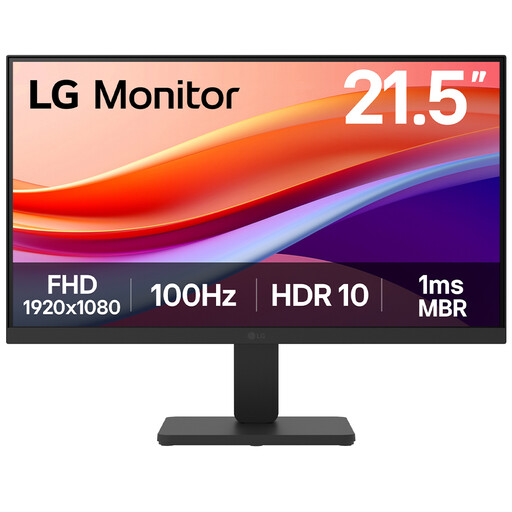
Consider the 22-inch screen when the desk is especially tight, while checking that its physical display area suits your preferred text size and window layout.
The product name specifies a VA panel, Full HD resolution, 100 Hz and HDMI. Check whether the supplied screen position works at your desk or whether a compatible mount is needed.
 No image available
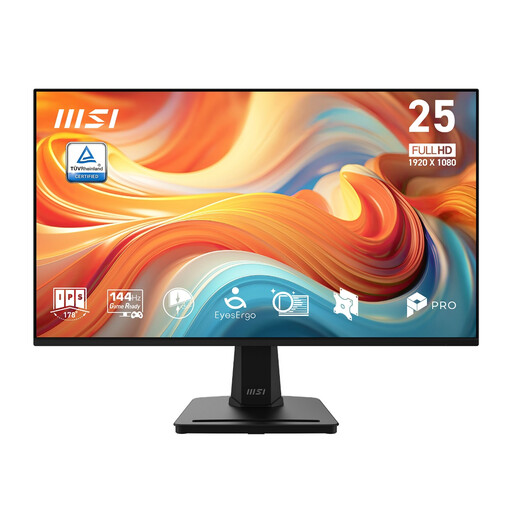
This Full HD model is worth checking for ordinary newsletter drafting if your desk can accommodate a 24.5-inch screen.
The product name specifies a 1920 × 1080 IPS display and 144 Hz. Measure the space available for its stand and check how you would position the screen at a comfortable height.
A 24-inch Full HD monitor is a reasonable starting point for drafting, email and browser-based publishing when desk space is limited. If you regularly keep a draft beside detailed layouts or several reference windows, compare a 24-inch QHD screen; its higher resolution gives you more pixels without increasing the panel to 27 inches.
The Health and Safety Executive advises placing the top of the screen around eye level, about an arm’s length away, with the screen directly in front of you. Check whether the supplied stand can achieve that position at your desk or whether a compatible monitor arm would help.
Yes, if both the laptop and the exact monitor support the necessary USB-C video and charging functions, and the monitor supplies enough power for the laptop. ASUS specifies up to 65 W charging for the VA24ECPSN and Samsung specifies 90 W for the ViewFinity S60UD; compare the relevant model’s figure with your laptop’s requirements.
For products placed on the Great Britain market, GOV.UK guidance updated in August 2026 says CE marking continues to be recognised alongside or in place of UKCA where applicable UK requirements are met. Northern Ireland follows different market processes, so Great Britain guidance alone does not settle a Northern Ireland-specific question.