For writing a book review at a small desk, start by considering a 23.8–24-inch screen and measuring its stand, rather than choosing by screen size alone. A QHD model offers more pixels for text, a 16:10 WUXGA model gives a taller document area, and Full HD is a simpler option if those differences matter less to you. Leave room to position the screen comfortably, and check USB-C charging separately if you write on a laptop.
Who this choice affects
Writers with limited desk space
If drafts, notes and a keyboard share a shallow desk, the monitor’s stand depth matters alongside its screen width. The Health and Safety Executive advises placing the top of the screen at eye level and the display about an arm’s length away, so consider whether the desk and stand allow that position.
Laptop-first reviewers
If you move a laptop between writing locations, check whether a monitor’s USB-C connection carries video and supplies enough power to charge your laptop. Dell lists up to 90 W Power Delivery for the P2425DE and P2425E; BenQ states that the GW2490C’s USB-C connection does not support Power Delivery.
Readers and editors of long drafts
If much of your time goes into comparing passages and editing text, decide whether more pixels or a taller page view would help your workflow. Dell’s P2425DE is a 23.8-inch QHD example, its P2425E uses a 24-inch 16:10 WUXGA panel, and BenQ’s GW2490C is a 23.8-inch Full HD option.
What to prioritise
Choose the document workspace you want, then check whether the complete monitor fits your desk and connects to your laptop as intended. The three concerns below reflect different primary needs when choosing one screen for book-review writing.
| Concern |
What to check |
Who this matters to |
| Text and document space |
Compare native resolution and aspect ratio; check that text scaling on your computer feels comfortable. |
If I spend hours reading drafts and comparing passages, I want enough usable page space without making text awkward to read. Around 42% of consumers put document workspace first. |
| Desk fit and screen position |
Measure the stand-included width and depth, then check height adjustment or a compatible VESA mount. |
With notes and a keyboard already on my desk, I need a screen I can fit and position comfortably. For around 33% of consumers, physical fit and positioning are the primary concern. |
| Laptop connection |
Check USB-C video support, whether the monitor provides Power Delivery, and your laptop’s charging requirements. |
If I write from a laptop, fewer connections would make setting up simpler, provided the display can also charge it. Roughly 25% of consumers place laptop connectivity first. |
Buying pitfalls
-
Judging desk fit by screen diagonal alone
A compact panel can still have a stand that takes up substantial desk depth. BenQ lists the GW2490C at 540 mm wide and 207 mm deep with its stand.
Measure the space left after your keyboard and notes are in place, and compare stand-included dimensions rather than panel dimensions alone.
If the supplied base takes too much room, using a compatible VESA arm means obtaining and fitting separate mounting hardware.
-
Assuming USB-C means laptop charging
USB-C functions vary by model: BenQ says the GW2490C does not support Power Delivery, while Dell specifies up to 90 W for the P2425DE and P2425E.
Confirm that your laptop supports the monitor’s video connection and USB-C charging, then compare its power requirement with the monitor’s stated output.
Without compatible charging through the monitor, you will still need a separate laptop charger.
-
Relying on eye-comfort features instead of screen placement
A display feature does not position the monitor for you. The Health and Safety Executive advises keeping the top of the screen at eye level and the display about an arm’s length away.
Check that the stand, desk and chair let you arrange the screen and keyboard together; consider compatible mounting if the supplied stand cannot provide the position you need.
-
Choosing extra features before deciding what writing needs
Text density, vertical page space, stand adjustment and laptop charging address different parts of a book-review workflow. LG’s 24BA850-B also includes a webcam, microphone, speakers and RJ45, which matter more if you conduct video interviews than if you write alone.
Identify the constraint that most affects your work before deciding whether integrated meeting or connection features are useful to you.
Brands to consider
Dell
Dell’s P2425DE and P2425E illustrate two compact work-monitor choices: QHD for more pixels or 16:10 WUXGA for a taller page layout.
- Dell specifies height, pivot, swivel and tilt adjustment for these models, with up to 90 W USB-C Power Delivery.
- The two resolutions serve different preferences; check the exact model rather than assuming every Dell monitor has the same panel or connections.
BenQ
BenQ’s GW2490C is a 23.8-inch Full HD IPS option with published stand-included dimensions that can help with desk planning.
- BenQ specifies a 540 mm width, 207 mm stand depth and 100 × 100 mm VESA interface for the GW2490C.
- BenQ states that this model’s USB-C connection does not support Power Delivery, so it cannot replace a laptop charger.
LG
LG’s 24BA850-B is a 23.8-inch Full HD IPS business monitor whose integrated communications features may suit a reviewer who also conducts video interviews.
- LG lists a webcam, microphone, speakers, RJ45, an adjustable stand and USB-C Power Delivery up to 90 W for this model.
- If the monitor is solely for reading and drafting, check whether you would use those integrated features.
Joybuy monitor options
These compact monitor options include models presented for taller document layouts and a basic writing setup. Compare each listing’s exact connections and stand footprint with your laptop and available desk space.
 No image available
ASUS ProArt PA248CNV IPS WUXGA
Consider this model if a 16:10 WUXGA screen is your preferred layout for reading and drafting. Measure the complete stand footprint, and check laptop video and charging compatibility if you plan to use a single-cable setup.
View on Joybuy
 No image available
Dell P2425 24-inch Monitor
This 24-inch model is worth considering if you want a compact screen for drafts and references. Check its stand-included footprint and exact connectivity before ordering; do not assume the P2425 has the USB-C charging features specified for Dell’s different P2425DE or P2425E models.
View on Joybuy
 No image available
ASUS ProArt PA248CRV IPS WUXGA
Its IPS WUXGA designation makes it relevant if you favour a document-focused screen layout. Check the stand-included dimensions against your desk and confirm your laptop’s video and charging requirements before planning a USB-C setup.
View on Joybuy
 No image available
ASUS ProArt PA24ACRV
Consider this model only after confirming that its stated native resolution gives you the document layout you want. Also check its stand-included footprint and your laptop’s connection and charging requirements; the model designation matters when comparing it with other ProArt screens.
View on Joybuy
 No image available
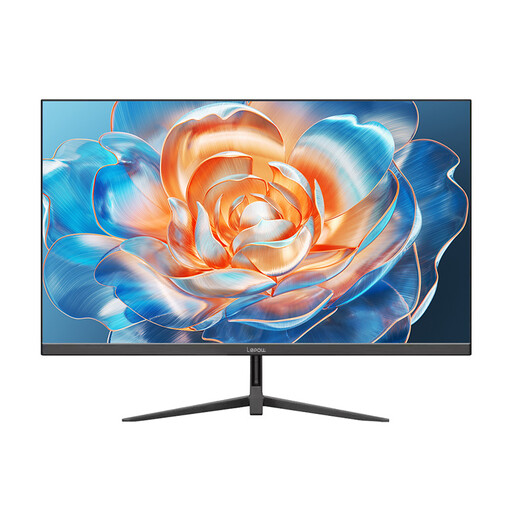
Lepow HC-24Z2 24-inch Monitor
This model is a choice to examine for basic document work if a 24-inch-class screen suits your desk. Its product name states a 100 Hz refresh rate; for writing, check the stand footprint, available positioning adjustments and the connections you need rather than choosing on refresh rate alone.
View on Joybuy
Frequently asked questions
What size monitor should I consider for writing at a small desk?
A 23.8–24-inch screen is a sensible starting point among these compact options, but its stand must fit your desk. Measure the complete footprint: BenQ specifies the GW2490C at 540 mm wide and 207 mm deep with its stand. Then choose between QHD, 16:10 WUXGA and Full HD according to the document layout you prefer.
Is a height-adjustable stand necessary for writing?
It is useful when your desk and chair cannot otherwise put the screen at a comfortable height. The Health and Safety Executive advises positioning the top of the display at eye level and the screen about an arm’s length away; a suitable adjustable stand or compatible VESA mount can help, but you still need to arrange the whole workstation.
Will a USB-C monitor charge my laptop?
Not necessarily: USB-C does not by itself establish charging capability. Dell specifies up to 90 W Power Delivery for the P2425DE and P2425E, whereas BenQ says the GW2490C does not support Power Delivery. Check the exact monitor model, your laptop’s USB-C charging support and its power requirement.
Do home-working display rules specify which monitor to buy?
No particular consumer monitor specification follows from the home-working guidance cited here. The Health and Safety Executive says display screen equipment rules can apply to workers who work from home permanently or long-term; whether they apply to your work arrangements is separate from choosing a screen that fits and can be positioned suitably.


