Writers short on desk space
If a keyboard, notebook and manuscript pages must share a small surface, check the monitor’s complete width and stand depth. A VESA mount is another option only if the monitor and your desk or wall can accommodate it.


For a small writing desk, choose by the monitor’s full width and depth with its stand fitted, not its screen size alone. A compact screen may suit a narrow desk, while a larger screen with a shallow stand or adjustable position may suit a different layout. Leave room for your keyboard and pages, and check your viewing distance and computer connections before deciding.
If a keyboard, notebook and manuscript pages must share a small surface, check the monitor’s complete width and stand depth. A VESA mount is another option only if the monitor and your desk or wall can accommodate it.
Screen position matters when you spend extended periods drafting or revising. The Health and Safety Executive advises placing the top of the screen level with your eyes and the screen about an arm’s length away.
Check the laptop’s video output against the monitor’s inputs. If you want video and charging through one USB-C cable, confirm both laptop compatibility and the monitor’s stated charging output.
Choose when: Desk width is particularly tight and preserving space beside the monitor matters most.
Trade-off: A smaller diagonal does not tell you the stand footprint or whether a tilt-only screen will sit at a suitable height.
Choose when: You want a physically larger display but desk depth limits where its base can sit.
Trade-off: A fixed stand may need a suitable riser or compatible mount if the screen sits too low.
Choose when: Setting screen height and position is more important than minimising base depth.
Trade-off: Check the installed footprint: BenQ UK lists its height-adjustable GW2490TC at 539.8 × 241.6 mm with the stand.
| Concern | What to check | Who this matters to |
|---|---|---|
| Desk fit | Measure usable width and depth against the monitor’s dimensions with its stand fitted; check mounting compatibility if considering an arm. | I need space for my keyboard and writing materials after the monitor is in place. Around 36% of consumers put desk fit first. |
| Screen position | Check height adjustment and viewing distance, not just tilt. The Health and Safety Executive advises an eye-level screen top and a distance of about an arm’s length. | For long drafting sessions, I want to position the screen sensibly without rearranging the whole desk; roughly 29% of consumers prioritise screen position. |
| Laptop connection | Match the laptop’s video output to the monitor input. For USB-C video and charging, check DisplayPort Alt Mode support and the required power output. | If I move between laptop and monitor, I want the connection to work with my computer; around 21% of consumers make connectivity their main concern. |
| Writing workspace | Compare screen size and resolution for your document layout, while checking the overall width that must fit on the desk. | I want enough visible text for drafting and reference material, but not at the expense of the space beside the screen. For roughly 14% of consumers, that workspace balance comes first. |
The base can take up much more depth than the panel. BenQ UK lists the GW2490E at 61 mm deep without its stand and 182 mm deep with it.
Compare installed dimensions with the usable desk surface, including the space needed for your keyboard and papers.
If the supplied base obstructs that space, a suitable riser or monitor arm may be needed.
Tilt changes the screen’s angle; it does not provide the height adjustment of an adjustable stand. The Health and Safety Executive advises positioning the screen top level with your eyes.
If height is the problem, check the stand’s adjustment range or whether a compatible riser or VESA mount will work on your desk.
USB-C features depend on both devices. BenQ UK specifies DisplayPort Alt Mode and 20 W Power Delivery for the GW2490TC, but that output may not meet a particular laptop’s charging requirement.
Check the laptop’s video capability and recommended power requirement against the exact monitor connection.
LG UK’s and Joybuy’s descriptions of the LG 22U401A-B disagree on its panel type, which matters if you are choosing by display characteristics.
Confirm the specification for the exact model with the seller before ordering rather than treating either listing as interchangeable with another LG screen.
Its GW2490E and GW2490TC illustrate different stand choices for a 23.8-inch writing setup.
The S2425HS is relevant when stand adjustment takes priority over the smallest base.
LG UK describes the 22U401A-B as a 21.5-inch Full HD option and the 24U411A-B as a 23.8-inch Full HD option.
The 24E1N1100A/00 is a 23.8-inch Full HD IPS model that Philips UK describes with a LowBlue mode.
These monitors offer compact-screen, stand-positioning and laptop-connection options for a small writing desk. Compare each complete setup with your available space and computer before choosing.
 No image available
Consider this 24-inch Full HD model if a larger screen suits your writing layout. Check the complete stand footprint and adjustment range against your desk and seated position.
 No image available
This USB-C model is worth considering for a laptop-based writing space. Confirm the intended mounting arrangement and its installed footprint, and check video compatibility and charging requirements with your laptop.
 No image available
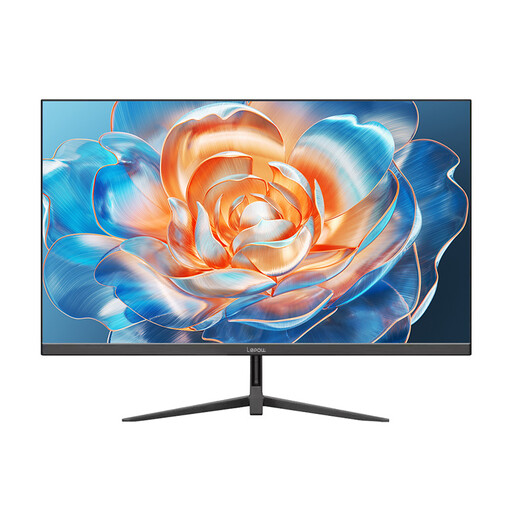
Consider this 24-inch model if its full width leaves enough room for writing materials. Its stated 100 Hz refresh rate should not replace checks of stand depth, screen position and computer connections.
 No image available
Consider this model when document layout and screen positioning matter to your writing routine. Check its installed dimensions and available ports for the exact variant; confirm USB-C and any required charging output before relying on either.
 No image available
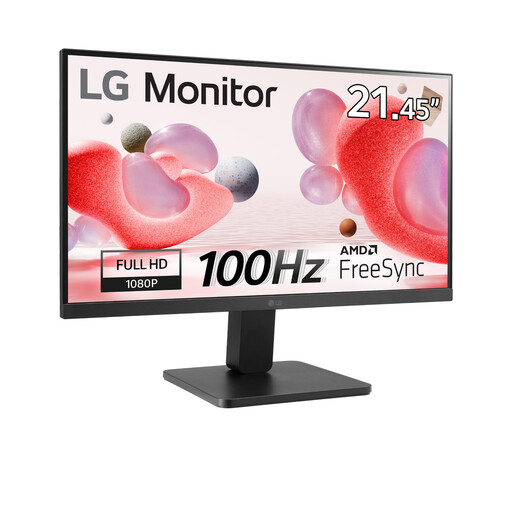
This 22-inch Full HD listing is an option to measure for a narrow desk. Confirm its complete dimensions with the stand fitted and whether its available positioning suits your seated setup.
Measure usable desk width and depth, then compare them with the monitor’s dimensions with its stand installed. BenQ UK lists the GW2490E at 540 × 182 mm with its stand, compared with 540 × 61 mm without it. Leave room for your keyboard and papers, as well as a viewing position about an arm’s length from the screen, as advised by the Health and Safety Executive.
Prioritise height adjustment if a fixed stand would leave the screen too low or too high at your seated position. Dell UK lists 130 mm height adjustment, tilt, swivel and pivot for the S2425HS, but its base must still fit your desk.
It can only do both when the laptop and monitor support the required USB-C video connection and the monitor provides sufficient charging power. BenQ UK specifies DisplayPort Alt Mode and 20 W Power Delivery for the GW2490TC; compare that output with your laptop manufacturer’s power requirement.
Ask the seller about electrical-waste take-back when ordering the replacement. GOV.UK states that retailers must offer to take back waste of the same type as the item purchased, including when the new item is bought online; confirm how the seller arranges that take-back.