What to check before buying
Measure the desk with your keyboard and papers in place, then decide whether screen positioning, document height or laptop connectivity changes which monitor you need.
| Concern |
What to check |
Who this matters to |
| Desk footprint |
Compare the exact model’s width and depth with its stand against the usable desk area. For an arm, check mounting compatibility and clamp clearance. |
I need to keep my keyboard and lesson papers within reach without the monitor base taking over the desk; around 42% of consumers put footprint first. |
| Screen position |
Check the stand’s height adjustment, or whether a suitable riser or confirmed VESA mount would work with your desk. |
During long editing sessions, I need to place the screen at a comfortable height rather than work around a fixed stand; roughly 33% of consumers prioritise screen positioning. |
| Laptop and document workspace |
Compare 16:9 and 16:10 document space. For USB-C, confirm laptop video output, charging requirements and cable suitability. |
I mainly work from a laptop or need more of a handout visible vertically, so connection and document space shape my choice; about 25% of consumers make this their primary concern. |
Joybuy monitor choices
These monitors offer different starting points for a small handout-writing desk, from document-oriented displays to models worth checking for a simpler computer connection. Compare each exact variant’s stand dimensions and ports with your own setup before choosing.
 No image available
ASUS ProArt PA248CNV IPS WUXGA
Consider this model if a WUXGA display appeals for document work. Check the stand’s full footprint against the space left for papers and confirm any laptop connection and charging requirements before purchase.
View on Joybuy
 No image available
ASUS ProArt PA24ACRV IPS QHD
Consider the QHD variant if its display format suits your document workflow. Confirm its dimensions with stand before committing desk space, and check the exact connection and charging specifications against your laptop.
View on Joybuy
 No image available
Dell 24 Monitor P2425
For handouts with long pages, Dell UK lists the P2425 with a 1920 × 1200 display. Before choosing this listing, confirm the exact stand dimensions and connections needed for your desk and computer.
View on Joybuy
 No image available
Samsung Essential S3 S31D (LS24D310EAUXXU)
Consider this model for a straightforward handout-writing setup if its complete stand dimensions leave room for your keyboard and papers. Check its inputs against your computer and whether the screen can sit at a suitable height.
View on Joybuy
 No image available
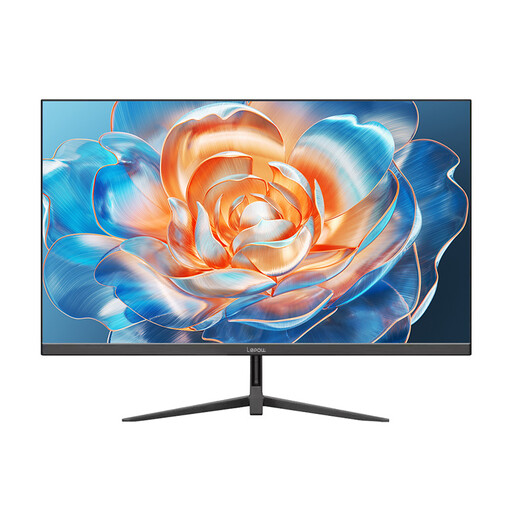
Lepow HC-24Z2 24-inch monitor, 100 Hz
For a desk centred on handout preparation, compare this monitor’s full stand dimensions with your available space. The product name identifies a 24-inch model with a 100 Hz refresh rate; confirm its panel, positioning options and required computer connection before choosing it.
View on Joybuy
Frequently asked questions
Is a 24-inch monitor too large for a small handout-writing desk?
Not necessarily: the complete monitor and stand dimensions matter more than the diagonal alone. Measure the space available alongside your keyboard and papers; for comparison, BenQ lists the 23.8-inch GW2490 at 540 mm wide and 182 mm deep with its stand.
Do I need a height-adjustable stand for proofreading?
A height-adjustable stand is useful when a fixed stand cannot put the screen in a suitable position. The Health and Safety Executive advises placing the top of the screen around eye level and the display about an arm’s length away; a suitable riser or compatible VESA arm may also help.
Will a USB-C monitor charge my laptop through one cable?
Only if the laptop supports the required USB-C video connection and the monitor can deliver suitable charging power. LG lists display, data and charging up to 90 W for its 24BA850, so compare that limit and the required cable with your laptop’s specifications.
Does buying an adjustable monitor cover a workplace screen assessment?
No. The Health and Safety Executive says employers must assess workstations for workers who use display screen equipment daily as part of their normal work, continuously for an hour or more. That assessment covers the wider workstation and working conditions, not just the monitor.


