What to check before buying
Work out which device supplies the picture and which device records it before deciding what the monitor needs to connect or power.
| Concern | What to check | Who this matters to |
|---|
| Socket demand |
USB-C video support at both ends and monitor Power Delivery sufficient for the laptop; built-in speakers if they would replace powered speakers. |
If my laptop supplies the fixture, I want to avoid using another socket for its charger without losing the display connection. Around 36% of consumers put socket reduction first. |
| Source and recording path |
The source output, compatible inputs and HDCP requirements across any intervening equipment; establish the recording method separately. |
When a set-top box or stream supplies the picture, I need to know whether the connected equipment will show it and whether my intended recording use is permitted. For around 29% of consumers, that source-and-recording question comes first. |
| Viewing and logging space |
Screen size and resolution for the desk; USB connections if peripherals need to sit at the monitor. |
I need to keep a fixture and my notes in view without making the desk awkward to use. Workspace is the primary concern for roughly 21% of consumers. |
| Display essentials |
Inputs that match the source, audio arrangements and the energy label and product information sheet. |
If power and recording are already handled elsewhere, I mainly need a display that fits my source and viewing arrangement. Around 14% of consumers prioritise those display essentials. |
Joybuy monitors for this setup
These monitors offer different screen formats and connections for a sports-fixture viewing desk. Check the laptop or source-device connection, socket arrangement and separate recording method against the particular model you choose.
 No image available
ASUS ZenScreen MB249C IPS USB-C Monitor
For a laptop-led fixture desk, check whether its USB-C connection provides the video and charging functions your laptop needs before planning to leave the charger unplugged.
View on Joybuy
 No image available
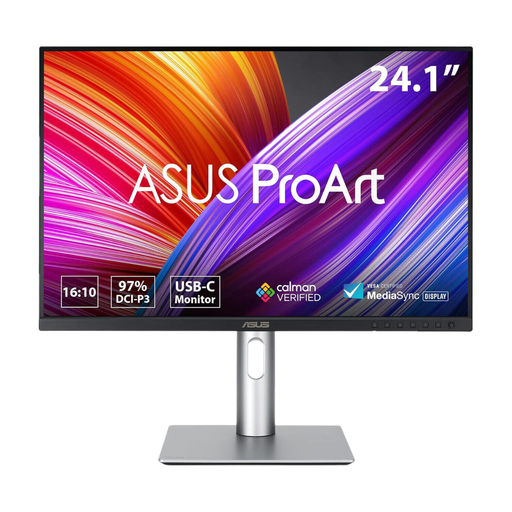
ASUS ProArt PA248CRV IPS WUXGA Monitor
If you want room for fixture notes as well as the picture, consider whether WUXGA suits your layout. Confirm the required video connection, laptop charging and audio arrangements separately.
View on Joybuy
 No image available
Dahua 32-inch 4K 165Hz Curved OLED Monitor, Type-C 65W
Consider whether the curved screen fits a desk used for fixtures and notes. The product name specifies 3840 × 2160 resolution and Type-C 65W; confirm USB-C video support and what that power rating means for your laptop. Its 165Hz refresh rate does not establish a recording method.
View on Joybuy
 No image available
Lenovo L32p-30 31.5-inch 4K UHD IPS USB-C Monitor
If you want a larger screen for the fixture and related notes, check that the 31.5-inch size fits your desk. Confirm the USB-C video and charging functions needed by your laptop, along with the source connection.
View on Joybuy
Common questions
Can a USB-C monitor free up a plug socket?
Yes, if it can charge your compatible laptop sufficiently through the display connection, its separate charger may not need a socket. The monitor still needs mains power. Check USB-C video support at both ends and the monitor’s stated Power Delivery against the laptop’s requirements.
Does the monitor record a sports fixture?
A monitor chosen for its display connections is not, by itself, a recording method. Identify the fixture source and the device that would make the recording, then check the connection path and intended use before selecting a display around them.
Why does HDCP matter with a sports-streaming device?
Protected playback can depend on compatible HDCP support across the connected equipment. BenQ UK advises checking the devices and cables in a protected 4K chain; a compatible monitor alone does not establish that a capture device will work or that recording is permitted.
Can I record a sports broadcast in the UK?
The UK Intellectual Property Office says a broadcast can be recorded in domestic premises for private and domestic use so it can be viewed or heard at a more convenient time. That limited exception does not establish permission for sharing, public showing or a particular streaming service’s recording method; check the terms and rights relevant to your intended use.
What energy information should I check for a monitor?
Check the energy label and product information sheet when comparing an in-scope monitor. UK government energy-information guidance covers electronic displays; energy information helps you compare use, but it cannot tell you whether your source or recording equipment is compatible.


