Bright-window sports viewer
You replay fixtures near a daylight-facing window and want to manage reflections before prioritising HDR labels or very high refresh rates.


For recording or reviewing sports fixtures beside a bright window, start with screen reflections: look for a stated anti-glare, low-reflection or matte finish, then match the monitor’s resolution, refresh rate and inputs to your recorder or computer. A high-refresh OLED suits compatible fast-motion playback, while a matte 4K IPS model may make more sense for footage review at a workstation. Neither screen treatment nor a brightness figure guarantees comfortable viewing when direct sunlight reaches the panel.
You replay fixtures near a daylight-facing window and want to manage reflections before prioritising HDR labels or very high refresh rates.
You follow quick camera pans and player movement, and can check whether your recorder, PC or console supplies the signal needed for a higher refresh rate.
You inspect recorded material on a computer and need space for footage and controls, with colour modes or connections that suit your workflow.
For a screen beside a bright window, assess its surface and position first. Then decide whether fast playback, detailed footage review or connecting and positioning your equipment will drive the purchase.
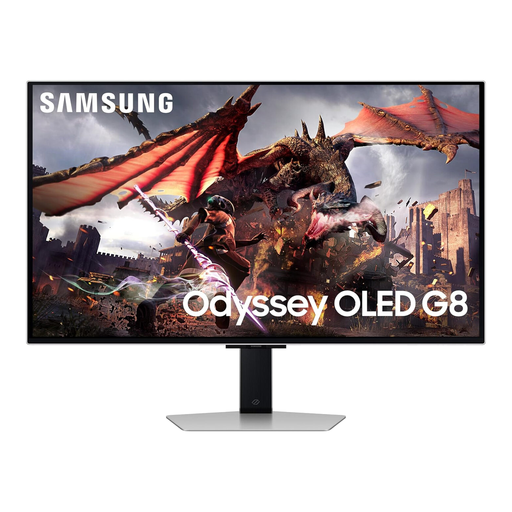
Consider it when: Fast playback and 4K detail both matter. Samsung lists 4K, 240Hz and Glare Free treatment for its 32-inch Odyssey OLED G81SF.
Bear in mind: The G81SF’s refresh rate depends on a compatible source signal, and its screen treatment does not remove every reflection.
Consider it when: Reviewing footage on a computer matters more than the highest refresh specification. BenQ lists a 31.5-inch 4K panel, Nano Matte coating, Rec.709 mode and 400-nit typical brightness for the PD3226G.
Bear in mind: The PD3226G’s stated maximum is 144Hz, below the 240Hz specified for Samsung’s G81SF.
Consider it when: You also use the desk for everyday computer work. Dell lists 4K at 120Hz, an anti-glare finish, USB-C and an adjustable stand for the S2725QC.
Bear in mind: Its stated maximum refresh rate is lower than those of the BenQ PD3226G and Samsung G81SF; check whether your source could use a higher rate before making that a deciding factor.
| Concern | What to check | Who this matters to |
|---|---|---|
| Window reflections | Look for a stated anti-glare, low-reflection or matte finish, and check whether you can angle the panel away from direct sunlight. | When daylight obscures players or on-screen controls, I need to deal with reflections before choosing other features. Around 36% of consumers put reflection control first. |
| Fast-motion playback | Match the intended resolution and refresh rate to the source device, input and cable; a monitor’s maximum rate does not establish the rate of every signal. | To follow quick pans without buying a display mode I cannot use, I need to know what my playback device outputs. Roughly 29% of consumers prioritise motion and source matching. |
| Footage-review detail | Check native resolution and screen size; consider stated colour modes if your computer workflow calls for them. | If I inspect recorded fixtures alongside editing controls, workspace and fine detail matter more to me than maximum refresh. About 21% of consumers put footage review first. |
| Desk connections and positioning | List your source ports and check the monitor’s inputs, supported signal modes and stand adjustments. | When equipment shares a desk near the window, I need a connection that works and a screen I can position usefully. Approximately 14% of consumers make desk integration their primary concern. |
Peak and typical brightness describe different measurements. LG lists 275 nits of standard luminosity and 1,300 nits of peak brightness for the 27GS93QE-B, so the peak figure is not a like-for-like comparison with typical brightness.
Compare figures measured on the same basis, alongside screen treatment and the position of the window.
A monitor rated for 120Hz, 144Hz or 240Hz will not make every recorder, PC or console output that rate at your intended resolution.
Check the source device’s output mode, the monitor input you will use and the cable required before deciding how much refresh capability you need.
The glare-reduction and anti-glare features stated for the cited Samsung, LG and Dell models do not establish how each screen will look with sunlight falling directly on it.
Plan the screen angle around the window and assess where the light falls at the time you normally watch or review fixtures.
An old monitor needs a suitable electrical-waste route. GOV.UK says retailers must offer take-back of waste equipment of the same type as an item customers buy, including when the purchase is made online.
Check the retailer’s take-back arrangements and where you would need to bring the old monitor before ordering a replacement.
Samsung’s 32-inch Odyssey OLED G81SF is a reference point for buyers considering 4K, high-refresh playback near a window.
LG’s 27GS93QE-B provides a QHD OLED example for buyers weighing anti-glare treatment against high refresh capability.
BenQ’s PD3226G is a workstation-oriented example for reviewing footage on a larger matte 4K screen.
These monitors offer different starting points for sports-footage playback or desktop review near a window. Compare their stated display modes with your source equipment, and check screen finish and room placement before relying on any model for bright-window use.
 No image available
Consider this model for 4K footage review at a workstation if its connections suit your computer.
The product name specifies a 32-inch IPS Mini LED display, 120Hz, Thunderbolt 3 and HDMI 2.1. For use beside a bright window, check its surface finish and a comparable typical-brightness figure rather than relying on an HDR peak claim.
 No image available
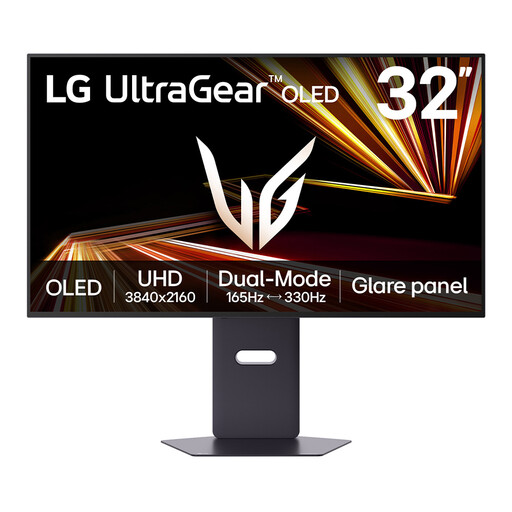
Consider this model if you want to choose between detailed 4K viewing and a separate higher-refresh mode for compatible sources.
Its product name states a maximum of 330Hz; that maximum is not the 4K mode. Confirm the resolution, refresh rate and connection required for the mode you intend to use, as well as the screen’s suitability for your window position. Follow the model’s image-retention guidance if editing controls remain on screen for long periods.
 No image available
Consider this Ultra HD OLED model for sports-footage playback if you can confirm that its display modes suit your source device.
Check the specified refresh rate, input mode, screen treatment and typical brightness for this exact model before choosing it for a bright window. It is a different model from the Samsung G81SF discussed above, so do not use the G81SF’s specifications to make that decision.
 No image available
Consider this model when inspecting 4K footage is more important than selecting the highest-refresh playback option.
Confirm that its stated 60Hz refresh rate suits the motion you review, and check the screen finish and typical brightness for your window position. A matte surface alone would not resolve direct sunlight on the panel.
 No image available
Consider this model for desktop footage review if WQHD detail meets your needs and 4K is not essential.
Check whether its stated 75Hz refresh rate suits your playback source. If brightness matters beside the window, compare a clearly identified typical-brightness figure and assess where sunlight will fall on the screen.
Start with the screen surface and where daylight reaches it, then compare typical brightness on the same measurement basis. HDR peak brightness is a different figure: LG lists 275 nits of standard luminosity and 1,300 nits of peak brightness for its 27GS93QE-B.
Not necessarily: the source device must output a compatible resolution and refresh rate through the chosen port and cable. Check those supported modes before paying for refresh capability you expect to use.
Keep direct sunlight off the panel where possible and adjust its angle to reduce the reflections you see during normal viewing hours. Follow the manufacturer’s settings guidance for your exact model; raising brightness does not remove reflections from the screen surface.
Check how the retailer handles electrical-waste take-back and where you would need to bring the old monitor. GOV.UK says retailers must offer take-back of waste equipment of the same type as an item customers buy, including online purchases; confirm the seller’s practical arrangements before ordering.