What matters when choosing
Establish the screen position at standing height, then decide how the meeting will be captured and how much space documents and captions need on screen.
| Concern |
Buying checks |
Who this matters to |
| Standing-height fit |
Measure eye and desk height; check the stand’s travel or the range and compatibility of a planned arm. |
If I alternate between sitting and standing, I need the screen to reach a usable position at both heights. Roughly 36% of consumers put workstation fit first. |
| Meeting capture |
Decide whether you need written minutes, audio, video or transcription; check camera framing, microphone coverage and the platform workflow. |
When I coordinate a hybrid meeting, I need remote attendees to be heard and the intended record to be handled through the right system. Around 36% of consumers make capture workflow their primary concern. |
| Document legibility |
Test agenda, decision-log and caption views at your intended distance and text scale; consider any accessible-format needs. |
If I keep papers and captions open together, I need to read each without losing track of decisions. About 28% of consumers prioritise readable meeting material. |
Joybuy monitors for document work
These displays address the document-viewing part of a standing-desk committee setup. Check each one’s physical fit and laptop connections, and arrange the required camera, audio and recording workflow separately.
 Image unavailable
ASUS ProArt PA278CV IPS WQHD monitor
Consider this WQHD display for agendas and decision logs, subject to a comfortable position at your standing desk.
Check the stand’s height range and the laptop connection you need before purchase; plan meeting capture separately.
View on Joybuy
 Image unavailable
ASUS ProArt PA24ACRV IPS QHD monitor
This QHD model is an option for displaying committee papers when its size and position suit your desk.
Check the stand’s travel against your standing eye height and confirm the required laptop and capture connections.
View on Joybuy
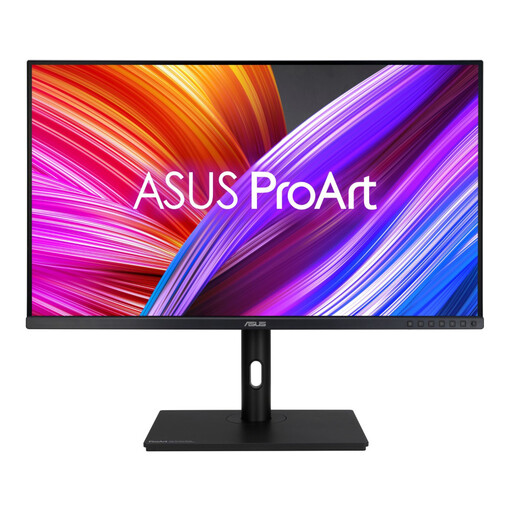 Image unavailable
ASUS ProArt PA328QV IPS WQHD monitor
Consider this WQHD display if you want room to arrange committee documents and captions on screen.
Measure the available desk space, test text legibility at your viewing distance and confirm the connection your laptop requires.
View on Joybuy
 Image unavailable
Lenovo L32p-30 31.5-inch 4K UHD IPS USB-C monitor
The 31.5-inch 4K UHD display is worth considering when you need space for several committee documents, provided it fits your desk and viewing distance.
Check the stand’s usable height and whether its USB-C connection meets your laptop’s display and power requirements; speakers alone do not establish a capture setup.
View on Joybuy
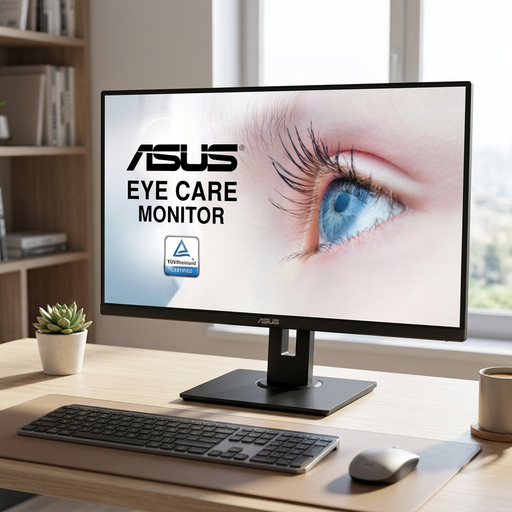 Image unavailable
ASUS VP32AQ 31.5-inch WQHD IPS monitor, Black
This 2560 × 1440 display can show committee material, but its supplied stand has no height adjustment.
For standing use, check the fit and travel of a compatible VESA mount. The listed variant also has FreeSync, Low Blue Light and built-in speakers; confirm laptop connections and meeting capture separately.
View on Joybuy
Common questions
Does a monitor with a webcam automatically record committee decisions?
No. A webcam and microphone can supply inputs to a call, but recording and retention depend on the connected system and meeting workflow. Check who can start a recording, where it is stored and who may access it.
Where should I position a monitor when working at a standing desk?
The Health and Safety Executive advises placing the top of the screen around eye level and the display about an arm’s length away. Measure at your actual standing-desk height; an adjustable stand is useful only if its range reaches the position you need.
When does an employer need to assess a screen workstation?
The Health and Safety Executive says employers must assess workstations for workers who use display screen equipment daily as part of normal work, continuously for an hour or more. The assessment covers the workstation and individual needs, not just the monitor.
What should we check before sharing a remote meeting recording?
Check the organisation’s recording purpose, access permissions, storage and data-protection process before sharing identifiable voices or images. The Information Commissioner’s Office advises organisations to consider people’s rights and their data-protection obligations when sharing information; the rules for a particular committee also depend on its organisation and jurisdiction.
Are live captions enough to make meeting material accessible?
No. Test whether participants can read captions and documents in the intended layout, and consider accessible formats and other adjustments where needed. GOV.UK guidance addresses reasonable adjustments for public bodies and service providers.


