For dense survey spreadsheets and research windows, consider a QHD monitor; for forms, writing and lighter planning, Full HD may be enough. In a student room, check desk fit and screen positioning before adding features such as USB-C charging or a built-in webcam. Those extras matter most when they match your laptop and the way your group works.
Who this setup suits
Student survey analyst
If you work between response tables, coding sheets and source documents, displayed detail is likely to matter more to your choice than refresh rate. Dell UK lists both QHD and Full HD models at 23.8 inches, making resolution worth checking on the exact model.
Remote group-project coordinator
Frequent calls with classmates or community contacts may make integrated conferencing equipment useful. LG UK lists a webcam, microphone and speakers on its 24BA850-B; check whether those features would replace separate devices on your desk.
Small-room workstation user
A monitor needs to fit alongside your laptop, keyboard and survey paperwork. The Health and Safety Executive advises positioning the screen about an arm's length away, so usable desk depth matters as well as screen size.
What matters when choosing
Start with the work that feels most cramped on screen, then measure the desk and check the laptop connection. Treat conferencing features as a separate decision rather than assuming every survey project needs them.
| Concern |
What to check |
Who this matters to |
| Survey-data workspace |
Compare native resolution at the screen size you can fit. Dell UK lists 2560 × 1440 for the 23.8-inch P2425DE and 1920 × 1080 for the similarly sized P2425HE. |
When I compare response tables with source documents, I want enough displayed detail to work between them. Around 36% of consumers put survey-data workspace first. |
| Desk fit and positioning |
Measure usable desk depth and the space taken by the base, laptop and keyboard; check the exact stand adjustments or mounting options. |
A crowded desk makes it hard for me to place the screen at a workable distance during long sessions. For around 29% of consumers, desk fit and positioning come first. |
| Remote coordination |
Check for a webcam, microphone and speakers if needed, then confirm the monitor's USB-C functions against your laptop's video and charging requirements. |
I organise survey tasks over video calls and want fewer separate devices on my desk. Remote coordination is the primary concern for around 21% of consumers. |
| Simple planning setup |
For forms and writing, check that the display resolution and input suit your work and laptop before adding hub or conferencing features. |
Most of my planning is writing and filling in forms, so I need a compatible display without features I will rarely use. Around 14% of consumers prioritise that simpler setup. |
Checks that are easy to miss
-
Choosing by screen size without checking resolution
At 23.8 inches, Dell UK lists 2560 × 1440 for the P2425DE and 1920 × 1080 for the P2425HE. That difference is relevant when detailed survey tables compete with documents for screen space.
Look at a typical spreadsheet and research-document layout, then decide whether displayed detail or lighter writing work drives your choice.
-
Expecting the stand to fix the whole workstation
Stand adjustment cannot create desk depth or change the position of your chair and keyboard. The Health and Safety Executive advises considering the screen's position as part of the wider setup.
Measure the desk and plan where the monitor, chair and keyboard will sit together. For prolonged laptop use, consider a separate keyboard and mouse.
-
Assuming every USB-C connection does the same job
LG UK lists display, data and up to 90W power delivery for the 24BA850-B, but the laptop must also support the functions you intend to use.
Check your laptop's USB-C video capability and charging requirement against the exact monitor specification before planning a one-cable desk.
An incompatible setup may still need a separate adapter, dock or charger.
-
Putting an unwanted monitor in household waste
Monitors are electrical equipment. Coventry City Council tells residents not to put electrical appliances in household bins.
When the monitor reaches the end of its useful life, check your local authority's electrical-waste options or an applicable retailer take-back route.
Relevant brands to consider
Dell
Its cited 23.8-inch models offer distinct QHD and Full HD options for laptop-based work.
- Dell UK lists QHD resolution and height, pivot, swivel and tilt adjustment for the P2425DE.
- Dell UK lists the P2425HE as Full HD. Compare the exact model and your laptop connection rather than assuming the two have the same features.
LG
The cited 24BA850-B brings conferencing equipment into a 23.8-inch monitor.
- LG UK lists a webcam, microphone, speakers and USB-C power delivery up to 90W for this model.
- The 24BA850-B is Full HD rather than QHD; check whether its meeting features matter more to you than additional displayed pixels.
BenQ
The cited GW2490T is relevant when adjusting screen position is a priority on a student-room desk.
- BenQ lists height, tilt, pivot and swivel adjustment for the GW2490T.
- Check specifications by model: features listed for the related GW2490TC should not be assumed to apply to the GW2490T.
Joybuy monitors for this setup
These monitors are options to consider for survey documents and tables on a student-room workstation. Compare their stated display formats, then check desk measurements and laptop compatibility for your own setup.
 No image available
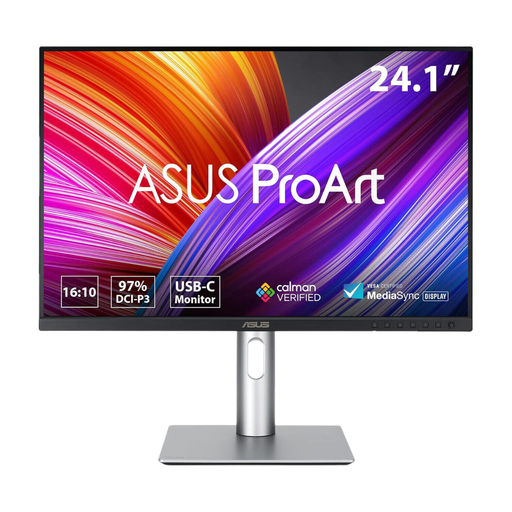
ASUS ProArt PA24ACRV IPS QHD
Consider this QHD model if detailed survey tables and research documents drive your screen choice.
Measure the available desk space and check laptop video and charging compatibility before relying on a USB-C desk setup.
View on Joybuy
 No image available
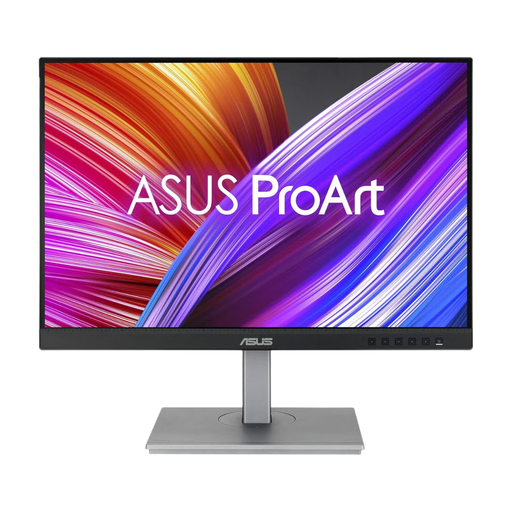
ASUS ProArt PA248CRV IPS WUXGA
Consider this WUXGA model when survey documents and tables are your main work.
Check its dimensions against your desk and confirm your laptop's video and charging requirements before planning a USB-C connection.
View on Joybuy
 No image available
ASUS ProArt PA248CNV IPS WUXGA
Consider this WUXGA model for working between survey forms and documents.
If your laptop setup depends on one cable, check its video output and charging needs against the exact monitor specification; measure desk space too.
View on Joybuy
 No image available
ASUS ProArt PA278CV IPS WQHD
Consider this WQHD model if detailed tables are central to your survey work.
Check the space needed for the 27-inch setup before choosing it for a compact desk. If laptop charging through the monitor matters, confirm the exact power-delivery specification.
View on Joybuy
 No image available
Dell P2425 24-inch monitor
Consider this 24-inch model for survey writing and document work, then compare its exact display format with the detail your tables require.
Confirm the refresh rate if it affects your choice, and check USB-C charging capability before expecting the monitor to power a laptop.
View on Joybuy
Common questions
Where should I put a monitor for long survey-planning sessions?
Position the screen directly in front of you, with its top around eye level and the display roughly an arm's length away, following Health and Safety Executive guidance. Plan the chair and keyboard position alongside it; for prolonged laptop use, a separate keyboard and mouse can help you position the screen independently.
Will a USB-C monitor show video and charge any laptop?
No: both the monitor and laptop need to support the functions you want to use. LG UK lists display, data and power delivery up to 90W for the 24BA850-B, but you still need to check your laptop's USB-C video output and charging requirement.
What should I do with an old monitor?
Check your local electrical-waste collection or recycling options rather than putting the monitor in household rubbish. Coventry City Council, for example, directs residents to electrical-waste routes; the available arrangements depend on your local authority.


