Joybuy monitor choices
These monitors cover 4K gaming and creative work alongside a 34-inch ultrawide option for park-planning space. Compare each model's stated mode with your PC, desk and headphone setup rather than treating a display refresh rate as a Planet Coaster 2 frame-rate target.
 No image available
LG UltraGear 27G810A-B 27-inch 4K dual-mode monitor
Consider this if you want a 27-inch 4K display for park-building and a separate higher-refresh gaming mode.
The product name specifies IPS, 4K UHD and dual mode with a maximum of 360Hz; check which resolution applies to the mode you intend to use and whether your PC connection supports it.
If headphones must plug into the monitor, confirm that the audio connection fits your setup.
View on Joybuy
 No image available
ASUS ProArt Display PA32UCG-K 32-inch 4K monitor
Consider this creator-oriented display if park design sits alongside visual-asset work and you also want a stated higher-refresh mode.
Its product name specifies IPS Mini LED, 4K HDR, 120Hz and hardware calibration. Confirm the exact ports and supported modes with the seller before relying on a particular computer connection.
Plan to connect headphones to your computer or another device unless you have confirmed the monitor audio output you need.
View on Joybuy
 No image available
LG UltraGear 34GX900A-B 34-inch OLED ultrawide monitor
Consider this route if keeping park tools and reference windows visible matters more to you than choosing a 4K screen.
The product name specifies an OLED WQHD display and 240Hz. Measure your desk and check game support for your intended ultrawide layout.
Long periods with static interfaces are a relevant OLED burn-in risk; consider how you will use the screen and its stated protection features.
View on Joybuy
 No image available
MSI MAG 275UPD E14 27-inch 4K dual-mode monitor
Consider this if you want a 27-inch display with separate modes for 4K detail and faster-refresh gaming.
The product name specifies Adaptive Sync, UHD at 144Hz and FHD at 288Hz. Check that your PC and chosen connection support the mode you plan to use.
Confirm the headphone connection you need, or connect headphones through the PC or another device.
View on Joybuy
 No image available
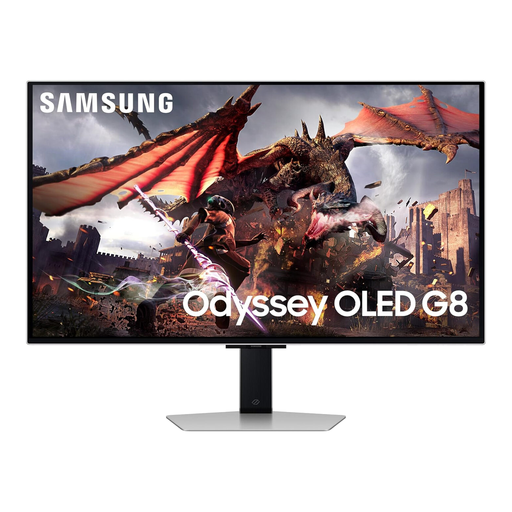
Samsung Odyssey Gaming OLED G8 LS32DG802SUXXU 32-inch monitor
Consider this 32-inch Ultra HD gaming display if a larger 4K screen fits your desk and park-building setup.
The product name identifies an OLED model. Check the stand positioning, required PC connection and where your headphones will plug in before choosing it.
Confirm game performance at your intended settings independently of the monitor's display capabilities.
View on Joybuy
Frequently asked questions
Will a 4K 120Hz monitor make Planet Coaster 2 run at 120fps?
No: the monitor can display frames it receives, but it cannot produce them for the game. Frontier Support lists recommended PC specifications for Planet Coaster 2 without promising a particular frame rate, resolution or quality setting. Check performance on your PC at the settings you intend to use.
Should I choose a 27-inch 4K screen or a 34-inch ultrawide for park design?
Choose the 27-inch 4K route when screen detail is the priority, or the 34-inch 21:9 route when you would benefit more from keeping several windows visible side by side. LG describes that workspace use for its 34WQ75C-B; check the exact model's specifications, your desk space and your game's ultrawide behaviour before deciding.
Do my headphones have to connect to the monitor?
No. If they connect to your PC, laptop, dock or controller, you do not need a monitor headphone socket for that route. If you want to plug them into the screen, confirm both the exact monitor's audio output and how audio will reach it; BenQ lists a headphone jack for the PD2705U, but that does not establish the feature on other models.
What should I do if a monitor bought in the UK is faulty?
Keep your order details and a record of the fault, then contact the seller about the purchase. The UK Consumer Rights Act 2015 covers faulty goods; check the remedy applicable to your circumstances separately from any voluntary change-of-mind returns policy.
How should I dispose of an old monitor?
Use an appropriate electrical-waste collection or take-back route rather than putting the monitor in ordinary household waste. GOV.UK describes waste electrical and electronic equipment arrangements as encouraging recovery, reuse and recycling; check the available retailer or local-authority option for your area.


