Single-screen training planners
If lesson plans, slides, browser research and online-training windows share one screen, usable workspace and an adjustable position matter alongside text clarity.


For general training plans, slides and browser research, start with an adjustable monitor that fits the desk rather than choosing resolution alone. A 27-inch QHD display is a practical route for working across several windows; consider 4K for detailed material, or USB-C docking if a compatible laptop and fewer cables matter more. Check the stand footprint, video connections and laptop charging requirements before buying.
If lesson plans, slides, browser research and online-training windows share one screen, usable workspace and an adjustable position matter alongside text clarity.
If cables crowd a small desk, a monitor with USB-C display input and suitable power delivery can simplify a compatible laptop setup. Check both devices before relying on one cable.
If preparation involves annotated documents, detailed graphics or colour-sensitive material, 4K resolution and the exact model's stated colour coverage may be relevant.
Start with the space available for the screen and keyboard, then decide whether laptop connections or fine visual detail will drive the choice. For a desk used regularly, the Health and Safety Executive advises considering the whole workstation, not just the display.
| Concern | What to check | Who this matters to |
|---|---|---|
| Desk fit and positioning | Measure the stand footprint and desk depth; check height and tilt adjustment. For an arm, confirm the mounting pattern and supported weight. | If planning sessions share a small desk with a keyboard and papers, I need room to work and a screen I can position comfortably. Around 42% of consumers put desk fit and positioning first. |
| Laptop connections | Confirm the laptop's video output and charging requirement against the monitor's inputs and USB-C power delivery, where offered. | When I move my laptop between study and planning, I want to reconnect without managing several cables. For around 33% of consumers, a simpler laptop connection is the primary need. |
| Detail and colour | Compare QHD and 4K at the same screen size, including your preferred text scaling; check colour specifications for the exact model. | Detailed slides, diagrams or annotated material make fine detail more important to my work than a docking setup. That is the leading concern for around 25% of consumers. |
A monitor's USB-C functions do not establish what an individual laptop port can do. LG, for example, specifies display, data and up to 90W charging for the 27UP850K-W, but the laptop must support the functions you intend to use.
Check the laptop manufacturer's port specification and charging requirement against the exact monitor's USB-C specification.
If the functions do not align, you may need to keep using the laptop charger or use a separate video adapter or cable.
A detailed display will not solve a poor viewing position or a stand that crowds the working surface. Health and Safety Executive guidance considers equipment, furniture, working conditions and the task together.
Measure the space for the stand, keyboard and other planning materials. If considering a monitor arm, check compatibility with the monitor and the desk or wall before choosing it.
Dell's UltraSharp U2724D is a reference point for a 27-inch QHD desk display with adjustable positioning.
LG's UltraFine 27UP850K-W is a reference point for detailed 4K planning material and a compatible USB-C laptop desk.
Lenovo's ThinkVision P27h-30 is a reference point when QHD resolution and desk connections matter more than choosing 4K.
These monitors offer different ways to set up a student-room planning desk: 4K displays for detailed material, USB-C options for compatible laptops, and a 24-inch 16:10 option for document work. Compare the exact stand and connections with the space and laptop you have.
 No image available
Consider it for detailed planning documents and slides if its stand fits your desk. The listed configuration has a 4K IPS display, height, pivot, swivel and tilt adjustment, and USB-C power delivery up to 65W. Check your laptop's video output and charging requirement before planning a one-cable setup.
 No image available
Consider it when detailed visuals and a compatible laptop connection are priorities. The listed configuration has a 4K IPS display, 95% DCI-P3 coverage, USB-C power delivery up to 90W and height, pivot, swivel and tilt adjustment. Confirm laptop video and charging compatibility, as well as the stand dimensions.
 No image available
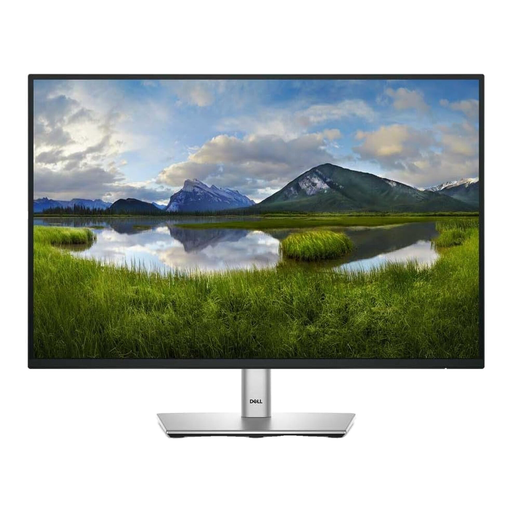
Consider this 16:10 display for plans and spreadsheets where vertical document space matters. The listed resolution is 1920 × 1200, with height, tilt, swivel and pivot adjustment. Check the stand footprint and exact ports; the supplied details conflict on USB-C connectivity and refresh rate.
 No image available
Consider it for detailed slides and reference material when HDMI or DisplayPort suits your laptop. The listed configuration has 4K resolution, 95% DCI-P3 coverage and height, tilt and pivot adjustment. Check the stand dimensions and whether your laptop needs an adapter.
 No image available
Its listed 4K IPS display can be considered for reviewing detailed training visuals, although the model is gaming-focused. The listing describes an adjustable stand and HDMI 2.1 and DisplayPort connections. Check its desk footprint and how your laptop will connect rather than assuming USB-C charging.
Not necessarily: the stand footprint and available viewing position matter more than screen size alone. Measure the desk space needed for the monitor, keyboard and planning materials; a monitor arm is an option only if its mounting pattern, supported weight and installation surface are compatible.
No. Even when a monitor offers USB-C display input and power delivery, the laptop must support video through its USB-C port, and the monitor's charging provision must suit the laptop. Check the specifications of both exact devices.
Choose a 27-inch QHD route when documents, slides and several working windows are the main tasks; consider 4K when fine visual detail or dense material is central to preparation. At 27 inches, try your preferred text-scaling setting as part of that decision, and check desk fit and laptop connections whichever resolution you choose.