What to check before buying
For foreign-language typing on a small desk, establish the usable screen and keyboard positions first. Then decide whether more space for text, fewer laptop cables or a straightforward external display is your main priority.
| Concern | What to check | Who this matters to |
|---|
| Desk fit and positioning |
Measure stand-inclusive width and depth, leaving room to centre the keyboard. Check height adjustment or a suitable mounting option. |
I need the screen in front of me without crowding my keyboard or bringing it too close; roughly 36% of consumers put desk fit and positioning first. |
| Text and reference space |
Compare native resolution at the same screen size, then set text scaling for a comfortable viewing distance. |
When I keep source text and typing tools open together, I want enough usable space without making characters too small; around 29% of consumers prioritise text and reference space. |
| Laptop connections |
Match USB-C video support and power delivery to the laptop’s port and charging requirements. |
I want fewer connections around my laptop, but the monitor still needs to carry the functions I use; approximately 21% of consumers make laptop connectivity their primary concern. |
| Simple external display |
Confirm a compatible video input, the supplied cable and enough stand adjustment for your position. |
If I mainly run typing drills in one window, I would rather choose a workable external screen than unused docking features; about 14% of consumers put a straightforward display first. |
Brands and product lines to consider
These specific monitor models illustrate different combinations of resolution, adjustment and connectivity; the brand name alone does not establish which will fit your desk or laptop.
Dell
The Dell Pro 24 Plus QHD Monitor P2425D is a compact QHD option for comparing text windows.
- Dell specifies a 23.8-inch IPS panel at 2560 × 1440, with 150 mm height adjustment, tilt, swivel and pivot.
- Check the exact P2425D configuration before relying on USB-C charging; do not confuse it with the Full HD P2425H.
BenQ
The GW2490TC offers a 23.8-inch Full HD route with an adjustable stand.
- BenQ specifies 150 mm height adjustment, tilt, swivel, pivot and 100 × 100 mm VESA mounting.
- Its specified 20 W USB-C power delivery should be checked against the laptop’s charging needs.
ASUS
The VA24ECPSN is a Full HD option for a compatible laptop-docking setup.
- ASUS specifies USB-C video and data, up to 65 W charging, RJ45 and height, swivel, pivot and tilt adjustment.
- Confirm that the laptop supports the USB-C modes needed for the intended connection.
ViewSonic
The VG2409-MHDU-2 combines a Full HD screen, USB hub and adjustable stand for laptop users.
- ViewSonic specifies USB-C with up to 65 W power delivery and tilt, swivel, pivot and height adjustment.
- ViewSonic says USB-C functionality depends on the laptop’s specifications, including DisplayPort Alt Mode and USB Power Delivery.
Joybuy monitor choices
These monitors offer different approaches to a small-desk typing setup, from conventional external screens to compact or portable options. Check each model’s footprint and connection requirements against your own desk and computer.
 No image available
Dell P2425 61 cm (24.0-inch) monitor
Consider this 24.0-inch screen if you want an external display for text practice. Check the stand’s actual width and depth against your desk, and confirm the required port functions before planning a USB-C laptop setup.
View on Joybuy
 No image available
ASUS ZenScreen MB249C IPS USB-C monitor
Its USB-C connection and alternative mounting arrangements may suit a laptop-based practice space. Check the chosen mount against your desk, and confirm USB-C video compatibility and charging needs with your laptop.
View on Joybuy
 No image available
Dell P2425H 24-inch Full HD monitor
This is a conventional external-screen option for typing practice, rather than the QHD P2425D discussed above. Its stated features include a 1920 × 1080 IPS panel and HDMI, DisplayPort and VGA inputs. Check stand dimensions and the exact USB-C functions before relying on it for laptop docking.
View on Joybuy
 No image available
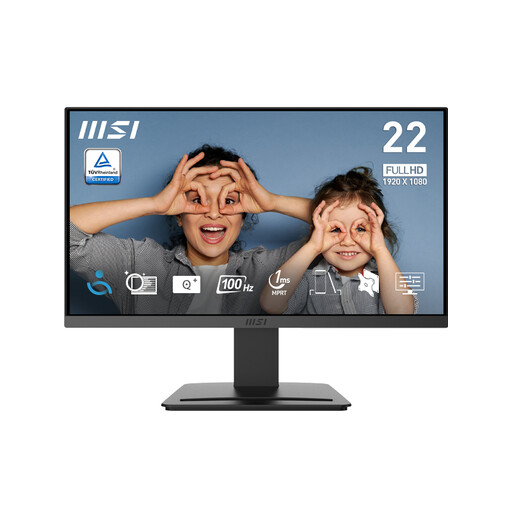
MSI PRO MP223 E2 21.45-inch Full HD monitor
The 21.45-inch size is worth considering if desk width is especially limited, provided the smaller screen suits your text layout. The title specifies 1920 × 1080 resolution, tilt adjustment, HDMI 1.4b and DisplayPort 1.2a; check the stand footprint and how you will set the screen height.
View on Joybuy
 No image available
ASUS ZenScreen MB166CR Full HD monitor
This portable-screen option may suit a setup where a conventional monitor takes too much room. HDMI is listed as unsupported, so check that your device can send video over USB-C with DisplayPort Alt Mode; also confirm how you will position and power the screen.
View on Joybuy
Common questions
What monitor size works on a small desk for language typing?
A 23.8-inch screen is a useful starting point, but the stand determines how much desk depth remains for your keyboard. Compare stand-inclusive dimensions with your clear desk space; BenQ specifies a 539.8 mm width and 241.6 mm depth for the GW2490TC.
Should I choose QHD or Full HD for typing practice?
Choose QHD if keeping several text resources visible is your priority and you can set a comfortable text scale. At 23.8 inches, Dell specifies 2560 × 1440 for the P2425D, while BenQ specifies 1920 × 1080 for the GW2490TC; the resolution choice does not remove the need to check desk fit.
Will one USB-C cable carry video and charge my laptop?
Only if the particular laptop and monitor support the functions you need. ViewSonic says use of the VG2409-MHDU-2’s USB-C functions depends on laptop specifications, including DisplayPort Alt Mode and USB Power Delivery; compare the monitor’s charging output with the laptop’s requirements.
How should I position a monitor for longer typing sessions?
Keep the screen and keyboard central, with the screen top around eye level and the display about an arm’s length away, as advised by the Health and Safety Executive. Its display-screen guidance addresses workers, but these positioning checks can also help when arranging a personal study desk.


