Choose a taller 3:2 display if keeping long test files, logs and documentation visible together is your priority. A 27-inch QHD monitor offers a conventional workspace, while a 27-inch 4K USB-C model is worth considering for a compatible laptop desk setup. Check text scaling, laptop video and charging requirements, and how the stand will fit your desk before deciding.
Who is this for?
The useful starting point is what you need to keep visible while writing and diagnosing tests, then how the monitor connects to your computer and fits your study.
Developers working across several panes
If code, test results, logs and documentation need to stay on screen together, compare usable vertical space and your preferred text scaling. A taller panel may matter more to you than a familiar widescreen layout.
Laptop-based developers tidying their desk
If a laptop is your main computer, check whether its USB-C port can carry video and whether a monitor can provide enough charging power. A matching connector alone does not establish a one-cable setup.
Study users who need to adjust screen position
If you work at the desk for sustained periods, stand adjustment or a suitable monitor arm may be important. The Health and Safety Executive advises assessing the whole display-screen workstation rather than relying on a monitor feature alone.
What matters when choosing?
For unit-test work, decide whether vertical workspace, a conventional layout or laptop connectivity drives the choice. The routes below describe different feature sets, not a ranking of developer productivity.
Taller 3:2 coding display
Consider it when: Long code files and test output need more vertical room on one screen; BenQ lists the RD280U with a 28.2-inch, 3840 × 2560 panel.
Trade-off: Its specialist format is worth choosing only if that extra vertical workspace matters to your layout; check how you will scale text.
Conventional 27-inch QHD
Consider it when: A 16:9 desktop and stand adjustment matter more than a taller canvas; Dell lists the U2724D at 2560 × 1440 with height, pivot, swivel and tilt adjustment.
Trade-off: The U2724D has fewer vertical and total pixels than BenQ's RD280U, so check whether your usual editor layout fits comfortably.
27-inch 4K with USB-C
Consider it when: You want a 4K display and fewer laptop cables; LG lists USB-C charging up to 90W for the 27UP850K-W, while ASUS lists 96W for the PA279CRV.
Trade-off: A one-cable arrangement depends on the exact laptop's video output and power requirements, and a 16:9 4K panel is not as tall as the RD280U's 3:2 panel.
| Concern |
What to check |
Who this matters to |
| Readable workspace |
Compare screen size, native resolution and aspect ratio using the text scaling you expect to use. |
If code, results and documentation need to stay visible together, I want room for each pane without making text too small. Around 33% of consumers would put workspace and readability first. |
| Screen positioning |
Check the adjustments you need from the stand, or the suitability of a proposed monitor arm. |
For a long study session, I need to position the screen to suit my desk and chair rather than rely on an eye-comfort label. Workstation adjustment would be the primary concern for roughly 25% of consumers. |
| Laptop connection |
Confirm USB-C video compatibility and compare the monitor's stated Power Delivery with the laptop's charging requirement. |
When my laptop moves between rooms, I want to reconnect it without rebuilding the desk setup. About 25% of consumers would prioritise a compatible single-cable connection. |
| Value and desk fit |
Measure usable desk space and decide whether specialist display features or an additional arm are necessary. |
On a smaller study desk, I would rather choose features I will use than pay for an arrangement that does not fit. Avoiding surplus features and checking physical fit would come first for around 17% of consumers. |
Buying pitfalls
-
Assuming USB-C guarantees a one-cable laptop setup
A USB-C connector alone does not establish video support or enough charging power for your laptop. Capabilities vary by the exact laptop and monitor.
Check the laptop's USB-C video specification and charging requirement against the monitor's stated connections and Power Delivery before ordering.
If they do not match, you may still need a separate charger, dock or suitable cable.
-
Using eye-comfort features instead of setting up the workstation
The Health and Safety Executive identifies poorly designed display-screen workstations and environments as potential contributors to fatigue, eye strain and musculoskeletal discomfort. A display setting cannot position the screen or organise the work routine for you.
Choose the stand adjustments or mounting arrangement you need, then review screen position and your wider workstation setup.
-
Choosing a specialist display before measuring the desk
A monitor's panel size does not tell you how much space its stand and cables will occupy. BenQ lists different dimensions for the RD280U standard-stand and RD280UA flexible-arm variants.
Measure usable desk width and depth, allow room for cables and confirm which stand or arm configuration belongs to the model you intend to buy.
-
Assuming an older listing means a model is available now
A product page can remain visible after availability changes; a similar model name can also refer to a different configuration.
Check the current listing, exact model number, seller and warranty terms before making a purchase decision.
Brands to consider for these monitor routes
These examples identify relevant product lines and specifications, not a judgement about every monitor made by each brand.
BenQ
BenQ's RD programming-monitor range is relevant if a taller coding workspace and integrated desk connections are central to your choice.
- BenQ lists the RD280U with a 28.2-inch 3840 × 2560, 3:2 IPS panel, Nano Matte coating, coding modes, 90W USB-C Power Delivery and KVM.
- Those listed features do not establish a productivity or comfort improvement for every developer; check the display format and physical configuration against your own setup.
Dell
The UltraSharp U2724D represents a conventional 27-inch QHD route for developers who value stand adjustment.
- Dell lists a 2560 × 1440 IPS Black panel at 120Hz, with up to 150mm of height adjustment plus pivot, swivel and tilt.
- Its 16:9 QHD panel has less vertical and total pixel space than the BenQ RD280U's specified 3:2 panel.
LG
The 27UP850K-W is a 27-inch 4K option to examine if a compatible laptop and USB-C connection shape your desk setup.
- LG lists 3840 × 2160 IPS resolution, USB-C charging up to 90W, and height, pivot and tilt adjustment for this model.
- Its 16:9 shape differs from a taller 3:2 coding display; check whether its available height suits your usual panes and text scaling.
ASUS
The ProArt PA279CRV is relevant when unit-test work shares a monitor with colour-managed creative tasks.
- ASUS lists 4K resolution, 96W USB-C Power Delivery, an adjustable stand and factory colour-calibration specifications for the PA279CRV.
- Consider whether its colour-focused features address work you actually do, rather than choosing them solely for writing tests.
Monitors on Joybuy for a study desk
These models offer different ways to set up a study desk: 4K monitors with stated USB-C features, a conventional 4K display, a QHD display and a smaller 24-inch option. Check each exact model's connections and adjustments against your priorities.
 No image available
BenQ MA270UP 27-inch 4K USB-C Mac monitor
Consider this model if you want a high-resolution screen for code and test output alongside a laptop connection. Its name specifies a 27-inch 4K IPS panel, USB-C and a height-adjustable stand; confirm video compatibility and charging requirements for your particular laptop.
View on Joybuy
 No image available
MSI MD272UPSW Smart 27-inch 4K USB-C monitor
This is another 4K option if you use a laptop at the study desk. Its name specifies a 27-inch IPS panel, Google TV and USB-C with 65W Power Delivery; check that the laptop supports video over USB-C and that 65W meets its charging needs.
View on Joybuy
 No image available
LG 27UP650K 27-inch 4K IPS monitor
Consider this conventional 4K display if detailed code and test output matter more than a specified one-cable setup. Its name lists a 27-inch IPS panel, 60Hz refresh rate, HDMI and DisplayPort; check the exact connections if USB-C laptop docking is essential.
View on Joybuy
 No image available
ASUS ProArt PA278CV IPS WQHD monitor
Consider this model if a conventional QHD-style workspace suits your editor and terminal layout. Its name specifies an IPS WQHD display; if laptop charging is part of your plan, confirm the exact model's USB-C Power Delivery specification before ordering.
View on Joybuy
 No image available
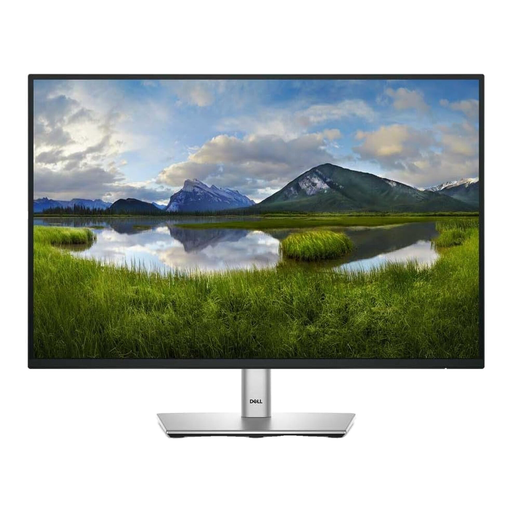
Dell P2425 24-inch monitor
Consider a smaller screen if your study desk cannot accommodate the 27-inch options comfortably, but check whether it leaves enough room for your usual test and documentation panes. The product name specifies a 24-inch display; confirm the exact port configuration if USB-C matters to your setup.
View on Joybuy
Frequently asked questions
Is a 3:2 display worth considering for writing unit tests?
Yes, if keeping long files, logs and documentation visible vertically is a priority. BenQ specifies a 3840 × 2560, 3:2 panel for the RD280U; compare that shape with your editor layout and preferred text scaling rather than assuming the extra pixels will suit everyone.
Can one USB-C cable run a monitor and charge my laptop?
It can when the laptop supports the required USB-C video output and the monitor supplies sufficient charging power. Check the exact laptop and monitor specifications, including Power Delivery, before relying on a one-cable desk setup.
Does an eye-comfort feature replace a properly arranged workstation?
No. The Health and Safety Executive advises employers to assess display-screen workstations and reduce identified risks; monitor settings do not replace suitable screen positioning and attention to the wider workstation.
What should I consider when replacing an old monitor?
Plan a suitable reuse or recycling route alongside the replacement. UK government guidance on waste electrical and electronic equipment encourages recovery, reuse and recycling; check which collection options are available to you.


