What to prioritise
Start with the document layout you need to see, then check whether the screen fits your desk and connects to your computer as intended. Treat the monitor’s own warranty paperwork as a separate part of the purchase decision.
| Concern | What to check | Who this matters to |
|---|
| Document space |
Compare resolution and screen size with your usual PDF, browser and spreadsheet layout; check text size at your viewing distance. |
If I compare detailed terms with a receipt or registration page, I want both readable without constant window switching. Around 31% of consumers put document space first. |
| Desk fit and positioning |
Measure the desk and check the stand’s stated adjustments. The Health and Safety Executive advises placing the screen directly in front of you, with its top around eye level and the display about an arm’s length away. |
On a limited desk, I need room for the screen and paperwork while keeping the display at a workable height; around 23% of consumers prioritise fit and positioning. |
| Laptop connection |
Check whether the exact USB-C port accepts video, its stated power delivery, your laptop’s requirements and the cable needed. |
When I reconnect a laptop at the study desk, fewer separate connections would make that routine simpler. Laptop connectivity is the first concern for around 23% of consumers. |
| Warranty records |
Keep purchase evidence and check the monitor warranty’s duration, exclusions and claim route before considering added cover. |
If the new monitor develops a fault, I want the paperwork needed to pursue the right claim. Around 23% of consumers place after-sales records first. |
Joybuy monitor choices
These monitors offer compact QHD or larger 4K routes for viewing warranty documents, alongside a 24-inch option for a smaller desk. Compare each model’s stated connections with your computer rather than assuming that every USB-C socket provides laptop video and charging.
 No image available
ASUS ProArt PA24ACRV QHD IPS monitor
Consider this QHD model if you want document space without moving to a larger-screen route. Check its stand adjustments and confirm your laptop’s USB-C video, charging and cable requirements before planning a one-cable setup.
View on Joybuy
 No image available
BenQ MA270UP 27-inch Nano Glossy 4K Mac monitor
Consider this larger display when you want several warranty pages visible and have space on the desk. Its name specifies a 27-inch 4K IPS panel, USB-C and a height-adjustable stand; check reflections from the Nano Glossy finish at your intended desk position.
View on Joybuy
 No image available
MSI MD272UPSW 27-inch 4K smart monitor with Google TV
This is a larger-screen option for comparing PDFs and record pages if your desk has room. The name specifies an IPS panel, USB-C with 65 W power delivery and Google TV; confirm USB-C video compatibility with your laptop before relying on one cable.
View on Joybuy
 No image available
LG 27UP650K 27-inch 4K IPS monitor, white
Consider this 27-inch screen if your priority is space for multiple documents and you can accommodate it on the desk. Its name specifies HDMI, DisplayPort and built-in speakers; check the exact connectivity if laptop charging through the monitor matters to you.
View on Joybuy
 No image available
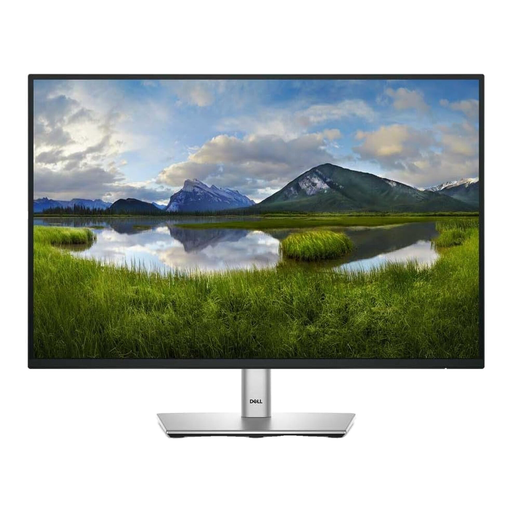
Dell P2425 24-inch monitor
This 24-inch model is worth checking when desk space is limited and you mainly work with individual forms or documents. Confirm its exact resolution, refresh rate and USB-C functions for the unit offered; specifications for the separate P2425H model should not be assumed to apply.
View on Joybuy
Common questions
Should I choose Full HD, QHD or 4K for warranty documents?
Choose according to how many documents you need visible and how much desk space you have. The stated 2560 × 1440 QHD panels in Lenovo’s P24h-30 and Samsung’s S60UD provide more pixels than Dell’s 1920 × 1080 P2425H; LG’s 27U730A-B has a 3840 × 2160 4K panel. Check your usual text size and display scaling before deciding.
Will any USB-C monitor display my laptop screen and charge it?
No: both the monitor port and laptop must support the functions you need. Samsung specifies 90 W USB-C charging for the S60UD, while Dell describes the P2425H’s USB-C downstream port as data-only with up to 15 W power delivery. Check video support, charging requirements and the cable for the exact devices.
How should I position a monitor for longer record-keeping sessions?
Position it as part of the whole workstation, not simply wherever its stand fits. The Health and Safety Executive advises placing the screen directly in front of you, with its top around eye level and the display roughly an arm’s length away; an adjustable stand or compatible arm can help.
What should I keep for a monitor warranty claim?
Keep your purchase evidence, warranty or guarantee paperwork and details of the fault; recording the monitor’s serial number can help identify it. Citizens Advice says claims will usually need proof of purchase and a description of the problem, and that warranties and guarantees add to legal rights.


