What matters when choosing
Compact Full HD
Consider it when: Records are mainly short forms, emails and individual PDFs, and desk space is limited.
Trade-off: A Full HD display leaves less native pixel space for detailed documents side by side than the QHD and 4K models considered here.
27-inch QHD
Consider it when: Comparing an invoice, a warranty PDF and a registration page is a routine task.
Trade-off: Check the exact model’s charging output if a laptop must run from the monitor; BenQ UK specifies 65 W for the GW2790QT.
27-inch 4K
Consider it when: Dense records, scans or detailed serial-number images regularly need close inspection.
Trade-off: Set text scaling for your viewing position and check that the computer supports the intended display output.
For warranty work at a standing desk, settle screen positioning first, then choose document space and laptop connections.
| Concern |
What to check |
Who this matters to |
| Screen positioning |
Check the stand’s height and tilt range at both desk heights. For an arm, check mounting pattern and supported load. |
If I alternate between sitting and standing, I need the screen to fit both positions rather than relying on desk movement alone; around 42% of consumers put positioning first. |
| Document workspace |
Compare screen size and native resolution, then check the computer’s intended output and a comfortable text size. |
When I compare a receipt with a warranty PDF or inspect a serial-number image, I want enough usable space to see the material clearly; roughly 33% of consumers prioritise document workspace. |
| Laptop connection |
Check USB-C video support and compare the monitor’s power delivery with the laptop’s charging needs. |
If my laptop moves with the standing-desk setup, I want to avoid separate display and charging connections where compatibility permits; about 25% of consumers put a simpler laptop connection first. |
Joybuy monitor choices
These choices span detailed 4K document work, a QHD option and a compact monitor for warranty records at a standing desk. Check each exact model’s positioning and computer connections against your setup.
 No image available
BenQ MA270UP 27-inch 4K USB-C Mac monitor
Consider this model for detailed warranty images if its display and height-adjustable stand fit your desk positions.
The product name identifies a Nano Glossy IPS panel and USB-C connection. Check your computer’s video compatibility and charging needs before planning a single-cable setup.
View on Joybuy
 No image available
MSI MD272UPSW 27-inch 4K Smart Monitor
This is a 4K option for examining detailed records; check that its positioning and smart-monitor functions suit the desk setup you intend.
The product name specifies an IPS display, Google TV and USB-C with 65 W power delivery. Confirm laptop video compatibility and whether 65 W meets its charging needs.
View on Joybuy
 No image available
ASUS ProArt PA278CV IPS WQHD monitor
Consider the WQHD route if comparing warranty documents matters more to you than choosing a 4K display.
Check the exact monitor’s USB-C video mode and power-delivery rating against your laptop before relying on it for display and charging.
View on Joybuy
 No image available
LG 27UP650K 27-inch 4K IPS monitor
Consider this model when detailed records are the priority and you can connect your computer through an appropriate display input.
The product name specifies 60 Hz, built-in speakers, HDMI and DisplayPort. Confirm the connections you need, computer 4K output and comfortable text scaling; do not assume the specifications of LG’s different 27UP850K-W model apply here.
View on Joybuy
 No image available
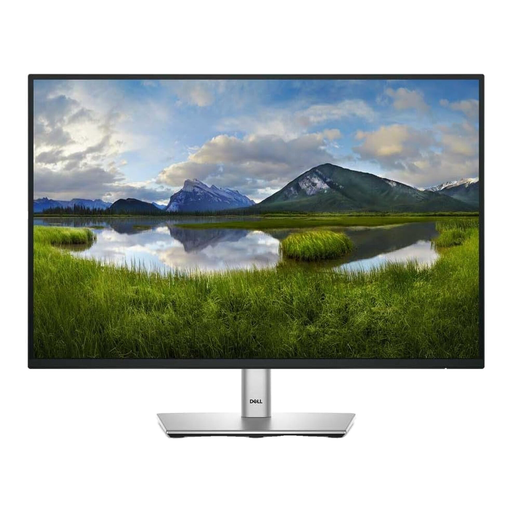
Dell P2425 24-inch monitor
This compact option may suit warranty forms and individual documents where desk space matters.
Check the ports on the exact P2425 before planning a laptop connection. It is a different model from Dell’s P2425HE, so the P2425HE’s USB-C specifications should not be applied to it.
View on Joybuy
Questions and answers
Do I need a height-adjustable monitor for a standing desk?
You need a way to place the screen appropriately at the positions you use, whether through the monitor stand or a suitable mount. For applicable work setups, the Health and Safety Executive advises considering the whole workstation, including equipment, furniture, working conditions and the task.
When do UK display-screen rules apply to this setup?
The Health and Safety Executive says the Display Screen Equipment Regulations apply to employers whose workers use display-screen equipment daily as a significant part of normal work, for continuous periods of an hour or more. That employment context is distinct from occasional personal warranty administration; assess the setup according to how it is actually used.
Can one USB-C cable connect the display and charge my laptop?
It can if the laptop and monitor support compatible USB-C video output and the monitor supplies suitable charging power. For specific examples, Dell UK and LG UK list up to 90 W on the P2425HE and 27UP850K-W, while BenQ UK lists 65 W and DisplayPort Alt Mode on the GW2790QT; check the exact model you intend to buy.
Should I choose Full HD, QHD or 4K for warranty documents?
Choose by the material you need visible: Full HD can suit compact, straightforward record keeping, QHD offers more native pixel space for comparing documents, and 4K is worth considering for dense records or detailed images. Check screen position, computer output and comfortable text scaling alongside resolution.


