What matters when choosing?
Settle the screen’s footprint and your device connections before comparing display features. If panel condition is a deciding factor, check the return and pixel-policy routes before placing the order.
| Concern |
What to check |
Who this matters to |
| Work space and positioning |
Compare screen size with native resolution; check stand adjustments or arm compatibility for your planned setup. |
I spend much of the day reading documents and web pages, so usable screen space and a comfortable position come first. Around 31% of consumers would make work space and positioning their primary concern. |
| Films and casual games |
Check native resolution and refresh rate, then confirm that your device, port and settings can deliver the mode you want. |
When I finish work, I want the same screen to handle films and occasional games without choosing around competitive gaming alone. Roughly 25% of consumers would put this balance first. |
| Side-by-side use |
Measure usable desk width and depth; check the aspect ratio and any picture-by-picture or USB-C functions you need. |
Keeping several windows visible matters more to me than retaining a conventional screen shape. For about 19% of consumers, side-by-side use would be the leading need. |
| Panel condition and returns |
Read the exact model’s pixel policy and distinguish the seller’s change-of-mind conditions from its faulty-goods process. |
I would rather understand what happens if I notice a panel fault than rely on an assumed replacement promise. Around 25% of consumers would prioritise panel condition and the return process. |
Monitor choices on Joybuy
These models cover conventional desk monitors and a 29-inch ultrawide for mixed work and entertainment. Compare each variant’s screen format and stated features with your desk, devices and positioning needs; the product choices do not replace a check of the seller’s terms or the model’s pixel policy.
 Image unavailable
ASUS ProArt PA278CFRV QHD IPS 100Hz monitor
Consider this conventional-format monitor if QHD resolution matters for desk work and you also want a stated 100Hz refresh rate for occasional games. Check the exact version’s connections and supplied stand before relying on either for your setup.
View on Joybuy
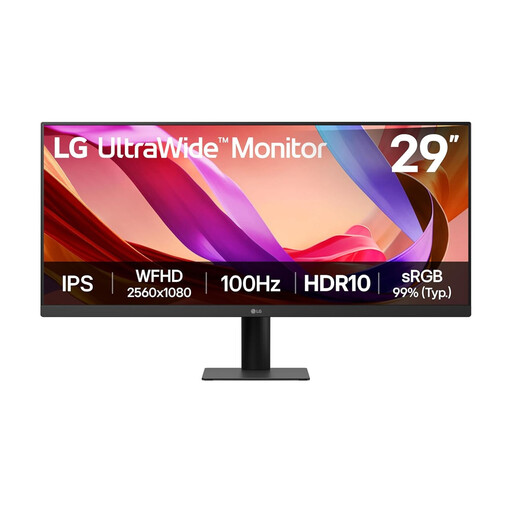 Image unavailable
LG UltraWide 29U511A 29-inch IPS monitor
The 29-inch ultrawide format is worth considering if keeping windows side by side is a priority and you have measured the available desk space.
The product name specifies 2560 × 1080 resolution, 100Hz, HDMI and DisplayPort. Check whether the stated tilt adjustment gives you enough positioning flexibility.
View on Joybuy
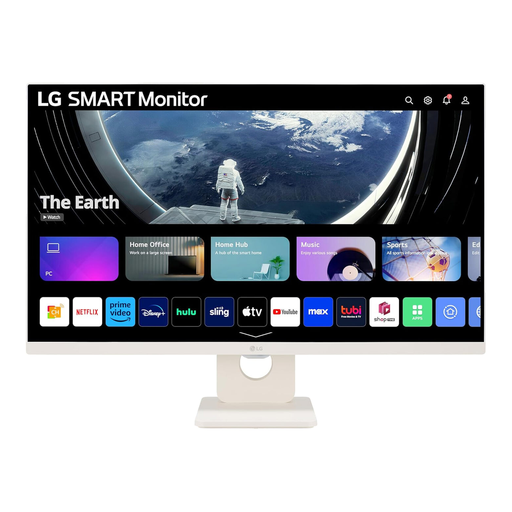 Image unavailable
LG Smart Monitor 27U511SA-W 27-inch Full HD
Consider this model if built-in streaming apps matter alongside ordinary desk use. Its product name specifies an IPS display, 100Hz refresh rate, built-in speakers and webOS apps.
Check the supplied stand’s adjustment range if screen positioning is important to you.
View on Joybuy
 Image unavailable
BenQ GW2791 27-inch IPS Full HD 100Hz monitor
This conventional desk monitor is an option if its stated Full HD resolution and 100Hz refresh rate match your work and occasional-game needs.
Confirm the ports on the exact supplied version before ordering, particularly if you need a specific connection for your computer or console.
View on Joybuy
 Image unavailable
Samsung Essential S3 S31D (LS24D310EAUXXU)
Consider this conventional monitor if a smaller desk display is your priority. Check the exact version’s size, resolution, connections and stand adjustment against your setup before choosing it over a QHD or ultrawide option.
View on Joybuy
Frequently asked questions
Can I return an online monitor if I change my mind?
For most eligible UK online purchases, GOV.UK says you can cancel within 14 days after delivery and then have another 14 days to return the item. Check the seller’s instructions and condition requirements before ordering; change-of-mind cancellation is distinct from remedies if the monitor is faulty or misdescribed.
Is a retailer’s 30-day return policy the same as my legal rights?
No. A retailer’s voluntary policy sits alongside, rather than replaces, applicable cancellation rights and remedies for faulty goods. Some online return policies allow 30 days with conditions for inspected items; John Lewis & Partners sets unused and original-condition requirements for unwanted items. Read the policy of the seller you actually use.
Does one dead pixel automatically mean the manufacturer will replace my monitor?
Not necessarily: the outcome depends on the exact model’s applicable policy and the nature of the fault. Dell UK’s guidance distinguishes permanently on or off pixels and subpixels from partial-subpixel characteristics. Check your chosen manufacturer’s terms and the seller’s faulty-goods process separately.
What should I check before choosing a USB-C monitor?
Confirm that your computer’s USB-C port supports the video connection you need, then compare its charging requirement with the exact monitor’s power delivery. LG UK specifies up to 65W for the 34WR55QK-B, while Samsung UK specifies up to 90W for the different S60UD; features on either model should not be assumed for another variant.
Do I need a 34-inch ultrawide for office work?
No: choose that format when side-by-side windows or two sources are a primary need and its full dimensions fit your desk. LG UK’s 34WR55QK-B illustrates the ultrawide option, while Samsung UK’s QHD S61F illustrates a conventional 16:9 alternative with an adjustable stand.


