Long-form evidence editors
If you repeatedly compare funder guidance, budgets, references and draft text, consider how much document space you need alongside a readable text size.


Choose a monitor for the part of grant writing that most strains your setup: a 27-inch 4K display for dense documents and references, or an adjustable 27-inch QHD display if screen positioning matters more than pixel count. If you work from a USB-C laptop, check its video output and charging requirements before relying on a single-cable connection; an adjustable stand or suitable mounting option matters during sustained writing.
If you repeatedly compare funder guidance, budgets, references and draft text, consider how much document space you need alongside a readable text size.
If you draft on a USB-C laptop, a monitor connection that also supports charging may simplify your desk. Check the laptop’s video output and power requirements before planning around one cable.
If application writing keeps you at a screen for extended periods, screen height, viewing distance and the placement of your keyboard and mouse deserve attention alongside resolution. The Health and Safety Executive’s workstation guidance addresses these positioning choices.
For grant applications, decide whether document space, screen position or laptop connection is most likely to determine your choice. Then check the relevant specifications against your desk and computer.
| Concern | What to check | Who this matters to |
|---|---|---|
| Document space | Compare 27-inch 4K and QHD resolution, then consider the text scaling you find readable. | If I keep a draft beside funder guidance and detailed PDFs, I want room to see the material without constant switching. Around 42% of consumers would put document space first. |
| Screen positioning | Check stand movement or mounting compatibility against your desk and viewing distance. | During long writing sessions, I need to position the screen for my chair and desk rather than work around a fixed stand. Screen positioning would be the primary concern for around 33% of consumers. |
| Laptop connection | Confirm video output from the intended laptop port and compare its charging needs with the monitor’s USB-C power delivery. | When I move my laptop between workspaces, I want a straightforward display connection and, if compatible, charging through the same cable. Around 25% of consumers would prioritise that connection. |
The Health and Safety Executive links poorly arranged display-screen workstations with discomfort, fatigue and eye strain. A monitor feature alone does not put the screen at a suitable height or distance.
Check the stand against your desk and seated position. HSE guidance suggests placing the top of the screen at eye level and the display about an arm’s length away.
An arm, riser or separate keyboard and mouse may still be needed to position a laptop-based setup.
The stated charging outputs differ between the cited models: BenQ lists 65W for the GW2790QT, while Dell and LG list up to 90W for the U2725QE and 27UP850K-W respectively. Those ratings alone do not establish compatibility with your laptop.
Check the laptop’s specification for video output through the intended port, and compare its charging requirement with the monitor’s power delivery.
Depending on the laptop and connection, you may still need a separate charger, dock, suitable cable or adapter.
More pixels may help when detailed documents and side-by-side references drive the decision. They will not, by themselves, resolve a screen-positioning problem or an incompatible laptop connection.
Decide whether workspace, positioning or connectivity comes first for your application-writing setup, then compare resolution.
Dell’s U2725QE is a reference point for a 27-inch 4K monitor with a laptop-oriented Thunderbolt hub.
BenQ’s GW2790QT is a QHD example for writers who prioritise physical adjustment alongside a USB-C laptop connection.
LG’s 27UP850K-W is a 27-inch 4K IPS reference model with USB-C connectivity and physical stand adjustment.
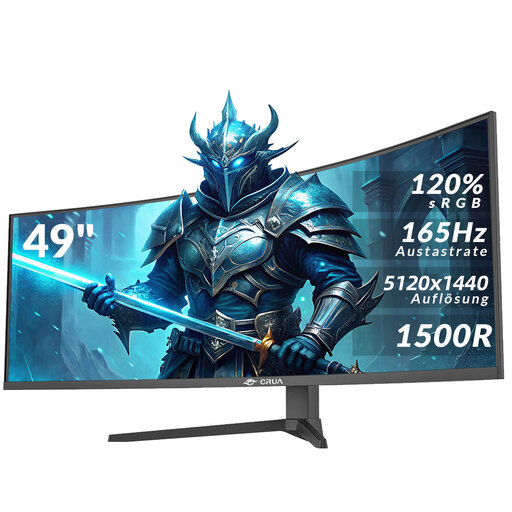
These Joybuy models include 27-inch 4K displays for document work and a 49-inch ultrawide for a wider desktop. Compare their physical fit and the connections your laptop needs before choosing.
 No image available
Consider this 27-inch 4K option if you work with detailed application documents and want to adjust the screen height. Check video output and charging compatibility with your particular computer before planning a USB-C desk connection.
 No image available
The 27-inch 4K display is relevant if you keep grant drafts and references open together. The product name states USB-C 65W; check your laptop’s video output and charging needs, and confirm the exact model variant before buying.
 No image available
Consider this model if a 27-inch 4K screen suits your document work and you plan to connect through HDMI or DisplayPort. If you need video and charging over one USB-C cable, confirm that capability for this exact model before choosing it.
 No image available
Its stated 27-inch 4K mode can be considered for document-heavy writing even if gaming is not your main use. Check the connections you need for your laptop, particularly if you want USB-C video or charging.
 No image available
The 32:9 format is an option if keeping several application documents visible matters more to you than a conventional 27-inch layout. Its title states VESA 75 × 75 mm mounting; confirm the stand’s height adjustment and check that your desk or mount can support the 49-inch display. The product information advises two people to unbox and move it.
No. A 4K monitor is worth considering when detailed PDFs, forms and side-by-side references are your main constraint; a 27-inch QHD model may fit your decision better if screen adjustment or laptop connectivity takes priority. Check the text size you find comfortable at your intended viewing distance.
The Health and Safety Executive advises placing the top of the screen at eye level and the display about an arm’s length away. Keep the screen and keyboard central to your working position; for prolonged laptop use, consider a separate keyboard and mouse so the laptop screen can be raised, or use a separate display.