Choose a monitor with an integrated KVM when two computers must stay connected and one keyboard and mouse must control the active machine. If people connect one compatible laptop at a time, a USB-C hub monitor may be enough; weigh its screen size and stand adjustment against the space available, and check USB-C video, charging and any KVM switching arrangement against the computers you use.
Who needs which setup
Multi-host accessibility testers
If two computers stay connected during keyboard-only checks, the important distinction is whether one keyboard and mouse can control the selected computer. BenQ describes this as a KVM function, not simply a USB hub connection.
Shared-desk laptop testers
People taking turns with a compatible laptop may value a straightforward display, data and charging connection more than simultaneous control of two computers. Check the laptop and the exact monitor before planning a one-cable setup.
Detail-focused UI reviewers
Reviewers comparing focus states, responsive layouts, browser tools and test cases need usable screen space and a display position they can adjust. Panel size and resolution matter alongside the room available on the desk.
What matters when choosing
Decide whether two computers need to remain connected before choosing docking features. Then assess the space needed for inspection and how each desk user will position and connect the monitor.
| Concern |
What to check |
Who this matters to |
| Switching between computers |
Look for an integrated KVM on the exact model, then confirm its two-computer cabling and switching method. |
When I move between two connected test computers, I want my keyboard and mouse to follow the active one without reconnecting them. Around 42% of consumers would put shared-peripheral switching first. |
| Inspecting interface detail |
Compare native resolution and panel size, and check that the screen fits the intended viewing distance. |
I need to inspect focus indicators alongside browser tools and test steps without constantly rearranging windows. Roughly 33% of consumers would make screen workspace their primary concern. |
| Adjusting and connecting at a shared desk |
Check stand adjustment or arm compatibility, plus USB-C video support and power delivery for the laptop. |
If several people take turns at the desk, I want to reposition the screen and connect my laptop without resetting the workspace. About 25% of consumers would prioritise an easy changeover. |
Common buying mistakes
-
Assuming a USB hub is a KVM
A USB-C hub can simplify connecting a laptop, but it does not by itself establish that one keyboard and mouse can switch between two connected computers.
If both computers must remain connected during testing, check the exact monitor's KVM specification and supported connection arrangement.
Without the required switching arrangement, the desk may need a separate KVM switch or another set of peripherals.
-
Assuming USB-C provides enough laptop charging
Charging capability varies between monitors. LG specifies up to 15W USB-C power delivery for the 27U631A-B and 90W for the 27U730A-B.
Check the laptop's USB-C display support and charging requirements against the exact monitor and cable before relying on one connection.
A separate laptop charger or dock may still be needed if the planned connection does not meet those requirements.
-
Choosing screen specifications without planning its position
A larger or higher-resolution panel does not remove the need to position the whole workstation for each user. The Health and Safety Executive advises placing the screen about an arm's length away, with its top around eye level.
Check the available desk depth and choose suitable stand adjustment or a compatible arm where users need different screen positions.
Brands to consider for these monitor setups
Dell
Dell's Pro Plus USB-C hub monitors include compact and larger QHD options relevant to laptop docking and desk-based interface inspection.
- The P2425DE combines a 23.8-inch QHD display with height, pivot, swivel and tilt adjustment, according to Dell UK.
- A USB-C hub designation does not establish integrated KVM switching; check the exact model if two computers must share peripherals.
BenQ
BenQ offers both USB-C monitors and models intended for switching peripherals between connected computers.
- BenQ specifies a KVM function, a 27-inch 4K display and 90W USB-C connectivity for the PD2706U.
- Check whether that model's other creator-oriented features matter to the testing workflow, rather than choosing it on screen specifications alone.
Lenovo
Lenovo's ThinkVision P24h-30 is a compact QHD option for a desk where laptop docking and hub connections are priorities.
- Lenovo UK specifies a 23.8-inch QHD IPS display, USB-C, Ethernet and USB hub connectivity for the P24h-30.
- Check current availability and the precise connection requirements before planning the desk around this model.
LG
LG has 27-inch QHD and 4K USB-C models for buyers assessing screen space and laptop connectivity.
- LG specifies a 27-inch QHD IPS display for the 27U631A-B and a 27-inch 4K IPS display for the 27U730A-B.
- Their USB-C charging specifications differ: up to 15W on the 27U631A-B and 90W on the 27U730A-B. Check stand adjustment on the exact model too.
Joybuy monitors for shared-desk testing
These monitors offer different screen formats and connection options for desk-based interface testing. Choose according to the computers, available desk space and switching arrangement you actually need; a USB-C connection alone does not establish KVM control.
 No image available
BenQ MA270UP 27-inch Nano Glossy IPS 4K USB-C monitor
Consider this model when a 27-inch screen and an adjustable position suit the shared desk.
Its product title specifies a 4K IPS display, USB-C and a height-adjustable stand. Check compatibility with the computers used for testing, and confirm KVM behaviour separately if two hosts must share peripherals.
Joybuy
 No image available
BenQ MA320UP 32-inch Nano Glossy IPS 4K USB-C monitor
Consider the larger screen if the desk can accommodate it and interface review calls for more display area.
Its product title specifies a 4K IPS display, USB-C and a height-adjustable stand. Check computer compatibility, viewing distance and the exact switching arrangement before planning a two-host setup.
Joybuy
 No image available
Acer Predator X49X 49-inch curved QD-OLED ultrawide monitor
Consider this format only if the shared desk can accommodate a wide display and its viewing position.
The product title specifies a 32:9, 1800R curved Double Quad HD display and USB-C. If switching between test computers is the reason for considering it, confirm the supported KVM cabling and switching method for this exact model.
Joybuy
 No image available
ASUS ZenScreen MB249C IPS USB-C monitor
Consider this model if flexible placement is important at a desk used by different people.
Its product title identifies an IPS display and USB-C. Check which mounting accessories are supplied, whether the display workspace suits your test tools and whether your laptop supports the planned USB-C connection.
Joybuy
 No image available
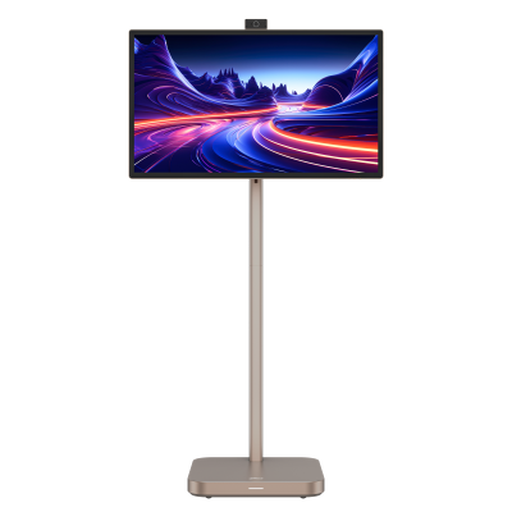
Dahua Explorer 31.5-inch 4K portable smart monitor
Consider this larger display for interface review only if its size and positioning work at the shared desk.
The product title specifies 4K resolution and Android 11. Confirm the panel type, computer connection and any USB-C video or charging functions on the exact variant before planning a laptop-docking setup.
Joybuy
Questions about shared-desk monitors
Do I need an integrated KVM for keyboard-navigation testing?
You need KVM switching if two computers must stay connected while one keyboard and mouse control the active computer. If the desk uses one compatible laptop at a time, a USB-C hub monitor may meet the connection need instead; check its video and charging capabilities.
What should I check before using one USB-C cable?
Check that the laptop supports video over USB-C, the cable supports the required functions and the monitor provides enough power for that laptop. Charging varies by model: LG specifies up to 15W for the 27U631A-B and 90W for the 27U730A-B.
How should I position a monitor used by several people?
Allow each user to adjust the display for their workstation position. The Health and Safety Executive advises keeping the screen and keyboard central, placing the screen about an arm's length away and setting its top around eye level; check whether the stand or a compatible arm allows that at this desk.


