Shared-desk sales reviewers
Colleagues who rotate between desks to check shop figures, orders and dashboards need to reconnect their laptops and reposition the screen without disrupting the next user.


Choose around the work done at each desk: an adjustable screen can serve routine reporting, while a shared desk may need USB-C connectivity or a KVM switch if two computers routinely use one keyboard and mouse. For wide spreadsheets and several sales dashboards, compare QHD and 4K at the intended screen size; check laptop compatibility, desk fit and the whole workstation before standardising a model.
Colleagues who rotate between desks to check shop figures, orders and dashboards need to reconnect their laptops and reposition the screen without disrupting the next user.
People comparing wide reports and several dashboard windows should assess how much detail remains usable at their preferred screen size and display scaling.
Teams choosing a repeatable setup need to check desk fit and the laptops in use alongside individual workstation needs. The UK Health and Safety Executive (HSE) says qualifying regular display-screen-equipment users require a workstation assessment.
For shared-office sales review, decide which requirement takes priority at each workstation before choosing a screen size or connection setup.
| Concern | What to check | Who this matters to |
|---|---|---|
| Connections and switching | Confirm laptop USB-C video and charging compatibility; check whether two computers need a shared keyboard and mouse. | If colleagues change desks or use two computers, reconnecting everything can interrupt a handover. Around 33% of consumers put connection and switching needs first. |
| Data workspace | Compare Full HD, QHD and 4K with the actual reports; check laptop output and comfortable display scaling. | Wide sales sheets and several dashboards make on-screen space my priority. For around 27% of consumers, fitting report detail on screen comes first. |
| Screen positioning | Check stand adjustment and desk fit, then assess the complete workstation. | When several colleagues use one desk, I need to reset the viewing position for my own work. Around 27% of consumers primarily need that positioning flexibility. |
| Repeatable setup | Set a minimum specification for routine reporting and confirm the exact model’s stand, ports and supplied cables. | If most desks handle routine reports, I want a setup the team can deploy consistently without specifying unused features. Keeping the setup straightforward comes first for around 13% of consumers. |
A USB-C port alone does not establish that a laptop and cable will provide the intended video, charging, data and network functions.
Check each regular laptop’s video output and charging requirement against the exact monitor and cable before equipping multiple desks.
A separate charger, compatible cable or dock may be needed if the intended connection cannot perform every required task.
For qualifying regular display-screen-equipment users, the HSE’s workstation assessment covers more than the monitor, including furniture, working conditions and individual requirements.
Assess the desk, chair, screen position and glare when introducing or changing a shared workstation.
A Full HD screen may leave less room for wide spreadsheets and several dashboard windows than a QHD or 4K screen, but resolution alone does not determine a comfortable layout.
Compare representative sales reports at the intended screen size and scaling before choosing one specification for every desk.
A built-in KVM is relevant when two connected computers need to share a keyboard and mouse; it does not solve a switching problem that the desk does not have.
Reserve that requirement for workstations that routinely use two sources, and assess the other desks on their display and connection needs.
Dell’s UltraSharp U2424HE is an assigned-desk example: Dell UK specifies a 23.8-inch Full HD IPS USB-C hub monitor with 90W power delivery.
Samsung Business UK positions the 27-inch ViewFinity S60UD QHD and S80UD 4K models for desks needing USB-C connectivity, LAN and two-source KVM control.
LG UK specifies a 3840 × 2160 IPS panel and 90W USB-C power delivery for the 27-inch UltraFine 27U730A-B.
BenQ UK’s GW2790QT is a 27-inch QHD USB-C model for desks where screen adjustment matters.
Philips UK describes the 279P1/01 as a 27-inch 4K USB-C docking monitor with an RJ-45 Ethernet connection.
These monitors offer QHD, WUXGA or UHD options for sales reports and dashboards. Choose between them by the detail you need on screen, the space available at the desk and the connections required by its users.
 No image available
Consider this QHD model when detailed reports matter but desk space needs checking against larger screens.
If it will serve as a shared laptop connection, confirm USB-C video and charging compatibility and the exact UK variant’s peripheral connections.
 No image available
This WQHD option is worth comparing with the reports and dashboard layout used at a shared desk.
Before relying on one-cable laptop use, confirm the power-delivery rating and the exact UK variant’s USB hub configuration; check KVM or Ethernet separately if needed.
 No image available
For routine reporting, compare this WUXGA option with QHD and 4K using the widest sales sheets the team actually opens.
Confirm the required USB-C video and charging functions with each laptop, plus the hub configuration of the UK variant.
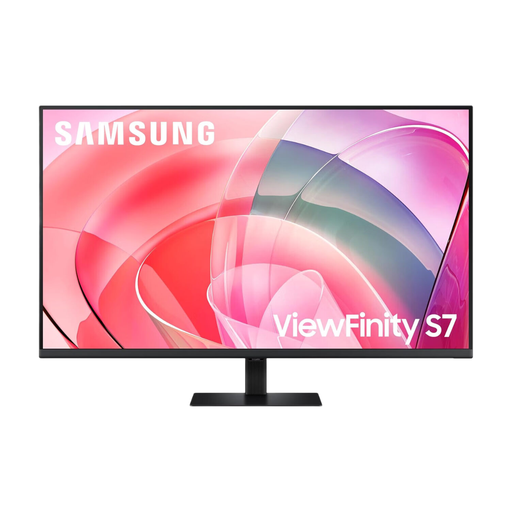 No image available
Consider the 37-inch UHD format where several report windows need viewing on one screen, provided the workstation has room for it.
Check desk depth, comfortable viewing position and the exact USB-C connection and charging requirements before using it as a shared-desk display.
 No image available
Compare this 4K UHD model for detailed spreadsheets and report windows, including how users find its display scaling.
Check laptop output, the connections needed at the desk and whether the available screen positioning suits different users; confirm docking separately if one-cable use is essential.
The UK HSE says employers must assess workstations for workers who use display screen equipment daily as part of normal work for continuous periods of an hour or more. The assessment considers the whole workstation, not just a newly purchased monitor.
Yes: the HSE says its guidance applies to hot-desking and advises a basic risk assessment when workers change desks regularly. Check the position and conditions at the desk being used rather than relying on its previous setup.
It can handle the intended functions only when the laptop, cable and monitor support the required video, data and charging combination. Check the exact laptop’s video capability and power requirement, as well as whether the chosen monitor provides the connections the desk needs.
Reset the viewing position and check the chair, available desk space and screen reflections for the person using that workstation. The HSE’s display-screen-equipment guidance covers posture, furniture adjustment and arranging screens and lighting to avoid glare.