Spreadsheet-heavy project trackers
If you regularly compare spending columns with receipts, project documents and browser tabs, consider how much desktop space you need before focusing on gaming specifications.


For spreadsheets alongside receipts and project documents, a 27-inch QHD monitor is a sensible starting point if it fits your desk. LG UK and Dell UK list examples with 2560 × 1440 resolution, compared with 1920 × 1080 on BenQ UK’s 27-inch Full HD GW2790. Prioritise screen adjustment for longer sessions, and check video output, charging wattage and cable inclusion before relying on a USB-C monitor as a one-cable laptop setup.
If you regularly compare spending columns with receipts, project documents and browser tabs, consider how much desktop space you need before focusing on gaming specifications.
If you connect and disconnect a laptop at a small desk, check its video output, the monitor’s USB-C capabilities, charging wattage and cable provision before planning a one-cable setup.
If you spend extended periods planning coursework and reviewing budgets, make sure the screen and stand can be positioned appropriately on your desk. The Health and Safety Executive advises placing a screen directly in front of you, about an arm’s length away, with its top at eye level.
Start with the space your files need on screen, then check whether the monitor fits your desk and connects to your laptop as intended.
| Concern | What to check | Who this matters to |
|---|---|---|
| Spreadsheet workspace | Compare native resolution at the same screen size and confirm your laptop can output it. LG UK and Dell UK list 27-inch QHD examples at 2560 × 1440; BenQ UK lists the 27-inch GW2790 at 1920 × 1080. | When I need spending columns, receipts and notes visible together, room to arrange those files matters more to me than gaming features. Around 44% of consumers put spreadsheet workspace first. |
| Desk fit and positioning | Measure usable desk width and depth, then check stand adjustment or compatible mounting. The Health and Safety Executive advises positioning the screen directly ahead, about an arm’s length away, with its top at eye level. | A crowded student-room desk makes it important that I can place the screen where I can work for a longer session. For around 33% of consumers, desk fit and positioning are the primary concern. |
| Laptop connection | Confirm video output through the laptop port you plan to use. For USB-C, compare the monitor’s power-delivery rating with the laptop’s charging requirement and check cable provision. | If I move my laptop between my desk and other places, I want the display connection to work without assuming it will also replace my charger. Laptop connection is the main priority for around 23% of consumers. |
The LG 27U631A-B provides up to 15 W over USB-C, according to LG UK. That rating may not replace a laptop’s usual charger, and LG states that its USB-C cable is not included.
Check USB-C video-output support on your laptop, compare charging requirements and confirm which cable you need.
A separate charger or compatible USB-C cable may still be needed.
A screen may be difficult to position on a shallow or crowded desk. The Health and Safety Executive advises keeping it directly in front of you, about an arm’s length away, with its top at eye level.
Measure the space available and check the stand’s adjustments or the monitor’s mounting compatibility before ordering.
A compatible arm, riser or replacement stand may be needed if the supplied stand cannot reach a workable position.
For project-spending spreadsheets, resolution and screen placement deserve attention before refresh rate. The LG UK and Dell UK QHD examples differ in their connectivity and stand adjustment, so resolution alone does not settle the setup choice.
Check resolution, computer inputs, adjustment and desk fit first; give a higher refresh rate priority if you also have a use for it.
LG UK’s 27U631A-B is a 27-inch QHD IPS example for document and spreadsheet work with a USB-C display connection.
Dell UK’s S2725DC is a 27-inch QHD IPS model to consider when screen adjustment matters during longer study sessions.
BenQ UK’s GW2790 is a 27-inch Full HD IPS option for straightforward budgeting and documents when QHD workspace is not the priority.
These monitors are options for arranging project budgets and supporting documents on a desk. Compare their stated resolution and screen size first, then check the exact unit’s connections, adjustment and fit for your room.
 No image available
Consider this QHD model if spreadsheet space and screen positioning are priorities for your desk.
Check the ports on the exact unit before relying on USB-C; its availability varies by region. Confirm laptop video compatibility, charging capability and cable provision for your planned connection.
 No image available
This WQHD model is relevant if you want room for a budget sheet alongside project documents and need to consider screen positioning.
Before planning a USB-C laptop setup, confirm the exact unit’s power-delivery wattage, cable provision and compatibility with your laptop’s video output. Check its fit on your desk as well.
 No image available
Consider this 27-inch model if you want a 4K display for viewing budget and project files, provided it fits your desk and computer setup.
The product title lists a 60 Hz refresh rate, HDMI and DisplayPort. Check that one of those connections suits your computer, and measure the available desk space and viewing distance.
 No image available
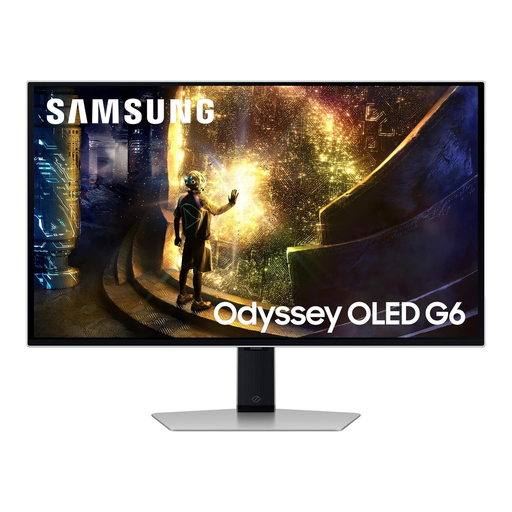
This QHD model can serve a project-spending desk that also has a use for its gaming-oriented specifications; do not let those specifications replace checks on workspace and fit.
The product title lists a 240 Hz refresh rate. Check your computer’s connection compatibility and measure the desk before choosing a 27-inch screen.
 No image available
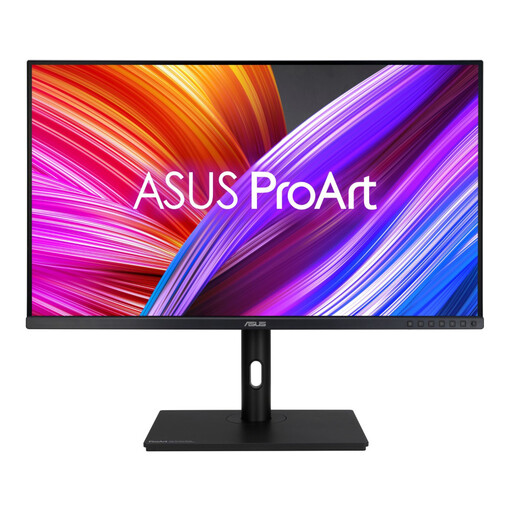
This WQHD model is an option for arranging spreadsheets and project documents when your desk can accommodate a larger screen.
Check desk width, depth and viewing distance for its stated 31.5-inch size. Confirm that its inputs suit your computer before planning a laptop connection.
Choose QHD if you often keep a budget sheet and supporting files open together; Full HD can suit simpler tracking when that extra desktop space matters less. LG UK and Dell UK list 27-inch QHD examples at 2560 × 1440, while BenQ UK lists the 27-inch GW2790 at 1920 × 1080.
Only if the laptop supports the required USB-C video connection and the monitor’s power delivery suits its charging needs. LG UK rates the 27U631A-B at up to 15 W and states that its USB-C cable is not included, so check your laptop’s charger requirement and the cable you will use.
Place the screen directly in front of you, about an arm’s length away, with its top at eye level, as advised by the Health and Safety Executive. Measure the desk first and check whether the stand or a compatible mount lets you achieve that position.