What to check before buying
For colour-checking work, settle the connection and power requirements before paying attention to shortcuts or mouse shape.
| Concern |
What to check |
Who this matters to |
| Keeping USB ports free |
Confirm direct Bluetooth pairing and check that the computer supports the mouse's Bluetooth requirements. Receiver-only wireless still needs a port. |
When my ports are occupied by other equipment, I need a mouse that works without a receiver; around 33% of consumers put port access first. |
| Power without routine charging |
Choose between replaceable AA power and a rechargeable mouse; for the latter, check the charging connector and stated battery-life conditions. |
If I cannot readily spare a charging connection, I would rather plan for battery replacement than interrupt my work to recharge; roughly 27% of consumers make power access their primary concern. |
| Repeated review work |
For programmable buttons, check the required software and operating system. For device switching, check the supported connections. |
Moving between pages and test devices makes convenient controls important to my work; about 20% of consumers prioritise that review workflow. |
| Fit during longer sessions |
Check handedness, dimensions and hand-size guidance rather than assuming an ergonomic label guarantees a suitable fit. |
During a long review, I need a shape and button layout that suit my hand; comfort comes first for around 20% of consumers. |
Joybuy mouse options
These mice offer different ways to navigate colour-checking work when ports or charging access are limited. Choose by connection and power needs first; use a separate tool to assess colour contrast.
 No image available
HP 700 Rechargeable Wireless Mouse
Consider direct Bluetooth pairing if you need to leave a USB port open while moving between devices. HP states that a three-minute charge can provide up to 30 days of use under its stated conditions; allow for further charging and check whether the button-customisation software suits your computer.
View on Joybuy
 No image available
HOFOTEK M311 2.4G+BT Mouse, White-Grey, 1xAA
For a setup where charging is inconvenient, this model's AA power and Bluetooth option are worth considering. Its name also specifies 2.4G wireless and adjustable DPI; use Bluetooth to avoid occupying a USB port, and check expected battery replacement frequency for your use.
View on Joybuy
 No image available
Logitech MX Master 3S Mouse, Black
Consider this model for repeated work across computers if occasional charging is practical. Select Bluetooth pairing when you need to preserve a USB port rather than using the receiver route, and check whether its sculpted shape suits your hand and grip.
View on Joybuy
 No image available
V7 MW500BT Bluetooth Vertical Mouse
This AA-powered option may suit someone who wants to avoid routine charging and is considering a vertical shape. The named configuration includes Bluetooth, 2.4GHz dual-mode connectivity, six buttons and adjustable sensitivity up to 1600 DPI; choose Bluetooth to keep a port free and check the shape and operating-system fit.
View on Joybuy
 No image available
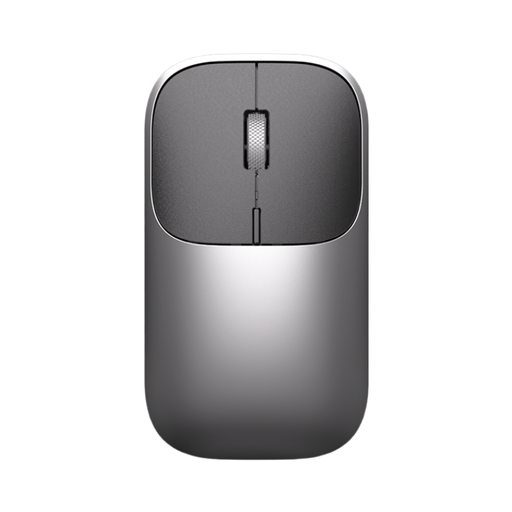
Ochama JZ001 Bluetooth 5.0 and 2.4GHz Mouse, Metallic Grey/Silver White
Use its Bluetooth option rather than a USB receiver if preserving a port is the priority. The named configuration also has adjustable DPI; confirm its power requirements and compatibility with your computer before choosing it for a desk with limited charging access.
View on Joybuy
Questions about colour-checking mice
Can a mouse check whether colours are accessible?
No. A mouse helps you navigate a browser or testing application; a contrast-checking tool assesses the colour combination. The W3C Web Accessibility Initiative explains that these tools do the contrast calculations.
What kind of mouse keeps a USB port free?
Choose one that pairs directly over Bluetooth, provided your computer supports its requirements. Logitech says its M196 needs no dongle or port, while Microsoft Support advises checking the minimum Bluetooth specification an accessory may require.
Should I choose AA batteries or a rechargeable mouse if sockets are limited?
Choose replaceable AA power if you cannot reliably spare a charging connection; choose rechargeable power if occasional USB charging is practical. Logitech claims up to 12 months of AA-battery life for the M196, while HP and Lenovo state charging-dependent battery-life claims for their respective models.
What matters for colour contrast in a public-sector service?
The interface being checked matters, not the mouse used to navigate it. GOV.UK's public-sector accessibility guidance addresses websites and apps, and the GOV.UK Design System directs services to check the contrast of text and interactive elements against the stated WCAG 2.2 minimum-contrast criterion.
What should I check about returns and warranties?
Check the current terms for the particular product and seller before ordering, including what happens if the mouse does not suit your hand or arrives faulty. Do not assume that a manufacturer's warranty and a retailer's change-of-mind return policy cover the same situations.


