Shared-room result checkers
If you review results beside a flatmate who is studying or resting, click noise matters alongside a mouse that is easy to carry with your laptop and connect without occupying a needed port.


For checking results in a shared student room, start with a mouse that connects to your laptop, fits your available desk space and makes an acceptable amount of click noise. If you spend much of your time moving through long tables and papers, give scrolling more weight; consider a stationary trackball for a cramped desk or a vertical mouse only after checking hand fit.
If you review results beside a flatmate who is studying or resting, click noise matters alongside a mouse that is easy to carry with your laptop and connect without occupying a needed port.
If your work involves lengthy spreadsheets, data logs, PDFs or dashboards, consider how easily the scroll wheel moves between individual entries and distant parts of a document.
If papers or equipment leave little clear surface, a stationary trackball is worth considering. If grip is the greater concern during extended use, check a mouse’s stated hand-size range and handedness options.
For result checking in a student room, identify your primary need before comparing features: quieter shared use, movement through long files, room to operate the mouse, or a dependable connection.
| Concern | What to check | Who this matters to |
|---|---|---|
| Quiet use and portability | Check the maker’s click-noise description and whether the mouse connects without occupying a USB port. | If I review results while someone else rests nearby, I want less distracting clicks and a mouse I can carry with my laptop; around 33% of consumers put quiet use and portability first. |
| Navigation through long files | Look for a stated precision and fast-scrolling option, then choose a size that suits your hand. | Moving between individual spreadsheet rows and distant pages takes repeated scrolling; roughly 27% of consumers prioritise navigation through long results. |
| Desk space and grip | Check whether a stationary trackball suits your available space, or whether a vertical model fits your hand and preferred side. | With papers covering my desk, I may need pointing without sliding a mouse; on longer sessions, grip may matter more. Around 20% of consumers put space or hand fit first. |
| Connection and battery management | Confirm the exact Bluetooth requirements or a suitable USB port; for a battery-powered model, check its battery type. | If pairing or changing batteries would interrupt my work, I want a connection I can use reliably with my computer; approximately 20% of consumers place that need first. |
Bluetooth requirements vary by model. Microsoft specifies Bluetooth 4.0 or later for its Bluetooth Ergonomic Mouse, so a tidy, receiver-free setup still depends on the intended computer.
Check the exact mouse’s Bluetooth and operating-system requirements before ordering, or consider a connection option that works with your available ports.
Logitech positions Lift for small-to-medium hands, while Kensington positions its Pro Fit Ergo Vertical model for average-to-larger hands. An ergonomic label alone cannot establish personal fit.
Use the model’s hand-size guidance and check for the handedness option you need.
Polling rate is not a substitute for a scroll wheel, connection and shape that suit result checking. Logitech’s polling-rate guidance also notes a wireless battery-life trade-off with faster polling.
Prioritise scrolling, fit, desk space and click noise unless you also need the mouse for a latency-sensitive activity.
GOV.UK advises taking unwanted electrical products and batteries to an appropriate recycling collection point rather than putting them in household rubbish.
Keep removable batteries separate and use appropriate collection points when replacing the mouse.
Its cited mouse range covers quiet Bluetooth use, scrolling-focused work, stationary trackballs and vertical shapes.
The cited models offer a choice between a basic wired connection and a vertical shape.
Its Bluetooth Ergonomic Mouse is relevant when connection requirements and a different grip shape are both part of the choice.
These mice offer different starting points for result checking, including scrolling-focused use, quieter wireless operation, a vertical grip and a straightforward wired connection. Match the connection and shape to your own laptop and workspace.
 No image available
Consider this model if moving through long results and documents is your main task; check that its scrolling controls suit both quick movement and precise row-by-row work.
Check the shape against your hand before choosing it for extended sessions.
 No image available
For shared-room use, consider this model if reduced click noise and a choice of wireless connections matter more to you than specialised scrolling.
Its name specifies 2.4G+BT connections and one AA battery. Check the scroll wheel’s behaviour if you regularly work through long result files.
 No image available
Consider this mouse if you want to assess a different grip for longer result-checking sessions, rather than choosing a vertical shape on its label alone.
The named variant includes a detachable wrist rest. Check its dimensions and hand fit before buying.
 No image available
This is a receiver-based option to consider for shared-room work if your computer has a suitable USB port.
The product name specifies silent clicks, a USB receiver and 1600 DPI optical tracking. Check the mouse’s size and scrolling behaviour against your needs.
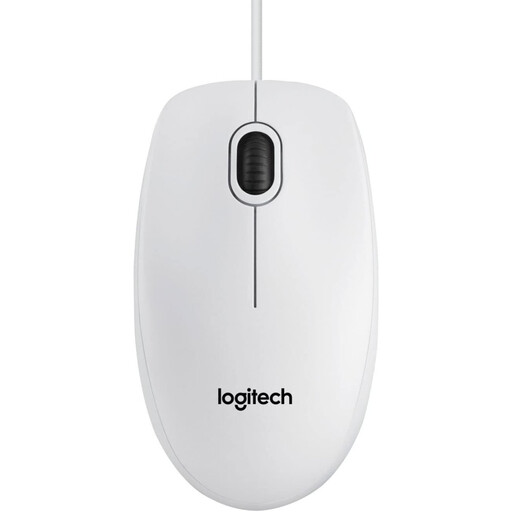 No image available
Choose a wired setup if avoiding wireless pairing and battery management matters more than keeping a USB port free.
This is a USB wired mouse. Make sure the cable will reach comfortably across your desk, and check click noise if you work beside someone else.
Usually not for ordinary result checking: scrolling, connection, fit and click noise are more directly relevant to this task. Logitech’s polling-rate guidance describes 50–100 Hz as suitable for standard computing tasks and notes that faster wireless polling can reduce battery life.
Check the requirements of the exact model first. Microsoft specifies Bluetooth 4.0 or later for its Bluetooth Ergonomic Mouse, while Logitech lists several supported operating systems for the M240; neither statement replaces a compatibility check for your own computer.
A stationary trackball addresses limited space for moving a mouse; Logitech says its ERGO M575 stays in place during use. A vertical mouse addresses a different grip preference, so check hand fit instead: Logitech positions Lift for small-to-medium hands, while Kensington positions its Pro Fit Ergo Vertical model for average-to-larger hands.
Take unwanted electrical products and batteries to appropriate recycling collection points rather than putting them in household rubbish, as GOV.UK advises. Keep removable batteries separate when arranging disposal.