Quiet-session colony players
You play while someone else sleeps, studies or relaxes nearby, so click noise can matter more than an extensive gaming control layout.


If repeated clicking might disturb someone nearby, start with a mouse that explicitly claims quiet clicks: ASUS describes the SmartO Mouse MD200 Silent Plus as near-silent, with six programmable buttons. If quick access to many colony-management commands matters more, gaming mice with more programmable controls offer another route, but check their click noise rather than assuming they will be quiet.
You play while someone else sleeps, studies or relaxes nearby, so click noise can matter more than an extensive gaming control layout.
You repeatedly use building, camera, pause or speed controls and want to put selected commands within reach of your mouse hand.
You want a conventional mouse and an uncomplicated desk setup without making a large set of command buttons your priority.
Decide how much click noise your shared room can tolerate, then count the commands you would actually assign to mouse buttons; connection and fit can narrow the choice further.
| Concern | What to check | Who this matters to |
|---|---|---|
| Click noise | Look for an explicit quiet-click claim. Consider whether both the buttons and scroll wheel will be acceptable in your room. | If someone nearby is sleeping or studying, I want repeated clicks to cause as little disturbance as possible; roughly 40% of consumers put quieter clicking first. |
| Command shortcuts | Count your repeated actions, then check button placement and whether your intended system allows the remapping you need. | When building and managing a settlement, I want my most-used commands within reach without accidental presses; around 30% of consumers make shortcut access their main concern. |
| Wireless upkeep | Check the connection type, battery type and conditions attached to any stated battery-life figure. | A cable-free desk appeals to me, but I do not want battery changes or charging to interrupt play often; about 20% of consumers prioritise wireless convenience. |
| Physical fit | Compare shape, handedness, weight and thumb-button reach with a mouse you already find comfortable. | During longer sessions, I need to reach the controls without an awkward grip; roughly 10% of consumers place fit ahead of the other factors. |
A wireless connection removes the cable, not the sound of the buttons or wheel. A quiet room may make repeated clicks noticeable even when a mouse otherwise suits the game.
Look for an explicit quiet-click claim and check the seller’s return terms if noise will decide whether you can use the mouse.
A dense layout offers little practical value if you only plan to assign a few recurring actions, while closely spaced buttons may not suit every hand.
Write down the commands you would map, then compare their number with the buttons you can comfortably reach and configure.
An AA-powered mouse means keeping a suitable replacement or rechargeable cell available. Logitech G states that the G305 LIGHTSPEED runs for up to 250 hours on one AA battery; ASUS specifies AA power for the SmartO Mouse MD200 Silent Plus.
Check the battery type before buying and use an appropriate collection route for spent batteries and unwanted electrical equipment. GOV.UK advises against putting either in household rubbish.
Replaceable cells also mean an occasional battery change or recharge.
The SmartO Mouse MD200 Silent Plus is worth considering when quiet clicking matters more than a dense gaming-button layout.
Its Basilisk V3 and Naga V2 HyperSpeed represent different levels of gaming-mouse command access.
The wired Rival 5 offers several remappable controls without an MMO-style button grid.
The G305 LIGHTSPEED is a conventional wireless gaming-mouse option when battery routine matters more than a large command layout.
These wireless choices range from gaming mice for mapped commands to general-purpose mice with quiet-click claims. Match each one to the noise and shortcut requirements of your own room and games.
 No image available
Consider this model if wireless play and a stated 10 programmable buttons match the commands you want to map.
The product title specifies 53 g and up to 750 hours of battery life; the stated battery-life claim requires a driver update to enable low-power mode. Check software compatibility and click noise for your setup.
 No image available
Consider this model if you want a wireless gaming mouse for numerous mapped actions and are comfortable with its side-button arrangement.
Check that its configuration software works with your computer, and assess click noise and physical fit before relying on it in a shared bedroom.
 No image available
Consider this wireless option if a USB receiver suits your desk and you do not need to assume extensive command remapping.
Its product title lists five adjustable DPI settings. Check whether the buttons can be mapped to your game commands and whether their sound, along with the backlight, suits your room; side-button use on Mac also needs particular care.
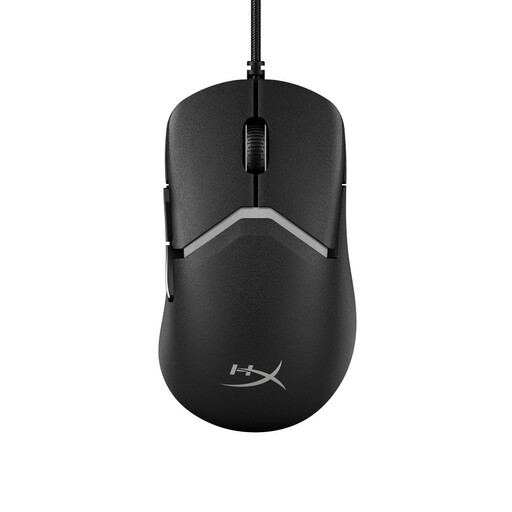 No image available
Consider this wireless gaming mouse if you want to assess its button layout against a short list of repeated colony-management actions.
Confirm the controls you can remap on your system and check click noise before choosing it for a shared bedroom.
 No image available
Consider this general-purpose mouse if quiet clicking is a priority and basic pointing matters more to you than a dedicated gaming control layout.
The product title specifies a 2.4 GHz USB receiver, 1600 DPI and silent clicks. Treat the click description as a product claim, and check command-button options if you want mouse shortcuts.
No: choose a dense button layout only if you have enough repeated actions to use it. Razer specifies 19 programmable buttons for the Naga V2 HyperSpeed, while SteelSeries specifies nine for the Rival 5; button placement and the commands you can configure matter as well as the count.
Look for an explicit quiet-click claim and consider the sound of the wheel as well as the main buttons. ASUS describes the SmartO Mouse MD200 Silent Plus as near-silent; wireless connectivity alone says nothing about click noise.
Choose the connection your intended computer and desk setup can accommodate. ASUS specifies both Bluetooth and 2.4 GHz RF for the SmartO Mouse MD200 Silent Plus, and Razer specifies both for the Naga V2 HyperSpeed; check port availability if you plan to use a receiver.
Keep unwanted electrical equipment and spent batteries out of household rubbish, as GOV.UK advises. Check the collection options available locally for each item.