What to check when buying
Measure the usable space beside your keyboard first, then decide which part of help-centre formatting most affects your choice: navigation, prolonged use or noise.
| Concern |
What to check |
Who this matters to |
| Desk space and connection |
Compare the mouse dimensions with your clear mousing area. Check whether your computer has Bluetooth or needs a USB receiver. |
If my keyboard leaves little room to move a mouse, I need one that fits without making me reach outwards. Around 36% of consumers put usable desk space first. |
| Page and table navigation |
Check for the scrolling direction you need, particularly horizontal scrolling for wide content. Consider device switching only if you use more than one computer. |
When I move between long articles and wide tables, I want controls that suit that movement. For around 29% of consumers, navigation is the primary concern. |
| Comfort over long sessions |
Check hand-size and handedness guidance, then whether the mouse can remain close enough to use with a straight wrist. |
Long editing sessions make hand fit and an easy-to-reach position more important to me than extra controls. Roughly 21% of consumers prioritise prolonged-use comfort. |
| Noise in shared spaces |
Check whether quiet-operation claims cover the buttons, the scroll wheel or both, while still choosing a suitable shape and connection. |
In a shared room, I want my clicks to be less distracting to people nearby. About 14% of consumers make quiet operation their main concern. |
Joybuy product choices
These choices span wireless and wired connections, scrolling and shortcut controls, and a vertical shape. Compare each mouse with your available space and computer before deciding which features matter for your formatting work.
 No image available
HOFOTEK M311 2.4G+BT Silent Mouse, White-Grey (1xAA Battery)
Consider this for a small desk where a wireless connection and quieter clicks are priorities. The M311 title specifies 2.4G+BT connection and adjustable DPI; compare its listed size with your mousing area and confirm that your computer supports the connection you intend to use.
View on Joybuy
 No image available
Apple Magic Mouse, White Multi-Touch Surface
The Multi-Touch surface is relevant if you want gesture-based navigation while formatting pages. Check your host device and operating system against the mouse’s compatibility requirements, and do not assume that its clicks will suit a quiet workspace.
View on Joybuy
 No image available
Logitech MX Master 3S, Black
Consider this model if your formatting routine calls for frequent scrolling or mouse shortcuts. Check its dimensions against the space beside your keyboard; if you plan to use a Logi Bolt receiver or configure buttons, confirm the package contents and software compatibility before buying.
View on Joybuy
 No image available
V7 MW500BT Bluetooth Vertical Mouse, 2.4GHz, 6 Buttons, 1600 DPI
This is a vertical-shape option if hand position is a priority during long editing sessions. Its title specifies Bluetooth and 2.4GHz connection, six buttons and an adjustable 1600 DPI sensor; check hand fit, handedness, desk clearance and host compatibility before choosing it.
View on Joybuy
 No image available
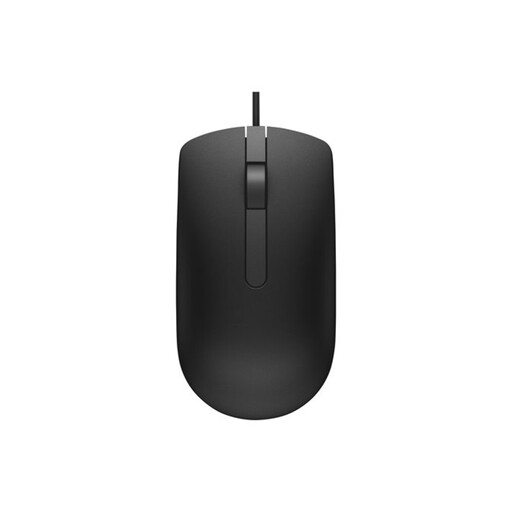
Dell MS116 Wired USB Optical Mouse, 2 Buttons, Black
Consider a wired mouse for straightforward formatting if you have a usable USB port and room to route the cable. Compare the MS116’s dimensions with the space beside your keyboard rather than assuming its connection makes it a small-desk fit.
View on Joybuy
Frequently asked questions
Do I need a vertical mouse for help-centre formatting?
No: consider a vertical mouse when prolonged-use comfort is your priority and the particular shape fits your hand and desk. Logitech describes Lift as suitable for small to medium hands, while the Health and Safety Executive also advises keeping any mouse within easy reach and using it with a straight wrist.
Is Bluetooth or a USB receiver more useful on a small desk?
Bluetooth can leave a USB port free if your computer supports it; Logitech says its M240 connects without a dongle. A dual-connection model offers a receiver option for a computer that needs one: Dell lists both Bluetooth and RF connection for the MS355, and HP lists Bluetooth and 2.4 GHz receiver connection for its 400 Quiet mouse.
Does an employer need to assess a workstation used for all-day screen work?
Yes, where workers use display screen equipment daily as part of their normal work for continuous periods of an hour or more, the UK Health and Safety Executive says employers must carry out a workstation assessment. That assessment concerns the workstation and the work, not just which mouse is purchased.
What after-sales cover should I compare for a mouse?
Check the cover offered for the exact model and seller rather than assuming it is the same across a brand. Dell UK lists a three-year limited warranty and Advanced Exchange Service for the MS355; check the applicable terms when choosing that model.
How should I dispose of an old mouse or removable battery?
Use a suitable electrical-waste collection route for an old mouse bearing the crossed-out wheelie-bin symbol, rather than putting it in household rubbish. UK government guidance says such electrical products should be recycled separately; take removable batteries to an appropriate battery collection point.


