Large-archive student organisers
If you regularly move through folders, thumbnails and file lists, scrolling and pointer control may matter more to your choice than gaming features.


For repeated sorting through large photo folders, look for scrolling controls suited to both careful selection and long lists. In a shared room, a quiet-click Bluetooth mouse may suit you better if your laptop supports Bluetooth; for longer sessions, check hand-size options, while a wired USB mouse avoids pairing and battery management but adds a cable.
If you regularly move through folders, thumbnails and file lists, scrolling and pointer control may matter more to your choice than gaming features.
If you sort photos near a roommate or in a quiet study space, click noise, cables and occupied laptop ports may shape your choice.
If you spend extended periods selecting and filing images, or need a particular hand size or left-handed variant, check the mouse’s shape before prioritising portability.
For photo sorting in a student room, decide which need comes first: navigating the archive, keeping a shared space quiet, finding a suitable hand fit or simplifying the connection.
| Concern | What to check | Who this matters to |
|---|---|---|
| Folder and thumbnail navigation | Check for controlled and fast scroll modes, and whether pointer sensitivity can be adjusted. | Long lists and thumbnail grids make repeated scrolling the main task for some organisers; around 37% of consumers would put archive navigation first. |
| Quiet, uncluttered use | Check the maker’s quiet-click description and whether the mouse connects by Bluetooth without a receiver. | Working beside someone else makes click noise and occupied ports a greater concern; around 27% of consumers would make quiet, low-clutter use their priority. |
| Hand fit | Check the exact size and handedness variant, rather than relying on the mouse family name. | During long sorting sessions, I would want a shape that suits my hand; around 18% of consumers would put fit first. |
| Connection and upkeep | Check laptop ports and Bluetooth support, plus the mouse’s connection method and battery type. | At a fixed desk, avoiding pairing or battery interruptions may matter more than going cable-free; around 18% of consumers would prioritise connection and upkeep. |
Bluetooth needs compatible hardware, while a receiver needs a suitable USB port. An optional receiver is not necessarily in the box.
Choose the connection you intend to use, then check the laptop’s ports and Bluetooth support alongside the exact mouse’s box contents.
If the laptop has no compatible Bluetooth hardware, using a Bluetooth mouse may require a suitable USB adapter.
A sensor specification does not establish how comfortable the mouse will feel or how well its wheel will suit long folder lists.
Compare the exact model’s scrolling controls, shape and connection method against the part of photo sorting you do most.
Mice in the same family can have different shapes. Logitech, for example, distinguishes its Signature M650, M650 L and M650 L Left variants by hand size and handedness.
Check the full variant name before ordering, particularly if hand fit is your reason for choosing that family.
Its M240 Silent, Signature M650 and MX Anywhere 3S lines address different choices around Bluetooth use, hand fit and scrolling.
Its MS5120W and MS3220 illustrate the choice between dual wireless connections and a wired mouse for a fixed desk.
Its Bluetooth Mouse is a useful compatibility reference for students using Windows laptops.
These mice offer different starting points for navigating a photo archive or choosing a connection for a student-room desk. Check the exact fit, scrolling behaviour and laptop compatibility that matter to you.
 No image available
Consider this model if moving through long folders and image grids is your main task. Check its scrolling controls and whether your laptop supports the connection you intend to use.
 No image available
A rechargeable wireless option to consider if you want to avoid a mouse cable while sorting photos. Check the available connection methods against your laptop before ordering.
 No image available
Consider this model for a shared-room setup if its advertised quiet-click design meets your needs; the wording is not a guarantee that clicks will be inaudible. Its name specifies 2.4G and Bluetooth connection options and a 1×AA battery; check which connection your laptop can use.
 No image available
Consider its shape and scrolling controls if you sort photos for long periods at a desk. Check its dimensions for your available space and confirm that your laptop supports your intended connection.
 No image available
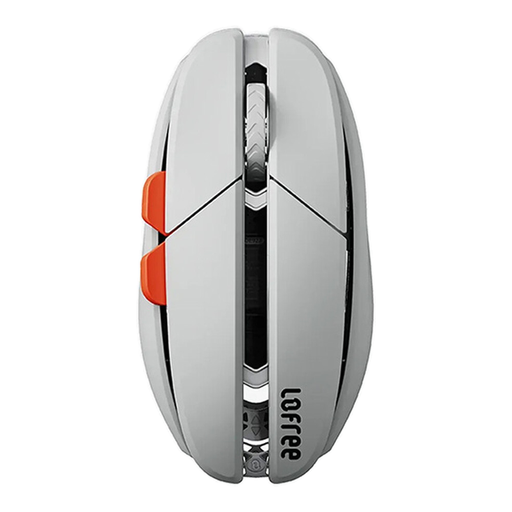
This is an option if you want to choose between wireless and wired use. Its title specifies Bluetooth, 2.4G and wired modes, with a PAW3950 laser sensor; check your laptop’s ports and whether the scrolling and click sound suit your room.
It can if the laptop has compatible, working Bluetooth. Microsoft Support says a Windows device needs Bluetooth to pair a Bluetooth mouse; check your laptop’s capability and follow the mouse maker’s pairing instructions.
Choose Bluetooth to leave a USB port free if your laptop supports it, a receiver-capable mouse if you want that wireless connection option, or wired USB use at a fixed desk if avoiding pairing and battery management matters more. Check that the required receiver is included and that your laptop has the appropriate port.
Look at mice specifically described as having quieter clicks, while treating noise-reduction figures as manufacturer claims rather than a promise of silence. Logitech describes its M240 Silent as a quiet-click Bluetooth mouse that connects without a dongle, provided the laptop supports Bluetooth.