What to check before choosing
Start with the surface where the mouse will actually move, then consider your hand position during longer sessions and whether you need to switch between devices. Treat window glare as a separate screen-and-lighting issue.
| Concern |
What to check |
Who this matters to |
| Desk-surface tracking |
Identify whether you use an opaque mat, a non-glossy desk or glass. For glass, check the exact mouse model's stated tracking conditions; assess screen reflections separately. |
I need the pointer to follow reliably while editing charts on my actual desk, but I also need to deal with glare on the monitor. Around 50% of consumers would put dependable surface tracking first. |
| Long-session comfort |
Check whether the mouse is within easy reach and your wrist can stay straight. For a shaped mouse, check its stated hand-size and handedness options. |
When I spend longer periods reviewing bills and transactions, I want a mouse shape and desk position that suit my hand. Comfort would be the primary concern for around 30% of consumers. |
| Device-switching workflow |
Count the devices you use and confirm the exact mouse's connection method and compatibility with each one. |
If I update the same budget from more than one device, I want to change connections without repeatedly setting up the mouse. Around 20% of consumers would prioritise that workflow. |
Joybuy products for desk comfort and device switching
These mice offer vertical-shape or connection options to consider for longer household-budget sessions and work across devices. If you use a glass desk, check glass-tracking conditions for the exact model rather than assuming that an ergonomic shape or adjustable DPI establishes them.
 No image available
HP 920 Ergonomic Wireless Mouse, Black, with Detachable Wrist Rest
Consider this vertical-shape option if hand position is a priority during longer budgeting sessions. Its named configuration includes a detachable wrist rest.
Check hand fit and any glass-tracking requirements against your own desk before buying.
View on Joybuy
 No image available
HOFOTEK M311 2.4G+BT Wireless Mouse, Black-Orange
Consider its 2.4G+BT connection options if your budget work moves between devices; check how switching works with your particular setup.
The named variant has adjustable multi-level DPI and a 1xAA battery specification. Check surface tracking and hand fit if either is decisive for you.
View on Joybuy
 No image available
V7 MW500BT Bluetooth Vertical Mouse, 2.4GHz Dual-Mode
Consider the vertical shape if you prefer that hand position for longer spreadsheet sessions. The product name specifies six buttons and an adjustable sensor with a stated 1600 DPI setting.
Its dual-mode connection does not, by itself, establish multi-device switching. Check hand fit, device compatibility and tracking on your desk surface.
View on Joybuy
 No image available
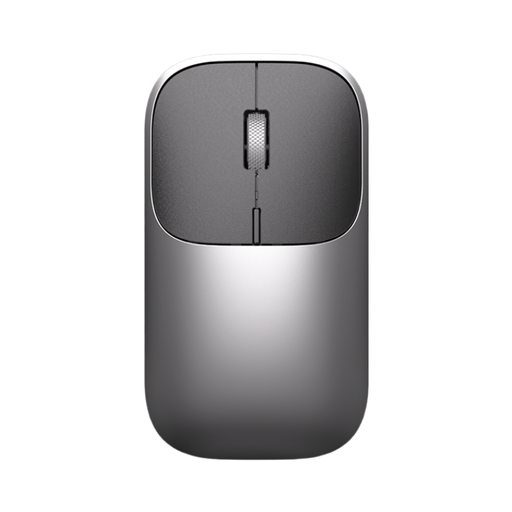
Ochama JZ001 Dual-Mode Mouse, Metallic Grey/Silver White
Consider this option if you need to move budget work between two compatible devices; check its switching arrangement against the devices you use.
The named variant specifies Bluetooth 5.0, 2.4GHz connectivity and adjustable DPI. Confirm operating-system compatibility, power requirements and tracking on your desk surface.
View on Joybuy
Frequently asked questions
Does a bright window mean I need a high-DPI mouse?
No: daylight and screen glare do not, by themselves, establish a need for a higher-DPI mouse. Check how your mouse tracks on the actual desk surface, and address monitor reflections through screen and lighting arrangement, as advised by the Health and Safety Executive.
When should I choose a mouse that tracks on glass?
It is worth considering if you use the mouse directly on glass or another surface on which tracking is unreliable. Logitech specifies glass tracking for the MX Master 3S on glass at least 4 mm thick; on an opaque mouse mat or non-glossy desk, check whether you need that capability at all.
How should I position a mouse for longer budgeting sessions?
Keep it within easy reach so you can use it with a straight wrist, in line with Health and Safety Executive workstation guidance. If you are considering a vertical mouse, check its stated hand-size and handedness options as well as where it will sit on your desk.
Where can I take an old wireless mouse for recycling?
GOV.UK says waste electrical products can be taken to a local household waste recycling centre. Check your local authority's instructions for the mouse and any removable battery before taking them there.


