Laptop users keeping a USB port free
If your laptop has few available ports, a Bluetooth mouse can connect without a USB receiver. Check the mouse’s requirements against your computer’s Bluetooth support before buying.


If plug sockets are scarce and you also need to keep a laptop USB port free, choose an AA-powered Bluetooth mouse if your computer supports it. A rechargeable Bluetooth mouse can also leave the port free while connected, but needs occasional charging; a wired USB mouse avoids battery upkeep while occupying a laptop port.
If your laptop has few available ports, a Bluetooth mouse can connect without a USB receiver. Check the mouse’s requirements against your computer’s Bluetooth support before buying.
If you mainly point, scroll and edit documents, an AA-powered Bluetooth mouse avoids cable charging, although its battery will eventually need replacing. Rechargeable models call for a convenient charging arrangement instead.
If you work in a library, shared home or office, quieter clicks may matter. Check that the exact mouse model specifies quiet or silent clicking rather than assuming it is a feature of every model from a brand.
For a covering-letter setup, work out whether wall sockets, laptop USB ports or both are scarce. Then choose a connection and power arrangement that fits the computer you will use.
| Concern | What to check | Who this matters to |
|---|---|---|
| Keep a USB port free | Check that the mouse connects by Bluetooth without a receiver and that your computer meets its Bluetooth requirements. | If I need the laptop port for another accessory, I want the mouse to connect without occupying it. Around 36% of consumers put that port-preserving need first. |
| Avoid power interruptions | Choose between replaceable batteries and recharging; check the stated battery-life conditions and what you need to charge or replace it. | When charging access is awkward, I would rather plan for a spare battery than stop writing to find a cable. For around 29% of consumers, avoiding power interruptions is the primary concern. |
| Work comfortably and quietly | Check the shape and button layout, and look for quiet-click wording on the exact model. | In a shared room, I want to edit without distracting clicks and need a shape I can use for the session. Around 14% of consumers prioritise that writing comfort and quiet operation. |
| Switch devices or connections | Check the supported devices and operating systems, plus whether receiver mode is available and which port it uses. | If I move between computers, I want one mouse that can switch between them or offer a receiver fallback. That flexibility comes first for around 21% of consumers. |
A wired mouse does not need a separate wall socket, but it occupies a laptop USB port while you use it. Bluetooth can preserve that port, though a rechargeable mouse still needs charging occasionally.
Check which connections are actually available at your writing spot before choosing between wired, AA-powered Bluetooth and rechargeable Bluetooth models.
Wireless mice can use Bluetooth, a USB receiver or both. A receiver-based connection will take up a computer port even if the mouse itself has no cable.
Check the exact mouse’s connection method, operating-system requirements and receiver connector before ordering.
If the receiver does not fit an available port, using that mode may require a compatible adaptor.
Power arrangements differ by model. Logitech states up to 12 months of AA battery life for the M196 and up to 70 days per charge for the MX Anywhere 3S; those figures do not describe the same mouse or power type.
Compare the power type first, then check each model’s stated battery-life conditions. Keep a suitable replacement battery or charging arrangement in mind for your writing session.
Oxfordshire County Council advises that electrical items, including those with batteries, should not go in general waste.
Check your local collection arrangements for the mouse and follow local instructions for recycling removable batteries separately.
Logitech offers both AA-powered Bluetooth mice and rechargeable multi-device models relevant to a port-constrained laptop setup.
Kensington lists a compact Bluetooth-only option alongside a rechargeable mouse with Bluetooth and receiver modes.
HP’s 710 Rechargeable Silent Mouse is a multi-device option with Bluetooth and receiver connections.
Microsoft’s Bluetooth Mouse is an AA-powered route for a compatible Windows computer.
These options include AA-powered and rechargeable wireless mice for keeping a USB port available, plus a wired mouse for a setup with a free computer port but limited access to plug sockets. Check each connection and power requirement against your own writing space.
 No image available
Consider its Bluetooth mode if you need a USB port free and your computer supports the connection.
The named variant uses one AA battery and has adjustable DPI. Check its expected battery life before relying on it for a long stretch of writing.
 No image available
If you can recharge occasionally, check whether its Bluetooth mode works with your computer before choosing it to keep a USB port free.
Confirm the charging time and your available charging connection before depending on it during a writing session.
 No image available
Bluetooth mode may suit a laptop whose USB port needs to remain available, provided the computer is compatible.
The named variant has Bluetooth and 2.4G modes, five adjustable DPI levels and an 800 mAh battery. Check your charging-cable arrangement; the listing excludes Boot Camp dual-system mode on Mac devices.
 No image available
For writing on a compatible device, check Bluetooth support before choosing it for a receiver-free setup.
This is the White Multi-Touch variant. Check operating-system compatibility for your device and allow for periodic charging.
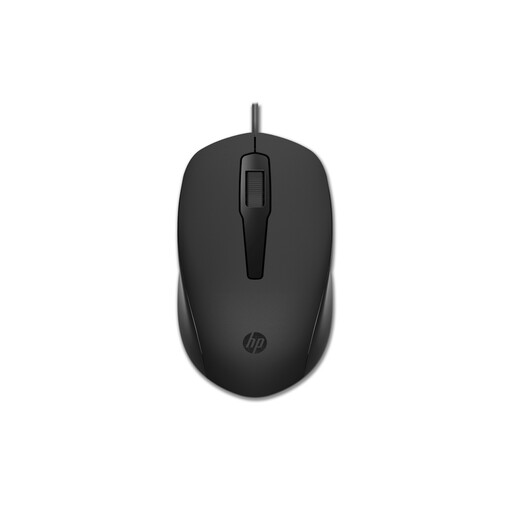 No image available
If plug sockets are scarce but a laptop USB-A port is free, wired operation avoids a separate charging arrangement.
The cable occupies that port throughout use. Confirm operating-system compatibility and the cable length for your desk before buying.
A Bluetooth mouse does not need a plug socket continuously, but it does need power. An AA-powered model needs replacement batteries; a rechargeable model needs occasional access to a suitable charging connection.
No; the laptop must meet the requirements of the exact mouse. For example, Microsoft specifies Windows 10 or Windows 11 with Bluetooth 4.0 or later for its Bluetooth Mouse, while Kensington lists Windows, Mac and Chrome systems for its Pro Fit Bluetooth Compact Mouse.
A receiver can be a fallback if Bluetooth is unavailable or unsuitable and you can spare a compatible USB port. A dual-mode mouse lets you check both options, but its receiver mode will not keep that port free.
Use an appropriate electrical-item collection route rather than general waste. Oxfordshire County Council advises recycling electrical items and removing removable batteries for separate recycling; check the collection instructions where you live.