USB-port-limited laptop users
You need your few available USB ports for storage or other accessories, so connecting a mouse without a receiver is a priority.


Choose a Bluetooth mouse if keeping a laptop USB port free matters most and the laptop supports the mouse’s Bluetooth connection. A dual-mode mouse gives you a receiver fallback, but using it occupies a USB port. If you spend much of your time moving through long stock tables or between devices, weigh scrolling controls and device switching alongside connectivity.
You need your few available USB ports for storage or other accessories, so connecting a mouse without a receiver is a priority.
You repeatedly move through watchlists, tables, charts or browser pages and want scrolling and pointer controls that suit that work.
You check stock information on more than one computer or tablet and would rather switch one mouse between devices than keep a separate mouse for each.
Start by working out whether the scarce connection is a computer USB port or a mains socket. HP Store UK explains that a 2.4 GHz wireless mouse uses a USB receiver, while Bluetooth can connect through a computer’s built-in Bluetooth hardware; mains-socket access instead makes the mouse’s charging or battery arrangement worth checking.
| Concern | What to check | Who this matters to |
|---|---|---|
| Keep USB ports free | Confirm Bluetooth support for the exact mouse and host device. Check whether a receiver is required or merely an option. | When my laptop has few spare ports, I want the mouse to connect without taking one from another accessory. Around 50% of consumers put port preservation first. |
| Navigate stock information | Compare the exact model’s scroll-wheel controls and any button customisation, including software requirements. | Long watchlists and wide tables make repeated scrolling and navigation controls important to me. For around 30% of consumers, navigating that information is the primary concern. |
| Switch devices with less disruption | Check the device-switching method, click-noise claims and whether the mouse charges or uses replaceable batteries. | If I move between devices or work at a shared desk, I want convenient switching and manageable power upkeep. Around 20% of consumers prioritise that setup. |
A receiver-only mouse still needs a computer USB port. HP Store UK distinguishes receiver-based 2.4 GHz connections from Bluetooth connections that use the host device’s Bluetooth hardware.
Check the exact model for Bluetooth support. If you want a receiver fallback, confirm its connector type and whether you have a port available for it.
If the receiver needs a port already in use, you may also need a suitable hub or adapter.
A Bluetooth mouse is useful for preserving ports only if the computer or tablet you use for stock checks can connect to that model.
Compare the mouse’s published compatibility requirements with your actual device and operating system before buying.
Sensor sensitivity does not tell you how a mouse’s wheel or shortcuts will work with long watchlists and pages. Logitech and HP list different scrolling and button features for individual models.
Decide whether you chiefly need faster scrolling, horizontal navigation or shortcuts, then check those controls on the exact mouse rather than assuming they come with a high DPI figure.
GOV.UK advises that electrical products and batteries should not go into household rubbish when they no longer work or are no longer wanted.
Use an appropriate electrical-waste collection route for the mouse and a battery collection route for removable batteries.
Its Pebble Mouse 2 M350s and MX Anywhere 3S illustrate two compact Bluetooth choices with different navigation controls.
The HP 250, 400 and 430 ranges offer Bluetooth alongside a 2.4 GHz receiver option.
The Surface Arc Mouse is a slim Bluetooth option for someone who values a mouse that folds flat for travel.
The Lenovo 700 Multi-Device Wireless Silent Mouse is relevant if you want Bluetooth, a receiver option and device switching in one model.
These dual-mode mice offer Bluetooth as the port-preserving connection and a receiver option for another setup. Choose by the controls and device-switching arrangements relevant to your stock-checking routine, and check compatibility with the computer you will use.
 No image available
Consider this if you switch between devices and regularly navigate wide stock tables; use its Bluetooth option when keeping a USB port free. Check host compatibility and whether its side-scroll control suits your workflow. The 2.4 GHz receiver occupies a port when used.
 No image available
This may suit work across several devices when you also want to keep a USB port available through Bluetooth. The named variant uses one AA battery and offers adjustable DPI; check its wheel behaviour if scrolling through long tables is central to your work. Using its 2.4 GHz receiver takes a USB port.
 No image available
Consider the vertical shape if you prefer that grip, and assess the Forward and Back controls for repeated page navigation. Bluetooth is the port-preserving option; using the 2.4 GHz receiver takes a port. Check the shape and host compatibility for your own setup rather than assuming the grip will suit everyone.
 No image available
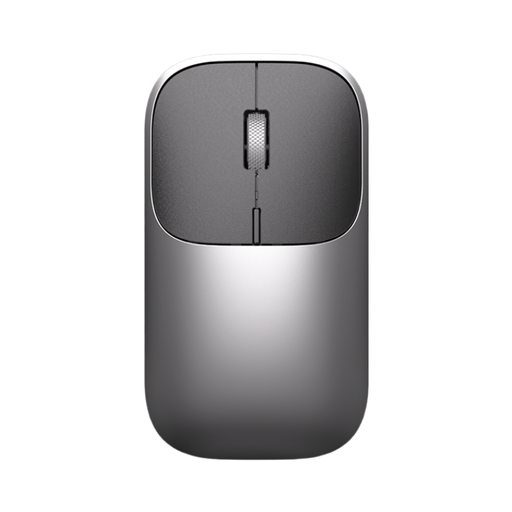
This is an option when you want to move between two paired devices while using Bluetooth to leave a USB port free. The named variant has adjustable DPI; check its scroll-wheel behaviour and power arrangement if those affect your daily routine. Its receiver connection occupies a USB port.
Yes, when it connects through your computer or tablet’s compatible built-in Bluetooth hardware, it needs no USB receiver. HP Store UK and Logitech distinguish that connection from receiver-based wireless use; check compatibility for the exact mouse and host device.
Choose dual mode if you want to use Bluetooth most of the time but also need a receiver option for another computer. The fallback takes a USB port when in use, so it does not remove the port constraint on that device.
Check the exact model’s wheel behaviour, horizontal-scrolling controls and any programmable buttons against the way you navigate. A DPI figure alone does not describe those controls, and button customisation may depend on compatible software.
Check how the mouse is powered as well as how it connects. A rechargeable model needs charging access, while a model using replaceable AA or AAA cells needs replacement batteries; neither power arrangement determines whether its connection uses a computer USB port.
Use an appropriate electrical-waste collection route rather than putting the mouse in household rubbish. GOV.UK also advises separate collection for batteries when they are no longer wanted; check local collection arrangements for the mouse and any removable cells.