Port-limited laptop users
If storage or other peripherals need your USB ports while you build a recipe index, consider a Bluetooth mouse—but check that the laptop itself supports Bluetooth.


If your computer has working Bluetooth, a Bluetooth mouse can leave its USB ports free for other equipment; that does not, by itself, reduce the number of plug sockets you use. Choose a stationary Bluetooth trackball when desk movement is the main constraint, a conventional Bluetooth mouse when familiar handling matters more, or a vertical mouse if its grip fits your hand and its connection options suit your setup.
If storage or other peripherals need your USB ports while you build a recipe index, consider a Bluetooth mouse—but check that the laptop itself supports Bluetooth.
When cards, notebooks or books leave little room to move a mouse, a stationary trackball offers pointer control without sliding the device across the work surface.
If indexing means repeatedly navigating recipe pages, documents or spreadsheets, compare scrolling controls alongside the device’s shape and hand fit.
For recipe indexing, decide how the mouse will connect before choosing its shape: saving a USB port requires both a Bluetooth-capable computer and a mouse that supports Bluetooth.
Choose it when: You want familiar pointer control while keeping a USB port free.
Trade-off: The mouse still needs room to move beside your recipe materials.
Choose it when: You need to preserve a USB port and keep the pointing device stationary on a crowded surface.
Trade-off: Ball control takes a different motion from moving a conventional mouse.
Choose it when: A vertical grip suits your hand and repeated index work.
Trade-off: Its shape alone does not establish either a small working footprint or a port-saving connection.
| Concern | What to check | Who this matters to |
|---|---|---|
| Keeping USB ports free | Confirm that your computer has working Bluetooth and that the exact mouse supports Bluetooth rather than only a USB receiver. | If my laptop ports are needed for other equipment, I want the mouse to connect without a receiver; around 31% of consumers put preserving ports first. |
| Desk footprint | Check whether the device stays stationary in use, and assess trackball fit and handedness. | With recipe cards and books beside me, I need pointer control without clearing space for mouse movement; roughly 25% of consumers prioritise desk footprint. |
| Hand fit during long sessions | Compare hand-size guidance, handedness and button reach; check the exact model’s connection options separately. | When I spend a long session entering and organising recipes, the grip needs to suit my hand; around 25% of consumers make fit their primary concern. |
| Scrolling and navigation | Look for scroll controls and buttons that match how you move between long pages and index fields. | I move repeatedly between recipes, documents and index entries, so navigation controls matter most to me; about 19% of consumers put this need first. |
Bluetooth and receiver-based wireless are different connections. Microsoft’s Windows guidance says the computer needs Bluetooth for direct pairing, while Logitech and Kensington list models with a USB-receiver alternative.
Check both your computer’s Bluetooth capability and the connection options for the exact mouse variant before buying.
If the computer needs a USB Bluetooth adapter, that adapter will occupy a port.
A stationary device saves movement space, but its ball control, hand fit and operating-system requirements still affect whether it suits your work. Kensington states that its Pro Fit Ergo TB550 does not currently support Windows ARM-based computers.
Check handedness, hand-size guidance and compatibility for the model you are considering.
Manufacturer descriptions of grip and angle do not establish how a particular mouse will feel in every hand or imply a medical outcome.
Assess hand size, button reach and handedness, and check the seller’s return terms if you are unsure about the grip.
GOV.UK says electrical products and batteries marked with the crossed-out wheelie-bin symbol should not go into household rubbish.
Use an appropriate electrical-waste or battery collection route when replacing the device.
Relevant models span conventional Bluetooth mice, stationary trackballs and vertical designs.
Its trackball range is relevant when stationary pointer control is a priority.
The Microsoft Bluetooth Mouse is a conventional option for buyers seeking direct Bluetooth pairing with a compatible Windows laptop.
These conventional and vertical mice offer Bluetooth as a connection route for recipe-index work where USB ports are scarce. Compare their controls and hand fit separately: a Bluetooth connection does not make a mouse stationary.
 No image available
Consider this vertical design if its grip suits your hand and you want to use Bluetooth to keep a USB port free.
The name specifies Bluetooth and 2.4GHz modes, six buttons and an adjustable sensor rated up to 1600 DPI. The 2.4GHz receiver route uses a USB port; check the mouse’s dimensions and hand fit before choosing it.
 No image available
This conventional Bluetooth mouse suits someone who wants familiar pointer movement without dedicating a USB port to a receiver.
The name specifies adjustable DPI and one AA battery. Its alternative 2.4G connection uses a receiver; check the scrolling controls if you regularly navigate long recipe pages.
 No image available
Consider this conventional mouse if you want Bluetooth pairing while moving between recipe pages and index entries.
Check that its shape fits your hand and that you have enough surface space to move it; a receiver-based connection would use a USB port.
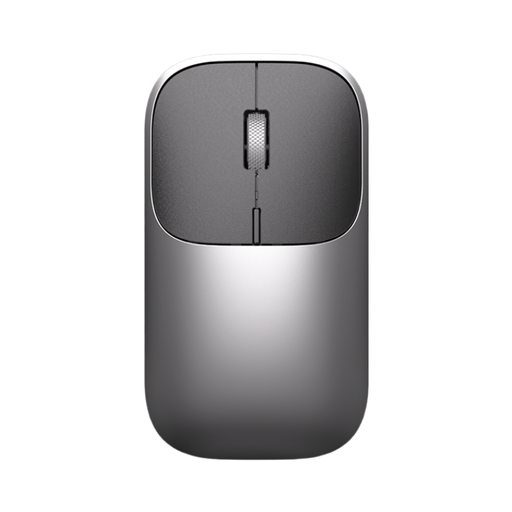 No image available
Choose the Bluetooth route on this conventional mouse if your computer supports it and keeping a USB port free matters.
The name specifies adjustable DPI and a 2.4GHz alternative. That receiver-based alternative uses a port; check the physical dimensions and scrolling controls if desk space or long-page navigation will decide your choice.
Only when your computer has working Bluetooth and you use the mouse’s Bluetooth connection. Microsoft’s Windows guidance says a computer needs Bluetooth to pair directly; adding a USB Bluetooth adapter instead uses a port.
A stationary trackball is the design to consider when you cannot clear room to slide a mouse. Logitech says its ERGO M575 does not need to be moved, though you should still check the trackball’s size and control style against your workspace.
Kensington describes the TB550 as plug-and-play for basic setup, with KensingtonWorks offered for personalising controls. Check operating-system support if you want that customisation; Kensington says Windows ARM-based computers are not currently supported for this model.
Use an appropriate electrical-waste collection route rather than household rubbish for a mouse marked with the crossed-out wheelie-bin symbol. GOV.UK gives the same household-rubbish warning for batteries bearing that symbol; use a suitable battery collection point for removable batteries.