Deal with reflections on the screen separately from mouse choice: the Health and Safety Executive advises arranging screens and lighting to avoid glare. If the mouse must work on glass, check the exact model's surface-tracking claim; for repeated filter and result-list navigation, consider adjustable pointer speed and controls you can use with your computer. A vertical grip is an option when hand fit is the priority, but it will not fix screen glare or suit everyone.
Who is this for?
Bright-workspace filter testers
If you test search filters beside a window, establish whether the difficulty is seeing the screen or tracking on the desk. The Health and Safety Executive addresses reflections through screen and lighting arrangement; Logitech describes glass tracking for the MX Anywhere 3S specifically.
High-repeat navigation testers
If you repeatedly open filters, scroll results and switch tabs or devices, look at pointer-speed adjustment and controls supported by your computer. Logitech specifies configurable controls for supported devices, but the available functions depend on the model and software.
Long-session comfort seekers
If prolonged pointing makes grip shape a priority, compare hand fit and workstation layout rather than assuming a vertical mouse will feel right. The Health and Safety Executive's display-screen-equipment guidance considers the wider workstation, not just the mouse.
What matters when choosing?
Check screen visibility and the actual desk surface before choosing a mouse shape; then weigh repeated navigation, hand fit and connection requirements.
| Concern |
What to check |
Who this matters to |
| Glare and surface tracking |
Adjust the screen and lighting for reflections. If the desk is glass, check the exact mouse model's surface claim and conditions. |
I need to see filter controls clearly and know whether my mouse tracks on this desk; around 31% of consumers put that distinction first. |
| Repeated navigation |
Check adjustable pointer speed, usable buttons and scroll controls, plus any software requirements. |
When I move between small controls and long result lists, I want repeatable pointer and scrolling actions; for around 31% of consumers, navigation is the primary need. |
| Hand fit |
Check grip shape, handedness and the model's stated hand-size suitability. |
After long stretches of desktop testing, I care most about whether the grip fits my hand; comfort comes first for around 23% of consumers. |
| Connection |
Check the computer's ports, Bluetooth support, box contents and permission to install optional software. |
I need a mouse that connects to my test computer without disrupting the setup; straightforward compatibility is the main concern for around 15% of consumers. |
Mistakes to avoid
-
Buying a mouse to fix window glare
A mouse cannot remove reflections from a display. The Health and Safety Executive advises arranging the screen and lighting to avoid glare.
Address screen visibility first, then check pointer tracking on the desk surface you actually use.
-
Treating maximum DPI as filter-selection accuracy
A higher sensitivity setting moves the pointer further for the same mouse movement; it does not, by itself, make small controls easier to select. Logitech notes that a lower setting can help with precise cursor movement.
Adjust pointer speed to suit your display and filter controls rather than choosing by the maximum DPI figure alone.
-
Assuming a vertical shape fits every hand
Hand size and handedness matter: Logitech positions Lift for small-to-medium hands. For workers who use display-screen equipment daily for continuous periods of an hour or more, the Health and Safety Executive says employers must assess the wider workstation and job.
Check the model's stated fit and try the grip where possible. In a qualifying workplace, raise persistent discomfort as part of a workstation assessment.
-
Assuming a wireless receiver is in the box
Bluetooth support does not establish which receiver, if any, is supplied. Logitech says the Logi Bolt receiver is not included with the consumer MX Anywhere 3S.
Check the exact box contents and whether your computer can use the connection method you intend.
If you need a receiver-based connection for that model, obtaining the receiver separately adds another setup step.
Brands to consider for these mouse designs
Logitech
Its named models cover compact surface-flexible use, configurable productivity controls, vertical grip and basic wired USB pointing.
- Logitech specifies glass tracking for MX Anywhere 3S and a 57-degree vertical design for Lift.
- Those claims are model-specific: they do not establish glass tracking across the range or a comfortable fit for every hand.
Razer
Razer positions the Pro Click V2 Vertical Edition as a productivity-oriented vertical mouse.
- The Pro Click V2 line includes programmable-control options, according to Razer.
- Check the controls on the exact variant and assess its grip for your hand rather than treating the brand's comfort positioning as a fit guarantee.
Kensington
A trackball is another way to navigate filters and results while keeping the device body on the desk.
- RS lists the Kensington 64327EU as a wired USB trackball with two buttons and a scroll wheel.
- Trackball control differs from moving a conventional mouse, so consider whether that interaction suits your testing routine.
Joybuy product choices
These mice offer different routes for desktop filter testing: productivity controls, a vertical grip or straightforward wired pointing. Choose against your desk surface, computer connection and hand fit rather than treating any one design as a fix for window glare.
 No image available
Logitech MX Master 3S Mouse, Black
Consider this model when repeated filter and result-list navigation makes configurable controls a priority. If you intend to use it on glass, check the stated minimum surface thickness of 4 mm against your desk; confirm the exact box contents if you need a Logi Bolt receiver.
View on Joybuy
 No image available
HP 920 Ergonomic Wireless Mouse, Black, with Detachable Wrist Rest
The detachable wrist rest makes this a shape to consider if hand positioning matters during long sessions. Check personal fit, computer compatibility and whether its tracking suits your particular glass or glossy desk before relying on it for that surface.
View on Joybuy
 No image available
V7 MW500BT Bluetooth Vertical Mouse, 2.4 GHz, 6 Buttons
Consider the vertical shape if grip fit matters and you want buttons for repeated browser navigation. The product name specifies a 1600 DPI adjustable sensor; check device compatibility and tracking on your actual desk, particularly if it is glass or reflective.
View on Joybuy
 No image available
ONIKUMA CW905 Wired Gaming Mouse
This wired option is worth considering if you want to avoid wireless pairing while testing filter controls. Use a suitable mouse mat rather than a highly reflective or glass surface, and confirm computer compatibility and button customisation if those matter to your workflow.
View on Joybuy
 No image available
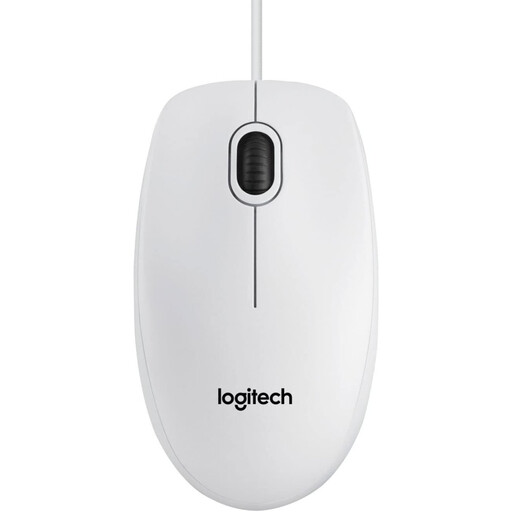
Logitech B100 USB Wired Mouse, White
Choose this straightforward wired route if basic pointing matters more than extra navigation controls. It needs an available USB port; check tracking on your actual surface if the desk is glass or reflective.
View on Joybuy
Common questions
Will a different mouse solve glare from a bright window?
No: a mouse will not remove reflections from the display. The Health and Safety Executive advises arranging screens and lighting to avoid glare; consider surface-specific mouse tracking separately if pointer control remains a problem.
How should I set pointer speed for small filter controls?
Adjust pointer speed until you can reach and select the controls without unwanted overshoot. Logitech notes that lower sensitivity can help with precise cursor movement; maximum DPI alone is not a measure of how well a mouse will suit your setup.
Do long testing sessions mean I need a vertical mouse?
Not necessarily: try a vertical grip if its shape and stated hand fit suit you, but consider the whole workstation too. For workers using display-screen equipment daily for continuous periods of an hour or more, the Health and Safety Executive says employers must assess the workstation and job.
What should I check before choosing wireless instead of wired?
Check your computer's Bluetooth support and USB ports, then confirm the exact mouse's box contents. Logitech says the consumer MX Anywhere 3S supports Bluetooth connection to up to three devices but does not include its compatible Logi Bolt receiver; its M100 uses a direct USB connection.


