Shared-desk membership administrators
Staff entering and checking membership records need controls that changing users can pick up easily, with a connection the office can set up consistently and clicks that will not distract nearby colleagues.


For a desk shared by several membership-records staff, start with a quiet mouse whose shape and connection method suit the people and computers using it. A wired model avoids pairing and receiver management at a fixed workstation; multi-device switching is worth considering when someone regularly changes computers, while a vertical mouse calls for an individual fit check. For regular display screen equipment (DSE) users, mouse choice is also part of a wider workstation assessment, as the Health and Safety Executive advises.
Staff entering and checking membership records need controls that changing users can pick up easily, with a connection the office can set up consistently and clicks that will not distract nearby colleagues.
People repeatedly moving through lists, forms and browser records have particular reason to check scrolling, cursor adjustment and whether navigation buttons are accessible in their workflow.
Someone using a computer for sustained periods may need a mouse selected for their own hand size and handedness rather than the shared-desk default. The Health and Safety Executive also calls for attention to the workstation as a whole.
Decide how the shared workstation will connect first, then check hand fit and the controls needed for record work. Treat multi-device switching as a separate requirement only if someone actually moves between computers.
| Concern | What to check | Who this matters to |
|---|---|---|
| Personal comfort and DSE suitability | Check hand size, handedness and mouse position; consider the user’s workstation assessment. | If I use the records system for long stretches, I need a shape that suits my hand rather than one chosen for everyone. Around 36% of consumers put personal comfort and DSE suitability first. |
| Dependable shared-desk setup | Confirm USB ports or Bluetooth support and how a wireless receiver would be kept with the desk. | When staff change over at a desk, I want the mouse ready without sorting out pairing or a missing receiver. Predictable setup comes first for around 29% of consumers. |
| Quiet record navigation | Check the maker’s quiet-click description and whether scrolling and cursor adjustment suit the records system. | Working through long lists near colleagues, I need clicks that cause less disruption and controls I can use comfortably. Around 21% of consumers make quiet, controlled navigation their primary concern. |
| Switching between devices | Confirm how many computers one person uses and whether each supports the required connection. | If my records work moves between computers, I want to switch without repeatedly reconnecting the mouse. Device switching is the main need for around 14% of consumers. |
A shape that suits one person may not suit the next. Logitech describes Lift as intended for small-to-medium hands and offers separate handedness options.
Check the intended user’s fit before assigning a vertical mouse; keep the general shared-desk choice focused on the people who will actually use it.
The Health and Safety Executive treats workstation setup and patterns of DSE use as part of managing risks, not just the choice of mouse.
Review mouse position, desk and chair adjustment, work routine and any reported discomfort alongside the equipment choice.
Switching functions address a specific workflow. At one fixed computer, extra connection methods can instead create more setup decisions.
Count the computers each person regularly uses before prioritising switching over fit, quiet clicks and a manageable connection.
UK Government guidance directs batteries and electrical products to appropriate collection routes rather than household rubbish.
Use a suitable battery collection point for removable batteries and an electrical-waste collection route for the mouse.
Its office-mouse range includes conventional quiet models, productivity controls and vertical shapes, offering different approaches to shared and individually assigned desks.
A reference point for a fixed desk where a wired connection is preferable to wireless pairing or receiver management.
Its 430 Multi-Device Wireless Mouse is relevant when one administrator regularly works across two devices.
Its X9 Edition illustrates a compact, ambidextrous option for a worker who needs to change between devices.
These mice cover fixed-desk wired use, quieter wireless record work, device switching and an individually considered ergonomic option. Match the connection and shape to the people and computers at the desk before choosing.
 No image available
Consider this for a fixed desk where a USB connection is preferred; check its shape against the people sharing it.
Four buttons and selectable 1000, 1200 and 1600 DPI settings are stated in the product name. Silent clicking is a product claim, not a measured noise comparison.
 No image available
Consider its connection choices if a worker needs a wireless mouse across office devices; confirm which methods those devices permit.
The product name specifies 2.4G and Bluetooth, adjustable DPI and one AA battery. Silent operation is a product claim; check hand fit for the intended users.
 No image available
This is an option for a shared desk that can keep a USB receiver with the workstation; confirm port and system compatibility first.
The product name specifies a 2.4GHz connection, USB receiver and 1600 DPI. Its quiet-click description is a product claim, and the intended users should check hand fit.
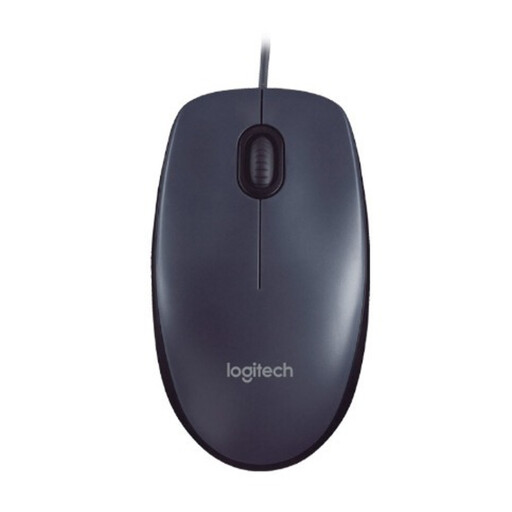 No image available
Consider this straightforward wired option for a fixed workstation rather than one that needs device switching.
Confirm operating-system support for the exact variant. If quiet clicks or a particular DPI setting matter, check those details before choosing it.
 No image available
Consider this as a personally assigned option after checking the intended user’s fit, rather than assuming its shape suits everyone at a shared desk.
The product name specifies a detachable wrist rest. Check whether the office computers permit the connection and any software needed for the controls the user wants.
For UK workers who use display screen equipment daily for continuous periods of an hour or more, the Health and Safety Executive says the DSE regulations apply and employers must assess workstations and reduce risks. It also advises basic risk assessment when workers change desks regularly.
No. A vertical mouse may be considered for an individual whose hand and working needs suit it, but the Health and Safety Executive’s DSE guidance also addresses workstation assessment, risk reduction, breaks or changes of activity, training and information.
Choose wired USB when a fixed workstation has a compatible port and the cable can be routed conveniently; consider wireless when the office can manage its Bluetooth or receiver connection and batteries. Check the exact model against the computers before buying.
Use appropriate electrical-waste and battery collection routes rather than putting them in household rubbish. UK Government guidance distinguishes electrical products and batteries for collection; check the available local route for each item.