Shared-room appointment organisers
Students handling requests through booking forms, calendars, email and messages on a laptop, particularly when repeated clicks could disturb someone nearby.


For booking forms, calendars and email on a student laptop, start with a conventional mouse that fits your hand and connection setup; consider a quiet-click model when other people study or sleep nearby. If you spend longer at your desk or find a standard shape difficult to use, compare shaped, vertical or adaptable designs instead, checking handedness, fit and any separate components before choosing.
Students handling requests through booking forms, calendars, email and messages on a laptop, particularly when repeated clicks could disturb someone nearby.
Students who combine appointment administration with longer study sessions and want to pay closer attention to hand size, handedness and mouse shape.
Students who find a conventional fixed mouse shape difficult to use and may need configurable physical support or a different control arrangement.
For appointment work in a shared student room, identify the need that matters most before comparing connection methods, mouse shapes or extra controls.
| Concern | What to check | Who this matters to |
|---|---|---|
| Quiet, compact control | Look for an explicitly described quiet-click mechanism, then check dimensions and grip if desk space or carrying the mouse matters. | When I move repeatedly between forms and calendars beside someone studying, I want clicks that are less distracting and a mouse that fits my workspace. Around 40% of consumers put quiet, compact everyday control first. |
| Connection flexibility | Confirm Bluetooth compatibility, or check the receiver type, whether it is included and whether your laptop has the matching port. | If I handle requests on more than one device, I need a connection method that works with my setup without occupying a port I use for something else. Roughly 30% of consumers make connection flexibility their primary concern. |
| Long-session fit | Compare the maker’s hand-size and handedness guidance; decide whether a conventional, shaped or vertical design suits your grip. | After longer stretches at my desk, the shape and fit of a mouse matter more to me than how little space it takes up. About 20% of consumers place long-session fit first. |
| Adaptable controls | Check which supports or adaptations work with the mouse and which components come with it. | If a fixed mouse shape is difficult for me to use, I need to establish whether the controls can be adapted to my hand and setup. Approximately 10% of consumers prioritise adaptable physical controls. |
Logitech says the MX Anywhere 3S works with a Logi Bolt USB receiver but does not include one. A receiver also needs a compatible laptop port if you do not use Bluetooth.
Check the exact model’s box contents and your laptop’s ports before ordering.
Using a receiver may mean obtaining a compatible receiver or USB adapter separately.
Mouse shapes suit different hand sizes, handedness and working styles. Logitech, for example, recommends different Signature M650 versions for different hand sizes and offers a left-handed version.
Use the maker’s fit guidance and select the correct handed version. If discomfort persists, review your wider desk setup rather than relying on a change of mouse alone.
Microsoft’s Adaptive Mouse can be fitted with optional Tail and Thumb Support components, but the mouse alone may not provide the physical arrangement you need.
Identify the support you need, then check component compatibility and what is included.
Microsoft sells the Tail and Thumb Support separately from the mouse.
An unwanted mouse or its batteries need an appropriate disposal route, particularly if the electrical product carries a crossed-out wheelie-bin symbol, as described by GOV.UK.
Check local electrical-waste and battery collection options when replacing your mouse.
Its documented range includes compact wireless, hand-size-specific and vertical mouse designs relevant to student desk work.
Its Pro Click V2 Vertical Edition is a right-handed, vertical wireless option with configurable shortcuts.
The Adaptive Mouse offers a route for people who need configurable physical support rather than a fixed mouse shell.
These options cover quiet-click and multi-device mice for routine laptop administration, alongside vertical and handedness-flexible designs for readers considering a different shape. Check each model against your own ports, hand fit and shared-room noise needs.
 No image available
Consider this mouse for repeated calendar and booking-form navigation when quieter clicks and a choice of wireless connections matter.
The named variant uses one AA battery. Check its physical fit and whether its click sound meets the needs of your shared room.
 No image available
This receiver-based option is worth considering for routine appointment forms if your laptop has a suitable USB port.
Its name specifies a 2.4 GHz connection, USB receiver and 1600 DPI optical sensor. Check its size and fit if you will carry it or use it for longer sessions.
 No image available
Consider its vertical shape if mouse fit matters more to you during longer desk sessions than a conventional grip.
The title specifies six buttons and an adjustable sensor up to 1600 DPI. Confirm hand-size and handedness fit before choosing it; a vertical shape does not guarantee comfort.
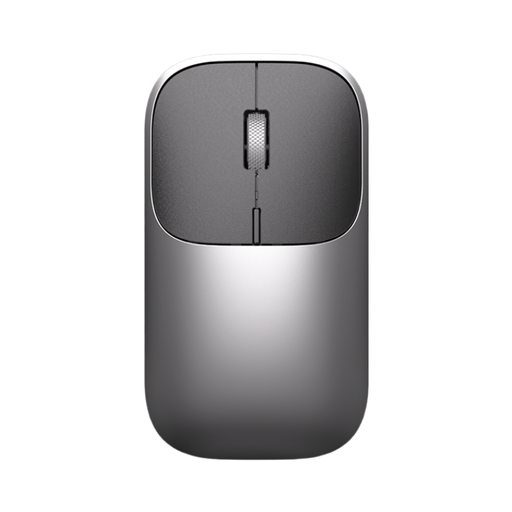 No image available
This is an option when you handle appointment requests across devices and want a choice between Bluetooth and a receiver connection.
The named variant specifies Bluetooth 5.0, 2.4 GHz and adjustable DPI. If shared-room noise or portability is decisive, check its click sound and dimensions before buying.
 No image available
Consider this model if a mouse that can be configured for left- or right-handed use is more relevant to you than a fixed orientation.
Check whether its shape fits your hand and whether its click sound suits a shared room. The listed AA battery is not included, so you will need one before use.
Choose Bluetooth if your laptop supports it and keeping a USB-A port free matters to you; a receiver is another option when its connector matches your setup. Check what comes with the exact mouse: Logitech says the Signature M650 supports Bluetooth Low Energy or a Logi Bolt receiver, while the MX Anywhere 3S is compatible with a Logi Bolt receiver that is not included.
No: a conventional mouse can meet ordinary form and calendar needs if its size, controls and connection suit you. Consider a vertical or other shaped design when fit during longer sessions is your main concern, and check that its hand size and handedness suit you rather than assuming the shape will resolve discomfort.
You can do so only if the particular model supports it. Logitech says the MX Anywhere 3S can be charged while working with its included USB-C cable; check the instructions for any other rechargeable model.
Use an appropriate electrical-waste route for an unwanted mouse and a suitable battery collection route for removable batteries. GOV.UK advises against putting electrical products marked with a crossed-out wheelie-bin symbol in household rubbish; check the collection arrangements available for your device.