Start with a compact Bluetooth mouse if it fits beside your laptop and your computer supports the connection; choose a receiver-capable model if Bluetooth is unsuitable for your setup. For frequent work through long PDFs and spreadsheets, consider scroll control as well as size. Whatever the mouse, leave enough room to keep it close to the keyboard and in line with your elbow, as the Health and Safety Executive advises.
Who needs to consider which features?
Small-desk laptop writers
If your proposal, notes and laptop share a narrow surface, look for a mouse that leaves room to work and connects without an inconvenient receiver or cable. Logitech and HP offer models with relevant compact or wireless options; check the dimensions and connection of the particular mouse.
Long-document reviewers
If drafting means repeatedly moving through PDFs, research pages or spreadsheets, scroll control may deserve more attention than a particularly slim shape. Logitech describes fast scrolling on its MX Anywhere 3S, though its controls and your computer compatibility still need to suit your workflow.
Regular screen workers
If proposal writing becomes prolonged or repeated screen work, assess the whole desk arrangement as well as the mouse. The Health and Safety Executive advises keeping the mouse in line with the elbow; a compact shape alone does not establish that it will fit your hand or workstation comfortably.
What matters when choosing a mouse?
Check the space beside your laptop and its available connections first. Then decide whether document navigation or the fit of your workstation is more likely to change your choice.
| Concern |
What to check |
Who this matters to |
| Desk space and connection clutter |
Check the mouse dimensions and shape, and whether your laptop supports its Bluetooth connection or has a suitable port for its receiver. |
When my laptop and proposal notes fill the desk, I need a mouse I can place and move without shifting my work around. Around 45% of consumers would put desk space and connection clutter first. |
| Long-document navigation |
Check the available scroll modes and whether any controls you intend to use need compatible software. |
If I move repeatedly between draft sections, PDFs and spreadsheets, I want scrolling that handles both longer passages and precise edits. For around 33% of consumers, document navigation would be the primary concern. |
| Comfort during sustained writing |
Check hand fit and whether the mouse can sit close to the keyboard and in line with your elbow, as the Health and Safety Executive advises. |
For a long editing session, I need enough room to position the mouse without reaching awkwardly, even if a larger shape uses more desk space. Workstation comfort would come first for around 22% of consumers. |
Buying mistakes to avoid
-
Choosing the thinnest mouse just because the desk is small
A low-profile mouse can leave more working room but may not suit every hand during extended editing. Desk clearance matters only if you can still place and use the mouse comfortably.
Check that it fits beside the keyboard and allows the elbow alignment advised by the Health and Safety Executive. Where possible, assess the shape in hand or check the retailer’s applicable return policy before committing.
-
Assuming a wireless mouse includes a receiver
Connection hardware varies by model. Logitech states that a compatible Logi Bolt receiver is not included with the MX Anywhere 3S, while HP lists a nano dongle with the HP 635.
Check the in-box contents, receiver type and required computer port for the exact mouse you choose; the word wireless does not settle those details.
A separate compatible receiver or port adapter may be needed for the connection you plan to use.
-
Treating a high DPI figure as proof of comfort
A tracking specification concerns cursor control, not whether a mouse suits your grip or desk arrangement. Logitech describes 8K-DPI tracking on the MX Anywhere 3S, but that figure does not establish its comfort during a long proposal-writing session.
Assess tracking for your working surface, then check hand fit and mouse placement separately.
-
Overlooking how the mouse is powered
Power arrangements affect how you keep working when a mouse needs attention. HP specifies two AAA batteries for the HP 635, while Logitech describes USB-C charging for the MX Anywhere 3S.
Choose a power arrangement that fits your working routine, and check the requirements of the exact model before buying.
A mouse using replaceable cells will need replacement batteries over time.
Brands to consider
These brands offer particular mouse designs relevant to limited desk space. Compare the individual model and its connection requirements rather than assuming every mouse from a brand will suit the same setup.
Logitech
Logitech’s Pebble Mouse 2 M350s and MX Anywhere 3S address different priorities: a slim Bluetooth shape for space-conscious use, or a compact model with additional navigation features.
- Logitech describes the Pebble Mouse 2 M350s as slim, quiet and able to switch between three devices. It describes the MX Anywhere 3S as having fast scrolling, quiet clicks and 8K-DPI tracking.
- Check whether the Pebble’s low-profile shape suits your hand. If you need a receiver for the MX Anywhere 3S, Logitech states that the compatible Logi Bolt receiver is not included on the retail product page considered here.
HP
The HP 635 Multi-Device Wireless Mouse is relevant if you want both Bluetooth and a supplied nano dongle.
- HP specifies a 5.71 × 3.62 × 10.21 cm body and two AAA batteries for the HP 635, alongside its connection options.
- Check the stated operating-system and port compatibility. Replaceable batteries also need replenishing.
Microsoft
Microsoft’s Surface Arc Mouse is a space-conscious option if a mouse that snaps flat for storage appeals more than a conventional sculpted shape.
- Microsoft describes the Surface Arc Mouse as slim, light and Bluetooth-connected, with vertical and horizontal scrolling.
- Microsoft Support specifies a Windows 10 or Windows 11 PC with Bluetooth 4.0 or later for setup. Check those requirements before choosing it for another computer.
Joybuy mouse options
These options include mice labelled for Bluetooth and 2.4 GHz use, plus a compact receiver-based model. For a small proposal-writing desk, check the size, connection and hand fit of the particular mouse rather than treating wireless connectivity alone as a measure of suitability.
 No image available
HOFOTEK M311 2.4G+BT mouse, White-Grey (1xAA)
Consider this model if you want Bluetooth and 2.4G connection options for work beside a laptop.
Its name specifies adjustable multi-level DPI, a silent-click design and a 1xAA battery requirement. Check the mouse shape and your computer’s connection compatibility before buying.
Joybuy
 No image available
lofree Wavy Chips EP115 Bluetooth/2.4G mouse, Milk Tea
Consider this model if switching connection modes matters while you work across proposal materials.
Its name specifies five adjustable DPI levels and an 800mAh battery. Check its dimensions and whether the connection hardware you need is included.
Joybuy
 No image available
V7 MW100-1E 2.4GHz wireless mouse, Black
Consider this receiver-based model if your laptop has a suitable USB connection and you do not need Bluetooth for the mouse.
Its name specifies an optical sensor, four buttons, 1600 DPI, an ambidextrous design and a 2.4GHz nano receiver. Check the required port and how the shape feels during longer sessions.
Joybuy
 No image available
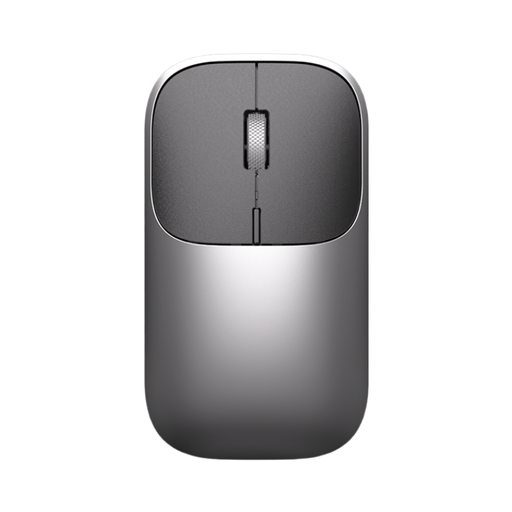
Ochama JZ001 Bluetooth 5.0/2.4GHz mouse, Metallic Grey/Silver White
Consider this model if you want to choose between Bluetooth and a 2.4GHz connection while writing and reviewing a proposal.
Its name specifies adjustable DPI. Check its dimensions, hand fit and power requirements for your setup.
Joybuy
Frequently asked questions
Should I use Bluetooth or a USB receiver on a small desk?
Choose Bluetooth if your laptop supports the mouse’s connection and you want to leave a USB port free. A receiver-capable mouse is useful if you need that connection instead; check the required port and in-box contents. HP lists a supplied nano dongle for the HP 635, whereas Logitech states that the compatible Logi Bolt receiver is not included with the MX Anywhere 3S retail model considered here.
Should I choose the smallest mouse I can find?
No: choose a size that leaves working room without making the mouse awkward to hold or place. The Health and Safety Executive advises keeping the mouse in line with your elbow, so consider your keyboard position and available movement space as well as the mouse’s dimensions.
When does fast scrolling matter for a project proposal?
Fast scrolling is most relevant when you frequently move through long PDFs, research pages or spreadsheets while drafting and checking the proposal. Also check that you can scroll with enough control for close editing; a tracking or DPI figure alone does not tell you how the wheel works.
Do UK display-screen-equipment rules apply to a one-off personal proposal?
A one-off personal proposal does not automatically meet the worker-use condition described by the Health and Safety Executive. The HSE says the Display Screen Equipment Regulations apply to workers who use display screen equipment daily for continuous periods of an hour or more. Its mouse-placement advice can still help with a personal setup; if proposal writing is regular work, ask your employer about its display-screen-equipment assessment process.


