What matters when choosing?
Choose the shape around the space and time you have for writing, then check that its connection works with your laptop. These routes address different priorities rather than offering one answer for every hand and desk.
Slim Bluetooth mouse
Choose it when: you want an easy-to-store mouse for short sessions beside a Bluetooth-equipped laptop, particularly if quieter clicks matter.
Trade-off: a slim shell may offer less palm support than a fuller shape; check your reach to the buttons and wheel.
Compact mouse with more controls
Choose it when: you want pointer-setting or connection options as well as a compact body. Logitech specifies adjustable sensitivity and multi-device Bluetooth for the MX Anywhere 3S.
Trade-off: those options may be unnecessary for straightforward document writing; confirm the connection method and what comes with the exact model.
Comfort-led mouse
Choose it when: covering letters are part of longer, regular computer sessions and a fuller or more upright shape suits your hand.
Trade-off: a vertical shape needs room beside the keyboard and does not guarantee a comfortable fit. Logitech positions Lift for small-to-medium hands.
| Concern |
What to check |
Who this matters to |
| Usable desk area |
Check the clear area beside your keyboard against the mouse’s dimensions, then leave room to move it without hitting papers or the desk edge. |
I need space for my application notes without making pointer movement awkward; roughly 36% of consumers would put usable desk area first. |
| Hand fit |
Check natural reach to the buttons and wheel and whether the shape supports your preferred grip. For regular use, consider the whole workstation. |
When writing and editing are part of longer computer sessions, I would rather have a shape that fits my hand than the thinnest mouse; around 29% of consumers would make fit their primary concern. |
| Connection |
Confirm that the laptop supports Bluetooth, or that it has the USB port required by a receiver-based mouse. |
My laptop has limited free ports, so a connection that works without disrupting the rest of my setup comes first; roughly 21% of consumers would prioritise connection and port use. |
| Click noise |
Look for an explicit quiet-click specification on the exact model; do not assume all wireless mice have one. |
If I am drafting in a shared room, I want clicks to draw less attention; around 14% of consumers would place quiet operation ahead of the other concerns. |
Joybuy mouse choices
These mice offer Bluetooth, USB-receiver or multiple connection options for a laptop writing setup. Compare their shapes and the room available beside your keyboard rather than treating wireless connectivity alone as evidence of a small footprint.
 No image available
HOFOTEK M311 2.4G and Bluetooth mouse, white-grey
Consider this model if you want a choice of wireless connections while writing beside a laptop. Its product name specifies adjustable DPI and one AA battery; check whether its shape fits your hand and your available desk area.
View on Joybuy
 No image available
V7 MW100-1E USB-receiver mouse, black
Consider this model if a receiver connection suits your laptop and you want an ambidextrous shape. Its product name specifies four buttons, a 1600-DPI optical sensor and a 2.4 GHz nano receiver; check that you have a suitable USB port.
View on Joybuy
 No image available
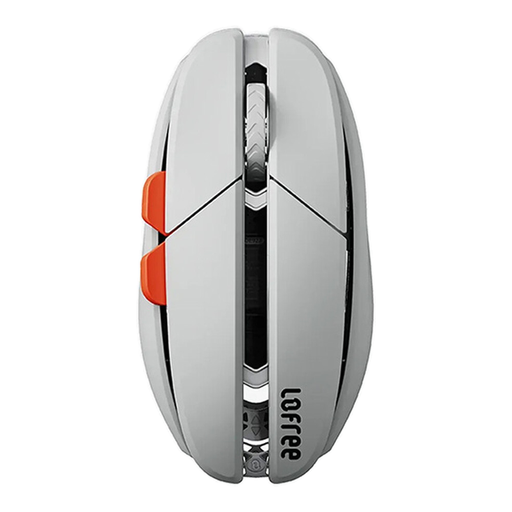
lofree Hypace OE923 tri-mode mouse, light grey
Consider this model if you want to choose between wireless and wired connections at your writing desk. Its product name specifies Bluetooth, 2.4G and wired modes, plus a magnesium-alloy frame and PC shell. Check its physical dimensions against your available space; the stated Boot Camp dual-system limitation matters if you use that Mac setup.
View on Joybuy
 No image available
lofree Wavy Chips EP115 dual-mode mouse, milk tea
Consider this model if Bluetooth and 2.4G connection options suit the devices at your desk. Its product name specifies five adjustable DPI levels and an 800mAh battery. Check its dimensions and hand fit before choosing it for a confined work area.
View on Joybuy
 No image available
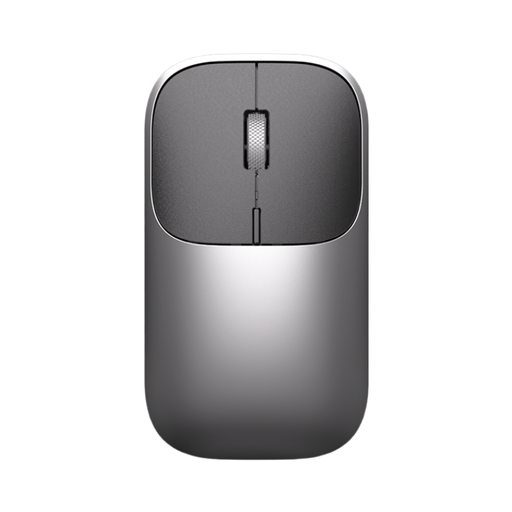
Ochama JZ001 dual-mode mouse, metallic grey and silver white
Consider this model if you want Bluetooth or 2.4GHz wireless connectivity for your laptop setup. Its product name specifies Bluetooth 5.0 and adjustable DPI. Check its dimensions and operating-system compatibility for your desk and computer.
View on Joybuy
Common questions
Should I choose a compact mouse just because my desk is small?
No: a compact mouse still needs to fit your hand and leave enough room for pointer movement. Check your reach to the buttons and wheel, and consider a fuller shape if the compact one makes you stretch.
How do I connect a Bluetooth mouse to a Windows laptop?
Your laptop needs working Bluetooth, and the mouse must be in pairing mode. In Windows, switch Bluetooth on in Settings, follow the mouse’s instructions to make it discoverable, then add it as a Bluetooth device. Microsoft says a USB Bluetooth adapter can add Bluetooth to a computer without it, provided a suitable port is available.
Will a vertical mouse resolve discomfort by itself?
A vertical shape does not guarantee comfort or resolve the effects of an unsuitable workstation. Check the mouse against your hand and desk space; for workers who regularly use display screen equipment, the UK Health and Safety Executive also emphasises workstation assessment and breaks.
Should I choose replaceable batteries or a rechargeable mouse?
Choose the routine that is easier to maintain where you write. Microsoft specifies two AAA batteries for Surface Arc Mouse and HP specifies one AA for the HP 420, while Logitech specifies USB-C charging for the MX Anywhere 3S; check the exact model before buying.


