Choose a Bluetooth mouse if your computer supports it and you need to keep a USB port free while working through tax records: Bluetooth does not need the receiver used by a 2.4 GHz RF mouse. A dual-mode mouse adds a receiver fallback, while a shaped or vertical mouse is worth considering for longer sessions only if it fits your hand. If mains sockets, rather than computer ports, are scarce, check the mouse’s battery or charging arrangements instead.
Who needs which features?
Laptop users short of USB ports
If a receiver would displace storage or another essential device, start with Bluetooth compatibility. HP explains that Bluetooth connects directly to a computer or tablet, whereas a 2.4 GHz RF mouse uses a USB receiver.
People organising records for long sessions
Reconciliation, receipts and spreadsheets can make hand fit and desk position more important than a compact shape. The UK Health and Safety Executive treats mouse use as part of the wider display-screen workstation setup for relevant work.
People moving between computers
If tax records are handled on more than one device, consider whether Bluetooth device switching or a receiver fallback fits those computers. Logitech specifies Bluetooth connection to up to three devices for MX Anywhere 3S; HP lists both Bluetooth and 2.4 GHz receiver modes for its Z3700.
What matters when choosing?
Identify whether the scarce connection is a mains socket or a computer USB port before choosing a mouse. Then consider how long you work with records and whether you switch between devices; connection mode, shape and navigation controls can overlap in the same mouse.
| Concern |
What to check |
Who this matters to |
| Connection and USB ports |
Check that the computer has usable Bluetooth; if choosing a receiver fallback, check its available USB ports. |
When a laptop’s spare port is needed for tax files or another device, I want the mouse to connect without a receiver. Around 50% of consumers put preserving a computer port first. |
| Fit during longer sessions |
Check hand-size guidance, handedness and whether the mouse can sit comfortably within reach. |
If I spend extended periods reconciling receipts and spreadsheets, I need a shape that suits my hand and desk position. For around 30% of consumers, sustained-session fit is the primary concern. |
| Document and device navigation |
Decide whether scrolling controls or switching between compatible devices would serve your usual workflow. |
Moving repeatedly between records or computers makes controls and device switching more relevant to me than extra features I would rarely use. This is the leading need for around 20% of consumers. |
Buying pitfalls
-
Confusing mains sockets with computer ports
Bluetooth can free a computer USB port, but it does not remove the need to replace batteries or charge a rechargeable mouse.
If USB ports are scarce, check Bluetooth first. If mains sockets are the constraint, compare how the mouse is powered and when it needs attention.
-
Choosing a receiver-only mouse without checking the laptop
A 2.4 GHz RF mouse uses a USB receiver; Bluetooth connects directly to a compatible computer or tablet, as HP explains.
Check the laptop’s port type and availability before choosing a receiver-based connection. A dual-mode mouse lets you use Bluetooth when keeping a port free matters.
If the receiver requires USB-A and the laptop has no suitable port, using that mode may also require a compatible adapter.
-
Assuming an ergonomic shape fits everyone
Logitech describes Lift as intended for small to medium hands. A shaped mouse alone does not address how far you reach for it or the rest of your workstation setup.
Check the selected variant’s handedness and fit guidance, and consider its position alongside your desk, chair and display.
-
Choosing controls you will not use
Multi-device switching and additional scrolling controls are most relevant when you regularly change computers or navigate lengthy records.
For occasional filing on one laptop, check connection compatibility, shape and the basic controls before treating extra functions as a priority.
Brands to consider
Logitech
Its cited mouse models cover Bluetooth connection, multi-device use and vertical shapes; the features vary by model.
- Logitech specifies Bluetooth connection to up to three devices for MX Anywhere 3S.
- Logitech describes Lift as intended for small to medium hands, so check the variant and fit rather than assuming the shape suits everyone.
HP
The cited Z3700 is a slim option for buyers considering both Bluetooth and a receiver connection.
- HP lists Bluetooth and 2.4 GHz dongle modes for the Z3700, alongside a stated 16-month battery life.
- Those specifications apply to the cited Z3700 variant, not every HP mouse; confirm the connection options on the one you choose.
Microsoft
The Microsoft Ergonomic Bluetooth Mouse is a shaped, receiver-free option described in the product information.
- The listing describes Bluetooth connectivity and programmable buttons for repeated computer tasks.
- A shaped design does not establish personal comfort; check fit and any control-configuration requirements before buying.
Joybuy mouse options
These mice offer Bluetooth for working without a USB receiver and include receiver-based alternatives for those who want a second connection mode. Compare their shapes, controls and power arrangements against your own computer and tax-record workflow.
 No image available
V7 MW500BT Bluetooth Vertical Mouse
Consider this upright-grip option if you want Bluetooth for a free USB port, subject to checking hand fit. Its title specifies Bluetooth and 2.4 GHz modes, six buttons and an adjustable 1600 DPI sensor. Check Bluetooth compatibility and whether its AA-battery arrangement suits you.
View on Joybuy
 No image available
RAPOO Mice-MT760L-LG
Consider it if Bluetooth connection and controls for navigating records or moving between computers match your workflow. Check the exact shape and fit before buying. Its described cross-computer cursor feature requires driver installation and computers on the same Wi-Fi or Ethernet network.
View on Joybuy
 No image available
lofree Wavy Chips EP115 Mouse, Milk Tea
This model suits a workflow where Bluetooth can keep a USB port free and adjustable navigation controls are useful. Its title specifies Bluetooth and 2.4 GHz modes, five DPI levels and an 800 mAh battery. Allow for periodic charging, and check hand fit and compatibility with your operating-system setup.
View on Joybuy
 No image available
HOFOTEK M311 Mouse, Black-Orange, 1×AA
Consider this mouse if you want a Bluetooth option for preserving a USB port alongside receiver-based 2.4 GHz use. Its title identifies adjustable DPI and an AA-battery variant. Check hand fit and battery replacement needs; the receiver mode occupies a USB port when selected.
View on Joybuy
 No image available
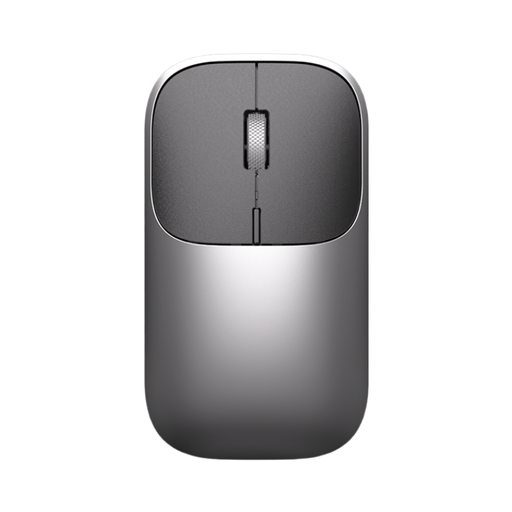
Ochama JZ001 Mouse, Metallic Grey/Silver White
This option is relevant if you want to use Bluetooth routinely while retaining a 2.4 GHz connection choice. Its title specifies Bluetooth 5.0, 2.4 GHz and adjustable DPI. Before buying, check power arrangements, hand fit and compatibility with the computer you will use for your records.
View on Joybuy
Common questions
Will a Bluetooth mouse help if plug sockets are limited?
It helps with a shortage of computer USB ports, not necessarily mains wall sockets. HP explains that Bluetooth connects directly to a compatible computer or tablet instead of using the USB receiver required by a 2.4 GHz RF mouse; you still need to account for battery replacement or charging.
Should I choose Bluetooth-only or a dual-mode mouse?
Choose Bluetooth-only if your computer’s Bluetooth works and keeping a USB port free is your main concern. Choose dual-mode if a receiver fallback would be useful on another computer, remembering that the receiver takes up a port whenever you use it.
Do I need a vertical mouse for tax-record work?
Not necessarily: consider one if sessions are long and its shape suits your hand and desk setup. Logitech describes Lift as intended for small to medium hands; check the selected model’s handedness and fit rather than assuming that any vertical shape will be comfortable.


