Quiet shared-desk planners
If you prepare agendas, slides or documents beside colleagues, a mouse with an explicitly stated quiet-click feature may help you limit disruption without changing your planning routine.


Choose a quiet-click mouse if colleagues will be working nearby, then consider its shape and connection method for the time you will spend at the desk. A compact model suits occasional desk changes, while sustained document and slide work calls for closer attention to hand fit and workstation setup. Check that the mouse can connect to each computer you intend to use.
If you prepare agendas, slides or documents beside colleagues, a mouse with an explicitly stated quiet-click feature may help you limit disruption without changing your planning routine.
Extended work on training materials makes hand fit and desk arrangement worth checking. The Health and Safety Executive advises positioning the mouse in line with the elbow as part of workstation setup.
If you move between desks or use more than one computer for planning and presentations, check portability, connection methods and whether the exact mouse can switch between your compatible devices.
For training planning at a shared desk, decide which need would govern your choice if one mouse cannot meet every preference. Then check the exact model against that need and the computers and desk you will use.
| Concern | What to check | Who this matters to |
|---|---|---|
| Hand fit and desk setup | Check hand-size and handedness guidance, and whether you can position the mouse in line with your elbow. | If planning means long stretches navigating slides and documents, I need a shape that fits my hand and a workable desk position. Around 40% of consumers would put this fit and setup need first. |
| Click noise | Look for a quiet-click feature stated for the exact model; do not assume wireless means quiet. | Working beside colleagues, I want frequent clicks to cause less disturbance. Reducing click noise would be the primary need for around 30% of consumers. |
| Connections across devices | Confirm connection methods and device-switching support against the intended computers and workplace rules. | When I prepare material on one device and present from another, I need a connection arrangement that works with both. Around 20% of consumers would prioritise that flexibility. |
| Carrying and upkeep | Check the mouse’s size and the manufacturer’s cleaning instructions for shared use. | If I carry a mouse between temporary desks, I want one that is practical to transport and maintain. Those needs would come first for around 10% of consumers. |
Less click noise does not resolve a mouse positioned too far away or a shape that does not fit your hand. The Health and Safety Executive advises keeping the mouse in line with your elbow.
For extended planning sessions, check the model’s fit guidance and your desk position. Where regular display screen equipment work calls for a workstation assessment, treat the mouse as one part of it.
A shared computer’s operating system, Bluetooth capability, available USB ports or workplace rules may limit your connection choices.
Check the exact host computer before buying, then decide whether you need Bluetooth, a USB receiver or both. Microsoft Support, for example, specifies Windows 10 or Windows 11 and Bluetooth 4.0 or later for Surface Arc Mouse setup.
A vertical design alone does not establish that a mouse suits your hand or handedness. Logitech’s guidance distinguishes hand-size and left-handed variants within its mouse ranges.
Check the guidance for the exact model and variant you intend to use, rather than relying on the word ergonomic in its name.
Electrical products and batteries need appropriate end-of-life handling. The Office for Product Safety and Standards advises taking them to a suitable recycling collection point rather than putting them in household rubbish.
Check local electrical-waste and battery collection options when replacing shared equipment.
Its mouse range includes compact, hand-size-specific and vertical designs relevant to different shared-desk routines.
Models in its range address device switching and shared-equipment upkeep in different ways.
Surface Arc Mouse is a slim Bluetooth option for carrying between desks.
These mice offer different ways to address quiet shared-desk work, wireless connection or preferred grip shape. Check each model’s stated features against your host computer and the length of your planning sessions.
 No image available
Consider this model when quieter clicks and a choice of wireless connection matter at a shared desk.
The title specifies 2.4G and Bluetooth connection methods, adjustable DPI and one AA battery. Check hand fit if you expect to use it for extended sessions.
 No image available
Consider this model if you want to assess a contoured mouse for sustained work on training materials.
Check whether its shape fits your hand and confirm the package contents if you need a Logi Bolt receiver for the shared computer.
 No image available
Its stated silent clicks make it worth considering where nearby colleagues are sensitive to clicking.
The title specifies a 2.4 GHz USB receiver and 1600 DPI. Confirm that the shared computer can use the receiver, and check hand fit for longer sessions.
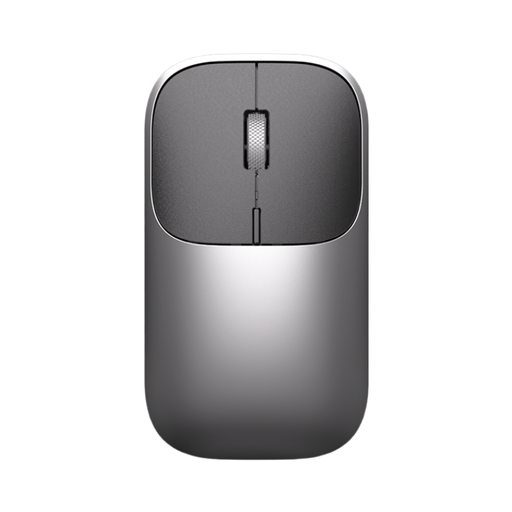 No image available
Consider this mouse if the connection options matter more to you than a stated quiet-click feature.
The title specifies Bluetooth 5.0, 2.4 GHz wireless and adjustable DPI. Check the intended computers’ connection options, click-noise suitability and hand fit.
 No image available
Consider this model if you prefer a vertical grip for desk-based planning, subject to checking its fit.
The title specifies Bluetooth and 2.4 GHz connection methods, six buttons and an adjustable 1600 DPI sensor. Check handedness, hand fit and click-noise suitability before choosing it for a shared desk.
No particular mouse model is prescribed by the Health and Safety Executive’s guidance. For UK workers who use display screen equipment daily for continuous periods of an hour or more, employers must carry out a workstation assessment; mouse choice and positioning should be considered alongside the whole workstation and individual requirements.
Choose the connection method that the exact computer and workplace rules permit. Bluetooth avoids occupying a USB port, while a receiver may be an option where Bluetooth pairing is unavailable; check the mouse’s requirements too. HP specifies both Bluetooth 5.3 and a 2.4 GHz dongle for its 710 model.
No. The Health and Safety Executive says employers must assess workstations used for regular display screen equipment work under the applicable conditions, and that workers who change desks regularly should carry out a basic risk assessment. Quieter clicks address only one consideration at a shared desk.
Take unwanted electrical equipment and batteries to an appropriate recycling collection point rather than putting them in household rubbish, as advised by the Office for Product Safety and Standards. Check local collection arrangements for the mouse and its battery.