What matters when choosing?
Work out whether the two displays belong to one computer or separate devices. Then choose the pointer control, scrolling method and shape that address your main difficulty with invoice work.
| Concern | What to check | Who this matters to |
|---|
| Pointer control and scrolling |
Look for adjustable pointer speed and scrolling you can control line by line; check for sideways scrolling if you use wide spreadsheets. |
When I compare invoice fields across displays, I need to land on the right cell without losing my place in a long document. Around 36% of consumers would put movement and scrolling first. |
| Comfort during long sessions |
Check hand-size guidance, handedness and button reach; consider the desk and screen arrangement as well as mouse shape. |
After sustained desk work, I care most about a shape I can use comfortably, not an ergonomic label alone. For around 29% of consumers, fit and comfort would be the primary concern. |
| Separate-device switching |
Confirm whether you use more than one computer, then check connection methods, operating-system support and available USB ports. |
If I move between a work laptop and desktop, I want to switch the mouse without disrupting the task. Device switching would come first for around 21% of consumers. |
| Limited movement space |
Check whether a stationary trackball fits the available desk area and whether its connection and software suit your computer. |
With little room to move a mouse beside my documents and equipment, I would rather control the pointer from one spot. Around 14% of consumers would make stationary control their priority. |
Mice for invoice review on Joybuy
These mice cover conventional pointer use, a vertical grip and features to consider when invoice work spans separate computers. Choose according to your desk, hand fit and connection requirements rather than treating the list order as a performance comparison.
 No image available
Logitech MX Master 3S Black mouse
Consider this model if pointer adjustment and document scrolling are priorities at a desk; check hand fit and the connection method you intend to use. Logitech describes an 8,000 DPI sensor and MagSpeed scrolling for the MX Master 3S range.
View on Joybuy
 No image available
RAPOO MT760L-LG mouse
If switching between computers is central to your invoice work, check this model’s operating-system compatibility and whether its connection requirements suit both machines before choosing it.
View on Joybuy
 No image available
HP 920 Ergonomic Wireless Mouse, black, with detachable wrist rest
The detachable wrist rest makes this a model to assess if support and hand position matter during long desk sessions. Check hand fit and button reach; a mouse alone may not address a wider workstation problem.
View on Joybuy
 No image available
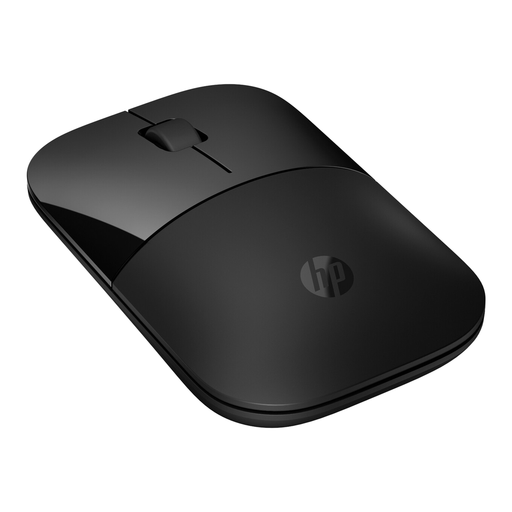
HP Z3700 Dual Black Mouse
For routine invoice navigation, check whether this model’s pointer-speed and scrolling controls meet your needs, particularly if you work with wide spreadsheets or need precise adjustments.
View on Joybuy
 No image available
V7 MW500BT Bluetooth vertical mouse
Consider its vertical grip if that shape fits your hand and button reach. The named variant specifies Bluetooth and 2.4 GHz connection options, six buttons and an adjustable sensor up to 1600 DPI; check scrolling behaviour for long invoices and wide sheets.
View on Joybuy
Frequently asked questions
Do two monitors mean I need a multi-device mouse?
No, not if both displays are connected to one computer. Consider device switching when the invoice workflow moves between separate computers or other compatible devices; Logitech says its M720 can pair with up to three devices.
Is a vertical mouse the right choice for long invoice-checking sessions?
A vertical mouse is worth considering if its shape fits your hand, but it is not an automatic answer to discomfort. Logitech specifies Lift for small to medium hands, while the Health and Safety Executive advises assessing the whole workstation where appropriate.
What if a UK employee reports discomfort during prolonged screen work?
The employer should consider the workstation and the work, not just the mouse. The Health and Safety Executive says employers must carry out a workstation assessment when workers use display screen equipment daily as part of their normal work for continuous periods of an hour or more; it also calls for assessment when users report pain or discomfort.
Should I use Bluetooth or a USB receiver?
Choose the connection that works with your computer and workplace restrictions. Bluetooth avoids occupying a USB port, while a receiver needs a suitable port; check the exact mouse model’s connection and operating-system requirements before buying.
Can a trackball work for checking invoices?
Yes, particularly when desk space for moving a mouse is limited, provided you are comfortable controlling the pointer with a ball. Kensington’s Expert Mouse Wireless Trackball has a scroll ring and detachable wrist rest; check its model-specific software and connection conditions.


