Route planners short of movement space
If your keyboard and papers leave little room to sweep a mouse sideways, consider a stationary trackball. Logitech describes the ERGO M575 as remaining in place while you control the pointer.


Choose a stationary trackball when the space needed to move a mouse is your main constraint. A compact conventional mouse still needs room to move, but may suit you if you prefer familiar controls. For repeated route-page scrolling, compare the controls you will use and confirm compatibility with your computer or tablet; a Multi-Touch mouse is another option for compatible Mac or iPad users.
If your keyboard and papers leave little room to sweep a mouse sideways, consider a stationary trackball. Logitech describes the ERGO M575 as remaining in place while you control the pointer.
If you regularly scan long route pages and make fine pointer adjustments, compare the feel of a wheel, scroll ring or touch surface. Kensington specifies adjustable cursor and scrolling speeds for its Orbit Trackball with Scroll Ring.
If you move between devices, check both the connection method and operating-system requirements. Logitech specifies three-device switching for the Pebble Mouse 2 M350s; Apple lists specific Mac and iPad software requirements for its USB-C Magic Mouse.
Start with the space available beside your keyboard, then decide which navigation controls and connections fit the devices you use.
| Concern | What to check | Who this matters to |
|---|---|---|
| Desk space | Compare the device’s fixed footprint with the free area needed to move a conventional mouse. | If my keyboard leaves almost no room to move a mouse, I need pointer control that stays in one place. Around 42% of consumers would put stationary control first. |
| Map navigation | Compare a wheel, scroll ring and touch scrolling; check whether pointer or scroll speed can be adjusted on your system. | When I scan route details and adjust a map, I want controls that let me move through pages and position the pointer deliberately. For roughly 33% of consumers, navigation control would be the main priority. |
| Compatibility | Confirm operating-system support, Bluetooth availability, usable USB ports and whether a required receiver is included. | If I plan routes on more than one device, I need a connection that works with each one without assuming a receiver is in the box. Device and connection compatibility would come first for about 25% of consumers. |
A slim mouse takes up little space when stored but still needs room to travel during use. A trackball stays put, although its fixed footprint may be larger.
Measure both the space available for the device and the clear area in which you could move a mouse.
Your computer must support the connection you intend to use. Logitech states that the compatible Logi Bolt receiver is not included with the MX Anywhere 3S.
Check Bluetooth support, available USB ports and receiver inclusion before choosing a connection method.
If Bluetooth is unsuitable for your setup, using the MX Anywhere 3S with a Logi Bolt receiver requires obtaining that receiver separately.
Apple lists the USB-C Magic Mouse for a Mac running macOS 15.1 or later or an iPad running iPadOS 18.1 or later.
Check your exact device and software version against Apple’s compatibility information before relying on its gestures.
GOV.UK advises that electrical products and batteries should not go into household rubbish when they no longer work.
Use a suitable electrical-waste or battery collection point.
Its referenced models cover a slim multi-device mouse, a compact conventional mouse and a stationary thumb-trackball.
The Orbit Trackball with Scroll Ring is a stationary, ambidextrous alternative to a conventional moving mouse.
The USB-C Magic Mouse offers Multi-Touch scrolling and page-swiping gestures for compatible Apple devices.
These moving mice are options for route planning when you can leave room for pointer movement. Compare their controls and connection methods with the computer or tablet you intend to use.
 No image available
Consider this conventional mouse if you want adjustable pointer control while planning routes and have room to move it beside your keyboard.
The product name specifies multi-level DPI adjustment, 2.4G+BT connectivity and one AA battery.
 No image available
This is a moving mouse to consider if adjustable pointer sensitivity and a choice of wireless connections matter more to you than stationary control.
Its product name specifies five DPI levels, Bluetooth/2.4G connectivity and an 800mAh battery. Check its footprint against the movement space on your desk.
 No image available
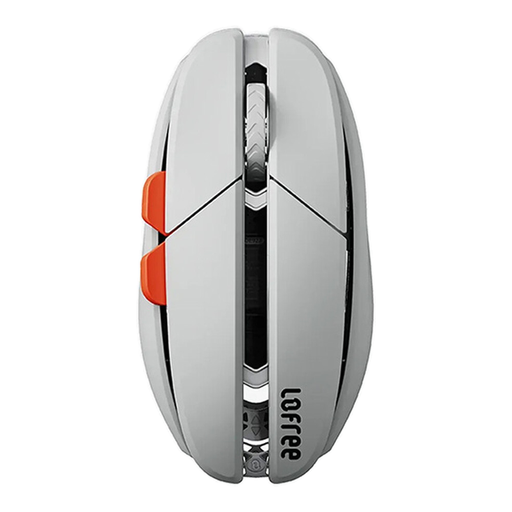
Consider this conventional mouse if you need a choice of connection methods for route planning and can spare space to move it.
The product name specifies Bluetooth, 2.4G and wired connections, a PAW3950 laser sensor, and a magnesium-alloy frame with a PC shell. Check device compatibility, particularly if you use Boot Camp on a Mac.
 No image available
This moving mouse is worth considering if you prefer touch scrolling while reviewing route pages on a compatible device.
Check the exact model and its operating-system requirements against your Mac or iPad before buying; do not assume the requirements for Apple’s USB-C version apply to this listing.
Yes, if the main problem is finding room to move a conventional mouse: the device stays in place while you control the pointer. Logitech describes the ERGO M575 as suitable for limited workspace, but you still need space for the trackball’s fixed footprint and must be comfortable with its control style.
Choose a connection your device supports and that leaves you a usable port if one is needed. Logitech specifies three-device switching for the Pebble Mouse 2 M350s and Bluetooth connection for up to three devices on the MX Anywhere 3S, whose compatible Logi Bolt receiver is not included; Kensington’s Orbit Trackball with Scroll Ring uses wired USB.
Check the exact Magic Mouse model and your device’s software version before buying. Apple lists its USB-C Magic Mouse for a Mac running macOS 15.1 or later or an iPad running iPadOS 18.1 or later; do not apply those requirements to a listing whose version you have not identified.
Take it to a suitable electrical-waste or battery collection point rather than putting it in household rubbish. GOV.UK advises keeping electrical products and batteries out of household rubbish when they no longer work.